Improve your health
Improve your health
Improve your health
13 de diciembre de 2025
Lista de verificación para usar dispositivos portátiles y gestionar el estrés
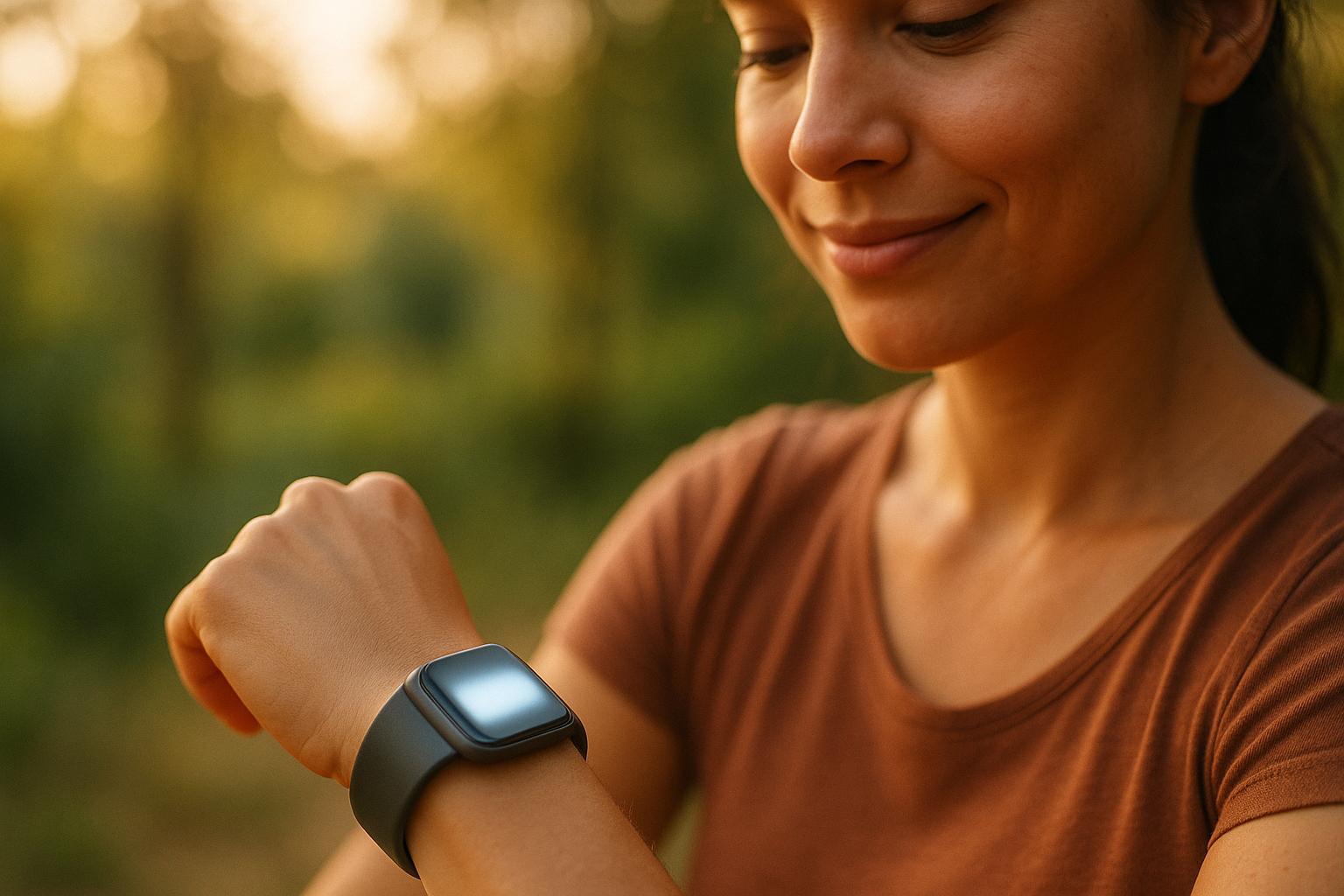
Los dispositivos portátiles pueden ayudarte a monitorear y gestionar el estrés al rastrear indicadores clave como la variabilidad de la frecuencia cardíaca (VFC), la actividad electrodermal (EDA) y los patrones de sueño. Estas herramientas ofrecen información sobre las señales de estrés de tu cuerpo, permitiéndote tomar acción antes de que el estrés impacte tu salud. Aquí tienes una guía rápida para empezar:
Elige el Dispositivo Adecuado: Busca dispositivos portátiles con sensores de VFC y EDA. Opciones como el Apple Watch Series 10, el Fitbit Charge 6 y el Oura Ring Gen 3 son excelentes para el seguimiento del estrés.
Configúralo Correctamente: Sincroniza tu dispositivo con aplicaciones como Healify, introduce detalles personales precisos y úsalo de forma consistente durante 5-7 días para establecer una línea base.
Monitorea Tus Datos: Revisa las tendencias diarias en VFC, EDA y calidad del sueño. Identifica desencadenantes de estrés comparando los datos con tu agenda o actividades.
Usa Herramientas para Manejar el Estrés: Activa funciones como ejercicios de respiración guiados y alertas de estrés para gestionar el estrés en tiempo real.
Revisa los Patrones Semanales: Analiza las tendencias a lo largo del tiempo para ajustar tus hábitos, mejorar la recuperación y reducir episodios de estrés.
Los dispositivos portátiles no son solo rastreadores: son herramientas para ayudarte a tomar el control de tu estrés y construir hábitos más saludables. Aplicaciones como Healify simplifican el proceso convirtiendo datos complejos en consejos prácticos adaptados a tus necesidades.
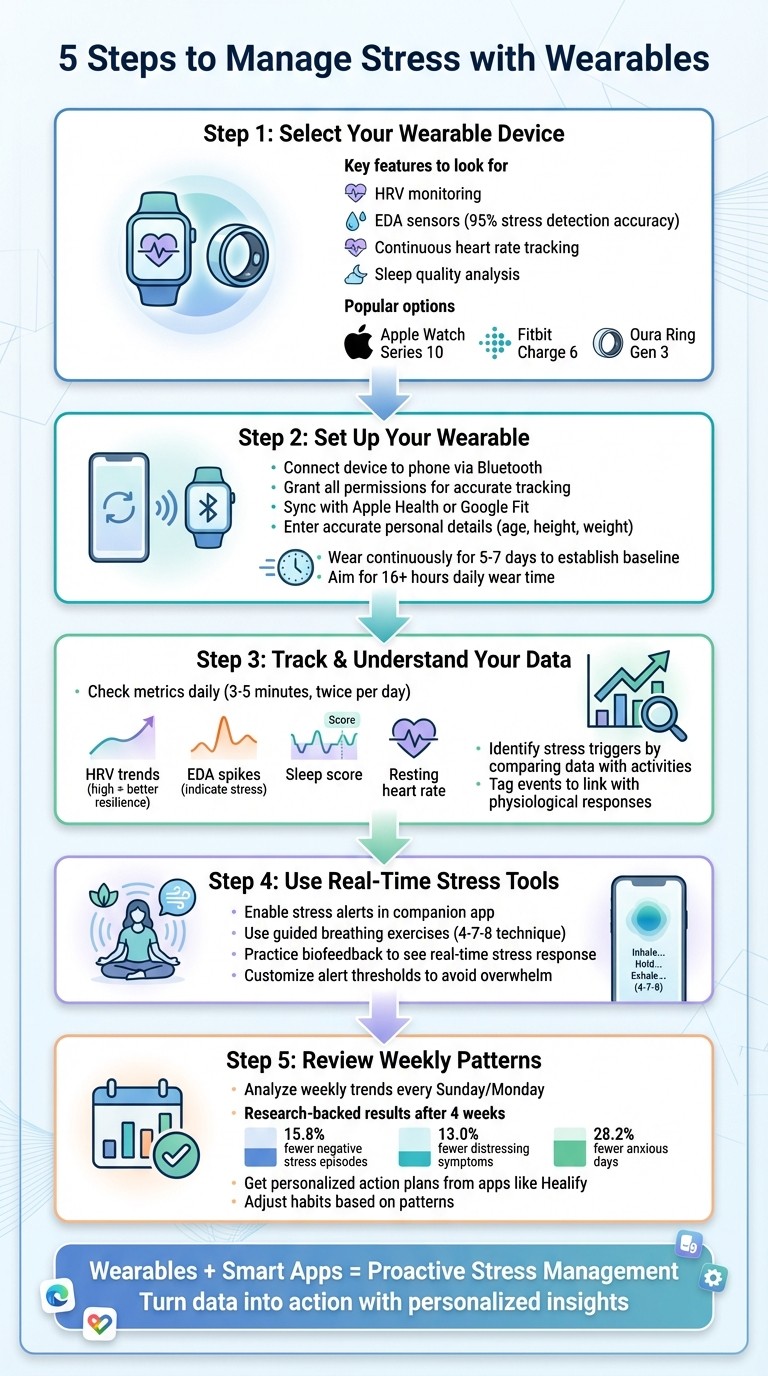
Guía de 5 Pasos para Usar Dispositivos Portátiles en el Manejo del Estrés
La NUEVA Manera en que Tu Apple Watch Monitorea el Estrés - StressWatch
Paso 1: Selecciona Tu Dispositivo Portátil
A la hora de gestionar el estrés, no todos los dispositivos portátiles son iguales. Un simple contador de pasos o calorías no servirá aquí. Necesitas un dispositivo equipado con sensores que puedan captar las sutiles señales fisiológicas que tu cuerpo envía cuando el estrés comienza a aparecer, a menudo antes de que te des cuenta. Elegir el dispositivo portátil adecuado es el primer paso hacia una gestión efectiva del estrés.
Enfócate en las Características para Monitorear el Estrés
Busca dispositivos que ofrezcan monitoreo de VFC, seguimiento continuo de la frecuencia cardíaca y análisis de la calidad del sueño. El monitoreo de VFC (variabilidad de la frecuencia cardíaca) es clave para comprender cómo responde tu sistema nervioso autónomo al estrés y a la recuperación.
Los dispositivos con sensores EDA (actividad electrodermal) son otro requisito imprescindible. Estos sensores miden los cambios en la conductancia de la piel vinculados al estrés. Investigaciones han demostrado que combinar los datos de EDA con las métricas de frecuencia cardíaca puede identificar el estrés con hasta un 95% de precisión utilizando modelos de aprendizaje automático como SVM o kNN [2][4].
Algunas opciones populares en EE. UU. incluyen:
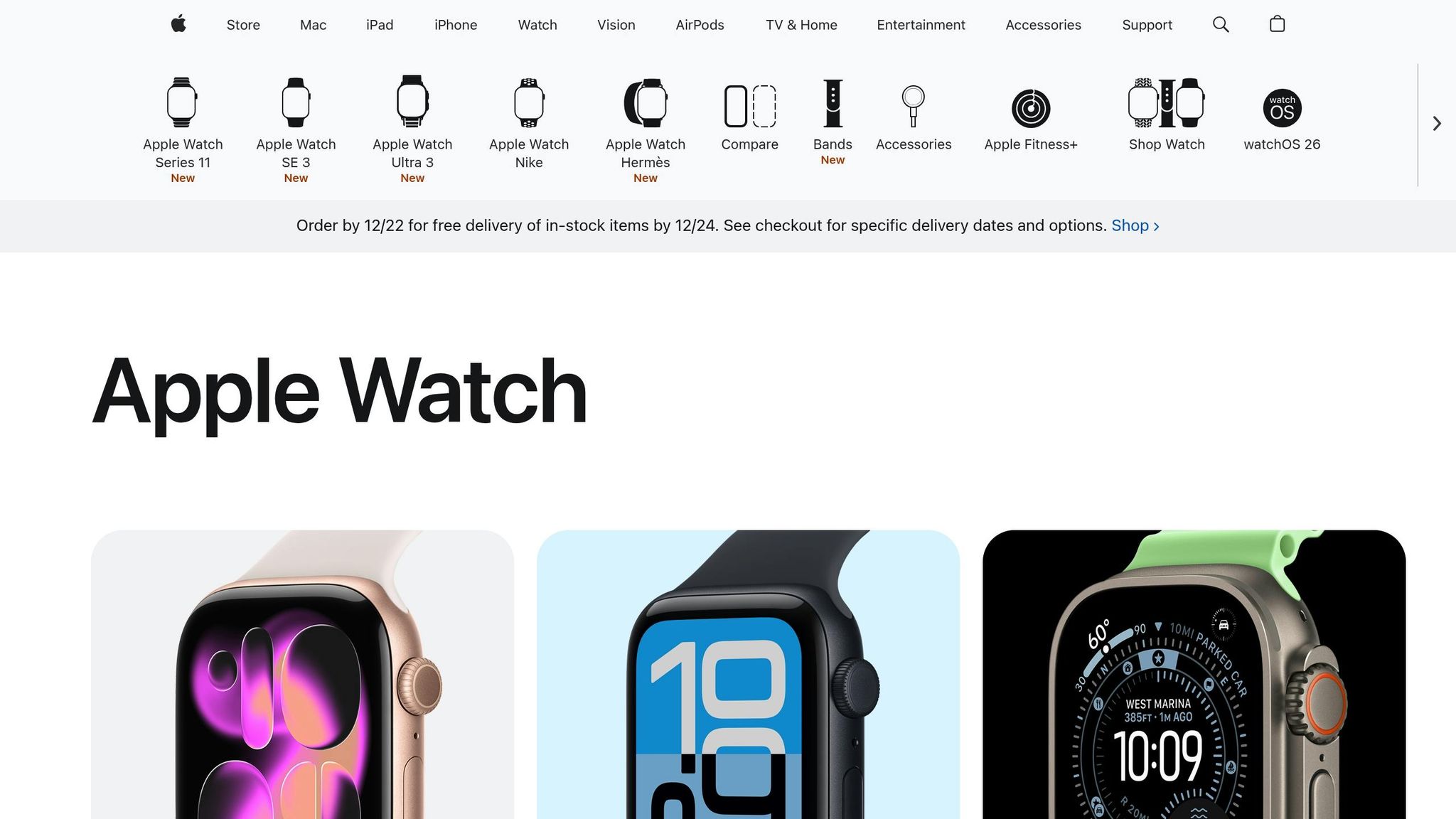
Apple Watch Series 10: Realiza un seguimiento de VFC, frecuencia cardíaca y patrones de sueño a través de watchOS.
Fitbit Charge 6: Ofrece monitoreo de VFC y puntuaciones de manejo del estrés.
Oura Ring Gen 3: Se especializa en el seguimiento de VFC y del sueño.
Estos dispositivos se integran perfectamente con aplicaciones, muestran datos en unidades imperiales familiares (como millas y °F), y están ampliamente disponibles en el mercado de EE. UU. [4].
Asegúrate de la Compatibilidad de la Aplicación
Un portátil sin la aplicación adecuada es como un coche sin volante: los datos por sí solos no te llevarán a ninguna parte. Tu dispositivo debe sincronizarse sin problemas con aplicaciones que analicen tus métricas y proporcionen información práctica.
Por ejemplo, Healify es una aplicación diseñada para transformar datos crudos de tu dispositivo, como VFC, EDA y estadísticas de sueño, en planes personalizados de gestión del estrés. Antes de comprar un dispositivo, asegúrate de que soporte la sincronización por Bluetooth o Wi-Fi y pueda exportar datos a plataformas como Apple Health o Google Fit, en las que Healify se basa para su análisis. La sincronización en tiempo real también es crucial; los datos retrasados pueden hacer que las ideas sean menos efectivas [2].
"Solía sentirme abrumada por los datos de salud en mi iPhone y Apple Watch. Healify cambió eso, dándome una guía clara. Mi energía ha mejorado y ahora sé exactamente qué pasos seguir para una mejor salud." - Sophie, Entusiasta del Fitness [1]
Paso 2: Configura Tu Dispositivo Portátil
Una vez que has seleccionado tu dispositivo, el siguiente paso es configurarlo para un seguimiento preciso del estrés. Una buena configuración asegura que tus lecturas sean fiables y prácticas.
Conecta Tu Dispositivo a Tu Teléfono
Comienza cargando completamente tu dispositivo antes de intentar emparejarlo con tu teléfono. Descarga la aplicación oficial de tu dispositivo portátil, inicia sesión y toca "Agregar dispositivo". Selecciona tu modelo específico y confirma el código de emparejamiento que aparece tanto en tu teléfono como en el portátil [4].
La aplicación solicitará permisos para Bluetooth, datos de movimiento, notificaciones y, a veces, ubicación. Concede todos los permisos solicitados; son esenciales para el monitoreo continuo del estrés y la sincronización en segundo plano. Omitirlos puede interrumpir la recopilación de datos en tiempo real, lo cual es un problema común de configuración [4][5]. Para evitar problemas de conexión, mantén tu teléfono cerca del portátil durante el emparejamiento y limita las interferencias de otros dispositivos Bluetooth.
Para una experiencia más integrada, sincroniza tu dispositivo portátil con Apple Health o Google Fit. Aplicaciones como Configuración Rápida de Salud de Healify consolidan datos de múltiples fuentes, incluidos la frecuencia cardíaca, VFC y puntuaciones de estrés, creando un único panel de control de entrenamiento para interpretar las señales de tu cuerpo en tiempo real [1].
Durante la configuración, necesitarás ingresar detalles básicos como tu edad, sexo, altura (en pies y pulgadas), peso (en libras) y nivel de actividad. Estos datos ajustan los algoritmos de estrés a tu perfil específico, por lo que debes ser lo más preciso posible [2][4]. Además, configura tu zona horaria y tus horas habituales de sueño y vigilia. Esto ayuda al sistema a diferenciar los cambios circadianos normales, como una menor VFC por la noche, de las fluctuaciones relacionadas con el estrés [4].
Registra Tus Mediciones de Línea Base
Para entender lo que es normal para ti, tu dispositivo portátil necesita recopilar datos de línea base. Usa tu dispositivo de forma continua durante 5 a 7 días, abarcando tanto días de trabajo como un fin de semana, mientras sigues tu rutina habitual. Esto garantiza que la línea base refleje tus patrones típicos [2][4].
Intenta usar el dispositivo durante al menos 16 horas al día, incluso durante el sueño. Colócalo en tu muñeca no dominante, a una distancia de un dedo del hueso de la muñeca. Mantenlo ajustado pero cómodo [4]. Para dispositivos con sensores EDA, asegúrate de que tu piel esté limpia y libre de sudor o loción, ya que esto mejora el contacto y aumenta la precisión de la detección de estrés hasta alrededor del 95% [2].
Durante el período de línea base, controla métricas como tu frecuencia cardíaca en reposo (FCR), VFC, puntuaciones de estrés y calidad del sueño. Una FCR estable es una buena señal, y puedes notar que mejora después de un sueño reparador. La VFC tiende a alcanzar su punto máximo durante el sueño y a primeras horas de la mañana, y luego a disminuir a lo largo del día [2][4]. Las puntuaciones de estrés podrían aumentar durante días laborables ocupados y bajar los fines de semana; estos patrones son normales y te ayudarán a identificar cambios posteriormente.
Cuando se te pida, responde honestamente a las preguntas relacionadas con el estrés. Estos informes personales alinean tus datos físicos con cómo te sientes, mejorando la precisión de los algoritmos [2][4]. También puedes registrar eventos diarios significativos, como fechas límite de trabajo o interrupciones del sueño, para entender mejor cómo se correlacionan con picos de estrés.
Una vez que completes tu línea base, tu dispositivo portátil estará listo para comenzar a rastrear e interpretar tus niveles de estrés de manera efectiva.
Paso 3: Monitorea y Comprende Tus Datos de Estrés
Con tu línea base establecida, es momento de monitorear tus métricas de estrés regularmente. Esto te ayuda a entender cómo reacciona tu cuerpo ante diferentes situaciones e identificar patrones a lo largo del tiempo.
Revisa Tus Métricas Diariamente
Reserva de 3 a 5 minutos dos veces al día para revisar métricas clave como la puntuación de sueño, la frecuencia cardíaca en reposo, las tendencias de VFC (variabilidad de la frecuencia cardíaca) y los gráficos de actividad. Presta mucha atención a la VFC y la EDA (actividad electrodermal). Una alta VFC suele indicar mejor resistencia, mientras que una caída puede indicar estrés. De manera similar, picos frecuentes en EDA sugieren niveles elevados de estrés.
La calidad del sueño es otro factor crítico, ya que impacta directamente en tus niveles de estrés al día siguiente. Los datos de actividad también pueden proporcionar información, como si estás sobreentrenando o no siendo lo suficientemente activo. No se trata de obsesionarse con cada detalle, sino de centrarse en las tendencias. Un mal día no es un gran problema, pero los cambios consistentes podrían significar que es momento de tomar acción. Muchos dispositivos portátiles facilitan este proceso con visuales codificados por colores y gráficos de tendencias, de modo que puedas interpretar los datos rápidamente sin sumergirte en análisis complejos [3][5].
Una vez que tengas control sobre tus métricas diarias, el siguiente paso es identificar qué está desencadenando tu estrés.
Encuentra Tus Desencadenantes de Estrés
Después de rastrear tus datos durante al menos una semana, revísalos para encontrar patrones recurrentes. Mira tus gráficos diarios de estrés para identificar cuándo ocurren picos. Luego, compara esos momentos con tu calendario o notas personales para descubrir posibles desencadenantes, como un traslado estresante, reuniones consecutivas o el uso de pantallas tarde por la noche [2][4].
La mayoría de los dispositivos portátiles ofrecen características de etiquetado, o puedes usar herramientas como Healify para vincular eventos específicos a tus respuestas fisiológicas. Por ejemplo, etiqueta una presentación a las 3:00 p.m. y observa si consistentemente se alinea con picos de estrés. Healify va un paso más allá al analizar estos eventos etiquetados junto con tus datos de VFC, sueño y actividad para recomendar soluciones personalizadas, como intentar ejercicios de respiración antes de las reuniones o reducir el consumo de cafeína más temprano en el día [2][4].
Los patrones de comportamiento son igualmente importantes. Por ejemplo, podrías notar que estás más estresado en días en que duermes menos de seis horas o te saltas comidas. Anota tus 3 a 5 desencadenantes recurrentes principales para ayudarte a centrarte en hacer ajustes significativos.
Paso 4: Usa Herramientas de Gestión del Estrés en Tiempo Real
Cuando el estrés llama, tu dispositivo portátil puede hacer más que solo rastrear tus estadísticas: puede ayudarte activamente a manejarlo en el momento. Muchos relojes inteligentes y bandas de fitness están equipados con herramientas como ejercicios de respiración guiados y alertas de estrés. Estas características trabajan de la mano con los datos que has estado rastreando, ofreciendo una manera de responder al estrés mientras ocurre.
Activa Ejercicios de Respiración y Alertas
Para aprovechar al máximo tu dispositivo portátil, activa las alertas de estrés a través de su aplicación complementaria. Busca opciones etiquetadas como "Gestión del Estrés" o "Respuesta Corporal" y enciéndelas. Por lo general, puedes personalizar cuándo se activan estas alertas, como durante el horario laboral, y ajustar la sensibilidad según tu frecuencia cardíaca base o variabilidad de la frecuencia cardíaca (VFC).
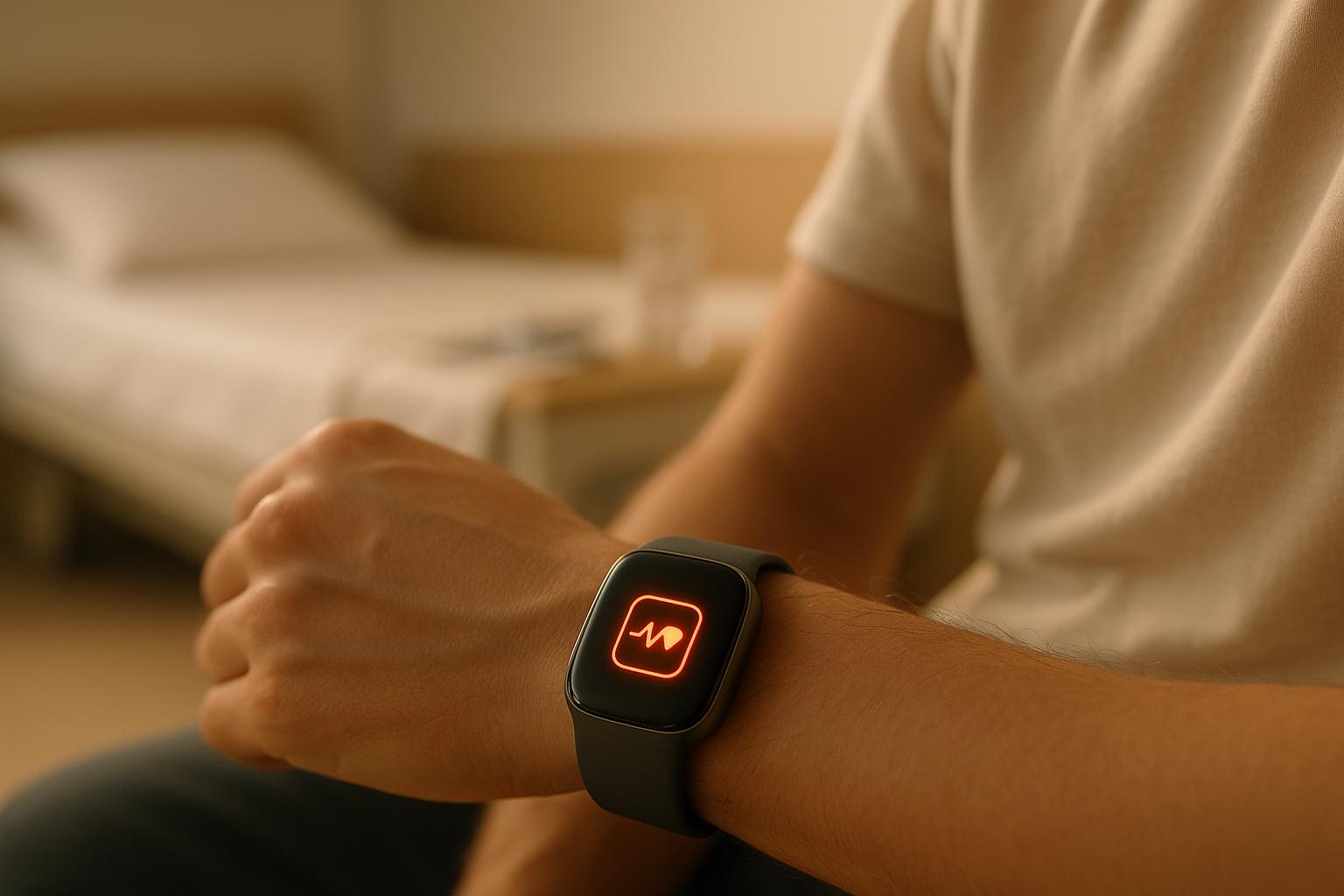
Cuando tu dispositivo detecta signos de estrés, como un aumento en la frecuencia cardíaca o una caída en la VFC, te notificará con una vibración y te guiará a través de un ejercicio de respiración calmante 4-7-8. Por ejemplo, un estudio destacó cómo un parche ECG activó la aplicación Breath del Apple Watch durante un episodio de estrés, utilizando vibraciones en la muñeca y visuales en pantalla para ayudar al usuario a regular su frecuencia cardíaca hasta que volviera a la normalidad [2].
Usa Biofeedback para Controlar el Estrés
El biofeedback es una herramienta poderosa que te permite ver cómo tu cuerpo está reaccionando al estrés en tiempo real. Métricas como VFC, puntuaciones de estrés o lecturas de EDA pueden guiarte mientras practicas técnicas de relajación. Por ejemplo, mientras sigues un ejercicio de respiración, podrías notar cómo tu frecuencia cardíaca disminuye o mejora tu VFC, una prueba de que tu respuesta al estrés va en la dirección correcta [2].
Healify lleva esto un paso más allá al analizar los datos de tu dispositivo portátil y proporcionar un plan de acción fácil de seguir. En lugar de solo mostrar números crudos, su entrenador de salud AI ofrece consejos personalizados basados en tus métricas, ayudándote a responder de manera efectiva. Incluso puedes personalizar los umbrales de alerta para evitar sobrecargarte, asegurando que el feedback sea tanto oportuno como útil [1]. Este enfoque personalizado se basa en los datos que ya has estado rastreando, haciendo que la gestión del estrés se sienta como una segunda naturaleza.
Con estas herramientas en su lugar, estarás mejor equipado para manejar el estrés en el momento y ajustar tu estrategia mientras revisas tus tendencias semanales.
Paso 5: Revisa los Patrones Semanales y Ajusta
Una vez que has rastreado tus datos durante una semana, es momento de dar un paso atrás y observar el panorama general. Si bien las instantáneas diarias son útiles, los patrones semanales te ofrecen una visión más clara de cómo están funcionando tus esfuerzos de manejo del estrés. Estas tendencias más amplias pueden destacar cosas que podrías pasar por alto día a día, como mejoras graduales en tu variabilidad de la frecuencia cardíaca (VFC), mejor calidad del sueño o una disminución notable en episodios de estrés. Al combinar tus observaciones diarias con esta revisión semanal, podrás afinar tus estrategias para manejar el estrés de manera más efectiva.
Detecta Tendencias Semanales de Estrés
Reserva un tiempo, el domingo por la noche o el lunes por la mañana funciona bien, para revisar tus datos semanales. Usa la aplicación de tu dispositivo portátil para revisar los paneles de resumen de VFC, calidad del sueño y episodios de estrés. Busca patrones en los altibajos. Por ejemplo, si tu VFC cae por debajo de 50 ms a mediados de semana, podría indicar que no te estás recuperando bien. También puedes notar tendencias como duraciones de sueño más cortas entre semana (promediando seis horas) en comparación con los fines de semana (ocho horas) o agrupaciones de episodios de estrés los jueves y viernes por la tarde.
Investigaciones respaldan el valor de este tipo de monitoreo regular. Una revisión de intervenciones de estrés basadas en dispositivos portátiles encontró que los participantes que rastrearon sus patrones semanales durante cuatro semanas reportaron un 15.8% menos de episodios negativos de estrés, un 13.0% menos de síntomas de angustia y un 28.2% menos de días sintiéndose ansiosos o estresados [2]. Combinar estos datos con tu registro de actividad puede descubrir conexiones útiles, como una caída en VFC en días que estás excesivamente activo y no permites suficiente tiempo para la recuperación. Estos conocimientos pueden guiar ajustes a tu rutina.
Obtén Consejos Personalizados con Healify
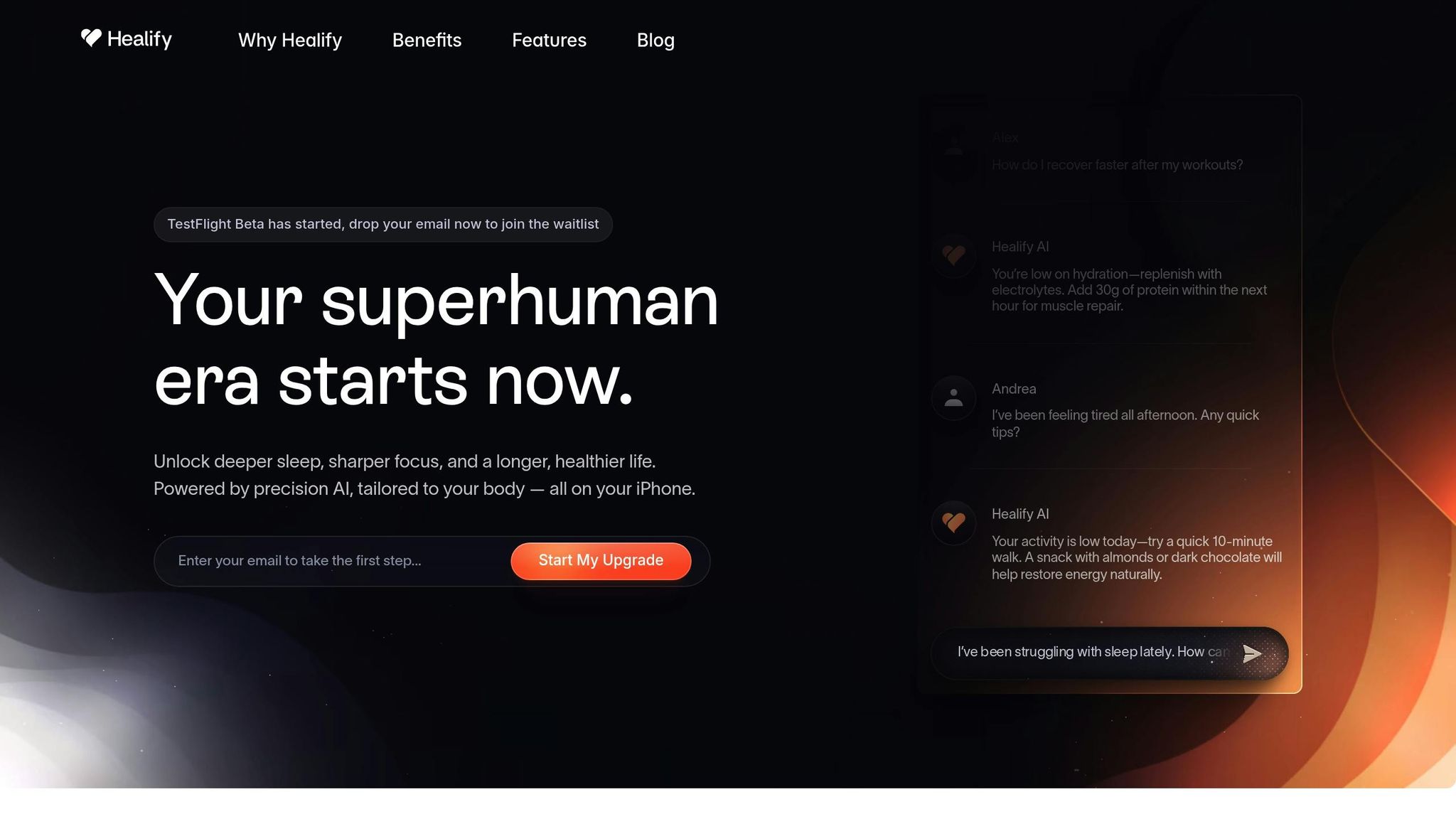
El entrenador de salud AI de Healify, Anna, toma tus datos semanales, métricas de VFC, sueño y estrés, y los convierte en un plan de acción personalizado. Por ejemplo, si tu resumen semanal muestra una VFC promedio de 45 ms (una señal de baja variabilidad), seis horas y media de sueño con solo un 20% de sueño profundo, y cinco episodios de estrés principalmente por las tardes, Anna podría sugerir:
Practicar ejercicios de respiración 4-7-8 diarios para reducir episodios de estrés en un 30%.
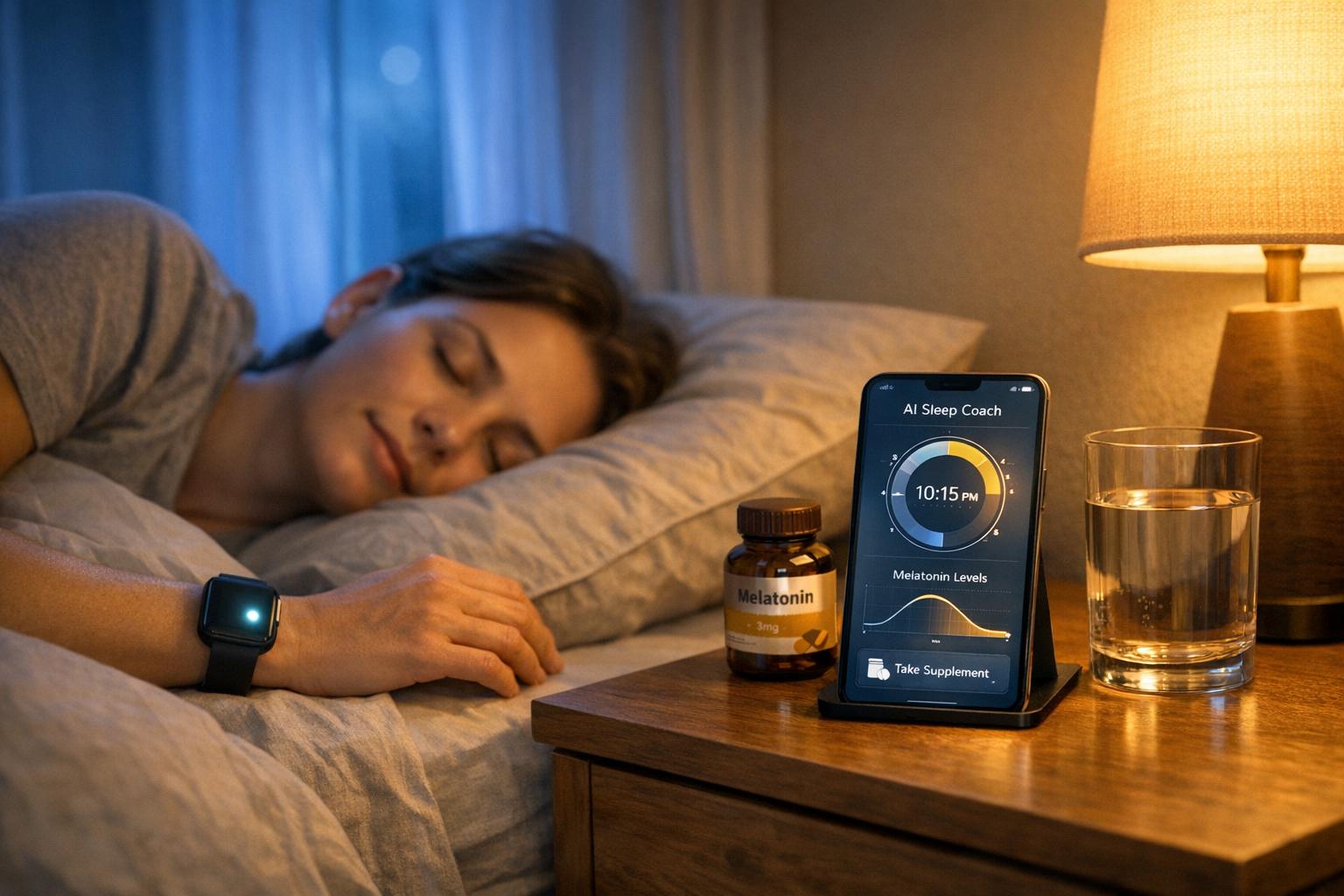
Configurar un recordatorio para acostarse a las 10:00 PM para buscar una hora extra de sueño.
Programar una revisión semanal con Anna para orientación continua.
Este proceso toma lo que podría parecer datos de salud abrumadores y los traduce en pasos simples y prácticos. En lugar de adivinar qué cambios hacer, tendrás un plan claro basado en tus necesidades reales, haciendo más fácil ajustar tus hábitos y ver resultados reales.
Conclusión
Ahora que tus datos de estrés se traducen en pasos prácticos, es momento de solidificar tu enfoque. Manejar el estrés con dispositivos portátiles significa convertir números en acciones significativas. Al rastrear consistentemente tus métricas, respondiendo a las señales de estrés en tiempo real y revisando tus patrones semanalmente, estás estableciendo las bases para una resiliencia a largo plazo. Y no es solo teoría: la investigación respalda esto: los participantes que usaron dispositivos portátiles para el manejo del estrés durante cuatro semanas reportaron 15.8% menos episodios de estrés negativos, 13.0% menos síntomas angustiantes y 28.2% menos días ansiosos [2].
Piensa en tu dispositivo portátil como más que solo un rastreador, es un compañero proactivo. Cuando detecta una frecuencia cardíaca elevada o una caída en VFC, herramientas como ejercicios de respiración y biofeedback pueden ayudarte a intervenir antes de que el estrés tome el control. ¿Esas revisiones semanales? Son tu oportunidad para identificar lo que está funcionando y dónde se necesitan ajustes, ya sea priorizar más el sueño o reservar tiempo de recuperación después de días exigentes.
Healify hace que este proceso sea aún más simple al analizar tus datos del dispositivo portátil junto con tus hábitos diarios, proporcionándote un plan de acción claro y personalizado. En lugar de romperte la cabeza con gráficos y tablas, recibirás recomendaciones específicas y adaptadas para ayudarte a tomar el control.
Preguntas Frecuentes
¿Cómo monitorean los dispositivos portátiles el estrés usando VFC y EDA?
Los dispositivos portátiles monitorean el estrés enfocándose en dos métricas principales: variabilidad de la frecuencia cardíaca (VFC) y actividad electrodermal (EDA). La VFC mide la variación en el tiempo entre latidos; una mayor variabilidad suele señalar mejor resistencia al estrés. Por el otro lado, la EDA mide los cambios en la conductancia de la piel, que aumenta con la actividad de las glándulas sudoríparas durante momentos estresantes.
Al analizar estas métricas juntas, los dispositivos portátiles ofrecen un feedback en tiempo real sobre los niveles de estrés, brindándote herramientas para comprender y gestionar mejor tu salud emocional y física.
¿Cómo pueden ayudar los dispositivos portátiles en el manejo del estrés?
Los dispositivos portátiles se están convirtiendo en un aliado poderoso para el manejo del estrés gracias a su capacidad para proporcionar seguimiento en tiempo real de los niveles de estrés y ofrecer insights personalizados basados en los datos únicos de tu cuerpo. Estos dispositivos pueden ayudarte a identificar patrones de estrés, detectar señales de advertencia tempranas de posibles problemas de salud y tomar medidas para aliviar el estrés antes de que comience a afectar tu bienestar.
Al monitorear métricas clave como la frecuencia cardíaca, la calidad del sueño y los niveles de actividad, los dispositivos portátiles transforman los datos brutos en consejos prácticos que pueden mejorar tu recuperación y resiliencia. Combínalos con aplicaciones de coaching de salud impulsadas por IA, y pueden simplificar datos complejos en estrategias fáciles de seguir para mejorar tanto la salud mental como física.
¿Cómo puedo usar mi dispositivo portátil para identificar lo que causa mi estrés?
Tu dispositivo portátil puede ayudarte a identificar desencadenantes de estrés al monitorear métricas clave como la variabilidad de la frecuencia cardíaca (VFC), los niveles de cortisol y los patrones de estrés a lo largo del día. Al observar los cambios en estas métricas, puedes identificar tendencias relacionadas con ciertas actividades, horarios o entornos.
Por ejemplo, podrías descubrir que tu estrés aumenta durante reuniones prolongadas, después de una noche de mal sueño o en entornos ruidosos y caóticos. Herramientas como Healify pueden procesar estos datos en tiempo real, proporcionando insights accionables para ayudarte a entender y abordar estos factores estresantes, apoyándote en última instancia en la construcción de una mayor resiliencia.
Entradas de Blog Relacionadas
Los dispositivos portátiles pueden ayudarte a monitorear y gestionar el estrés al rastrear indicadores clave como la variabilidad de la frecuencia cardíaca (VFC), la actividad electrodermal (EDA) y los patrones de sueño. Estas herramientas ofrecen información sobre las señales de estrés de tu cuerpo, permitiéndote tomar acción antes de que el estrés impacte tu salud. Aquí tienes una guía rápida para empezar:
Elige el Dispositivo Adecuado: Busca dispositivos portátiles con sensores de VFC y EDA. Opciones como el Apple Watch Series 10, el Fitbit Charge 6 y el Oura Ring Gen 3 son excelentes para el seguimiento del estrés.
Configúralo Correctamente: Sincroniza tu dispositivo con aplicaciones como Healify, introduce detalles personales precisos y úsalo de forma consistente durante 5-7 días para establecer una línea base.
Monitorea Tus Datos: Revisa las tendencias diarias en VFC, EDA y calidad del sueño. Identifica desencadenantes de estrés comparando los datos con tu agenda o actividades.
Usa Herramientas para Manejar el Estrés: Activa funciones como ejercicios de respiración guiados y alertas de estrés para gestionar el estrés en tiempo real.
Revisa los Patrones Semanales: Analiza las tendencias a lo largo del tiempo para ajustar tus hábitos, mejorar la recuperación y reducir episodios de estrés.
Los dispositivos portátiles no son solo rastreadores: son herramientas para ayudarte a tomar el control de tu estrés y construir hábitos más saludables. Aplicaciones como Healify simplifican el proceso convirtiendo datos complejos en consejos prácticos adaptados a tus necesidades.
Guía de 5 Pasos para Usar Dispositivos Portátiles en el Manejo del Estrés
La NUEVA Manera en que Tu Apple Watch Monitorea el Estrés - StressWatch
Paso 1: Selecciona Tu Dispositivo Portátil
A la hora de gestionar el estrés, no todos los dispositivos portátiles son iguales. Un simple contador de pasos o calorías no servirá aquí. Necesitas un dispositivo equipado con sensores que puedan captar las sutiles señales fisiológicas que tu cuerpo envía cuando el estrés comienza a aparecer, a menudo antes de que te des cuenta. Elegir el dispositivo portátil adecuado es el primer paso hacia una gestión efectiva del estrés.
Enfócate en las Características para Monitorear el Estrés
Busca dispositivos que ofrezcan monitoreo de VFC, seguimiento continuo de la frecuencia cardíaca y análisis de la calidad del sueño. El monitoreo de VFC (variabilidad de la frecuencia cardíaca) es clave para comprender cómo responde tu sistema nervioso autónomo al estrés y a la recuperación.
Los dispositivos con sensores EDA (actividad electrodermal) son otro requisito imprescindible. Estos sensores miden los cambios en la conductancia de la piel vinculados al estrés. Investigaciones han demostrado que combinar los datos de EDA con las métricas de frecuencia cardíaca puede identificar el estrés con hasta un 95% de precisión utilizando modelos de aprendizaje automático como SVM o kNN [2][4].
Algunas opciones populares en EE. UU. incluyen:
Apple Watch Series 10: Realiza un seguimiento de VFC, frecuencia cardíaca y patrones de sueño a través de watchOS.
Fitbit Charge 6: Ofrece monitoreo de VFC y puntuaciones de manejo del estrés.
Oura Ring Gen 3: Se especializa en el seguimiento de VFC y del sueño.
Estos dispositivos se integran perfectamente con aplicaciones, muestran datos en unidades imperiales familiares (como millas y °F), y están ampliamente disponibles en el mercado de EE. UU. [4].
Asegúrate de la Compatibilidad de la Aplicación
Un portátil sin la aplicación adecuada es como un coche sin volante: los datos por sí solos no te llevarán a ninguna parte. Tu dispositivo debe sincronizarse sin problemas con aplicaciones que analicen tus métricas y proporcionen información práctica.
Por ejemplo, Healify es una aplicación diseñada para transformar datos crudos de tu dispositivo, como VFC, EDA y estadísticas de sueño, en planes personalizados de gestión del estrés. Antes de comprar un dispositivo, asegúrate de que soporte la sincronización por Bluetooth o Wi-Fi y pueda exportar datos a plataformas como Apple Health o Google Fit, en las que Healify se basa para su análisis. La sincronización en tiempo real también es crucial; los datos retrasados pueden hacer que las ideas sean menos efectivas [2].
"Solía sentirme abrumada por los datos de salud en mi iPhone y Apple Watch. Healify cambió eso, dándome una guía clara. Mi energía ha mejorado y ahora sé exactamente qué pasos seguir para una mejor salud." - Sophie, Entusiasta del Fitness [1]
Paso 2: Configura Tu Dispositivo Portátil
Una vez que has seleccionado tu dispositivo, el siguiente paso es configurarlo para un seguimiento preciso del estrés. Una buena configuración asegura que tus lecturas sean fiables y prácticas.
Conecta Tu Dispositivo a Tu Teléfono
Comienza cargando completamente tu dispositivo antes de intentar emparejarlo con tu teléfono. Descarga la aplicación oficial de tu dispositivo portátil, inicia sesión y toca "Agregar dispositivo". Selecciona tu modelo específico y confirma el código de emparejamiento que aparece tanto en tu teléfono como en el portátil [4].
La aplicación solicitará permisos para Bluetooth, datos de movimiento, notificaciones y, a veces, ubicación. Concede todos los permisos solicitados; son esenciales para el monitoreo continuo del estrés y la sincronización en segundo plano. Omitirlos puede interrumpir la recopilación de datos en tiempo real, lo cual es un problema común de configuración [4][5]. Para evitar problemas de conexión, mantén tu teléfono cerca del portátil durante el emparejamiento y limita las interferencias de otros dispositivos Bluetooth.
Para una experiencia más integrada, sincroniza tu dispositivo portátil con Apple Health o Google Fit. Aplicaciones como Configuración Rápida de Salud de Healify consolidan datos de múltiples fuentes, incluidos la frecuencia cardíaca, VFC y puntuaciones de estrés, creando un único panel de control de entrenamiento para interpretar las señales de tu cuerpo en tiempo real [1].
Durante la configuración, necesitarás ingresar detalles básicos como tu edad, sexo, altura (en pies y pulgadas), peso (en libras) y nivel de actividad. Estos datos ajustan los algoritmos de estrés a tu perfil específico, por lo que debes ser lo más preciso posible [2][4]. Además, configura tu zona horaria y tus horas habituales de sueño y vigilia. Esto ayuda al sistema a diferenciar los cambios circadianos normales, como una menor VFC por la noche, de las fluctuaciones relacionadas con el estrés [4].
Registra Tus Mediciones de Línea Base
Para entender lo que es normal para ti, tu dispositivo portátil necesita recopilar datos de línea base. Usa tu dispositivo de forma continua durante 5 a 7 días, abarcando tanto días de trabajo como un fin de semana, mientras sigues tu rutina habitual. Esto garantiza que la línea base refleje tus patrones típicos [2][4].
Intenta usar el dispositivo durante al menos 16 horas al día, incluso durante el sueño. Colócalo en tu muñeca no dominante, a una distancia de un dedo del hueso de la muñeca. Mantenlo ajustado pero cómodo [4]. Para dispositivos con sensores EDA, asegúrate de que tu piel esté limpia y libre de sudor o loción, ya que esto mejora el contacto y aumenta la precisión de la detección de estrés hasta alrededor del 95% [2].
Durante el período de línea base, controla métricas como tu frecuencia cardíaca en reposo (FCR), VFC, puntuaciones de estrés y calidad del sueño. Una FCR estable es una buena señal, y puedes notar que mejora después de un sueño reparador. La VFC tiende a alcanzar su punto máximo durante el sueño y a primeras horas de la mañana, y luego a disminuir a lo largo del día [2][4]. Las puntuaciones de estrés podrían aumentar durante días laborables ocupados y bajar los fines de semana; estos patrones son normales y te ayudarán a identificar cambios posteriormente.
Cuando se te pida, responde honestamente a las preguntas relacionadas con el estrés. Estos informes personales alinean tus datos físicos con cómo te sientes, mejorando la precisión de los algoritmos [2][4]. También puedes registrar eventos diarios significativos, como fechas límite de trabajo o interrupciones del sueño, para entender mejor cómo se correlacionan con picos de estrés.
Una vez que completes tu línea base, tu dispositivo portátil estará listo para comenzar a rastrear e interpretar tus niveles de estrés de manera efectiva.
Paso 3: Monitorea y Comprende Tus Datos de Estrés
Con tu línea base establecida, es momento de monitorear tus métricas de estrés regularmente. Esto te ayuda a entender cómo reacciona tu cuerpo ante diferentes situaciones e identificar patrones a lo largo del tiempo.
Revisa Tus Métricas Diariamente
Reserva de 3 a 5 minutos dos veces al día para revisar métricas clave como la puntuación de sueño, la frecuencia cardíaca en reposo, las tendencias de VFC (variabilidad de la frecuencia cardíaca) y los gráficos de actividad. Presta mucha atención a la VFC y la EDA (actividad electrodermal). Una alta VFC suele indicar mejor resistencia, mientras que una caída puede indicar estrés. De manera similar, picos frecuentes en EDA sugieren niveles elevados de estrés.
La calidad del sueño es otro factor crítico, ya que impacta directamente en tus niveles de estrés al día siguiente. Los datos de actividad también pueden proporcionar información, como si estás sobreentrenando o no siendo lo suficientemente activo. No se trata de obsesionarse con cada detalle, sino de centrarse en las tendencias. Un mal día no es un gran problema, pero los cambios consistentes podrían significar que es momento de tomar acción. Muchos dispositivos portátiles facilitan este proceso con visuales codificados por colores y gráficos de tendencias, de modo que puedas interpretar los datos rápidamente sin sumergirte en análisis complejos [3][5].
Una vez que tengas control sobre tus métricas diarias, el siguiente paso es identificar qué está desencadenando tu estrés.
Encuentra Tus Desencadenantes de Estrés
Después de rastrear tus datos durante al menos una semana, revísalos para encontrar patrones recurrentes. Mira tus gráficos diarios de estrés para identificar cuándo ocurren picos. Luego, compara esos momentos con tu calendario o notas personales para descubrir posibles desencadenantes, como un traslado estresante, reuniones consecutivas o el uso de pantallas tarde por la noche [2][4].
La mayoría de los dispositivos portátiles ofrecen características de etiquetado, o puedes usar herramientas como Healify para vincular eventos específicos a tus respuestas fisiológicas. Por ejemplo, etiqueta una presentación a las 3:00 p.m. y observa si consistentemente se alinea con picos de estrés. Healify va un paso más allá al analizar estos eventos etiquetados junto con tus datos de VFC, sueño y actividad para recomendar soluciones personalizadas, como intentar ejercicios de respiración antes de las reuniones o reducir el consumo de cafeína más temprano en el día [2][4].
Los patrones de comportamiento son igualmente importantes. Por ejemplo, podrías notar que estás más estresado en días en que duermes menos de seis horas o te saltas comidas. Anota tus 3 a 5 desencadenantes recurrentes principales para ayudarte a centrarte en hacer ajustes significativos.
Paso 4: Usa Herramientas de Gestión del Estrés en Tiempo Real
Cuando el estrés llama, tu dispositivo portátil puede hacer más que solo rastrear tus estadísticas: puede ayudarte activamente a manejarlo en el momento. Muchos relojes inteligentes y bandas de fitness están equipados con herramientas como ejercicios de respiración guiados y alertas de estrés. Estas características trabajan de la mano con los datos que has estado rastreando, ofreciendo una manera de responder al estrés mientras ocurre.
Activa Ejercicios de Respiración y Alertas
Para aprovechar al máximo tu dispositivo portátil, activa las alertas de estrés a través de su aplicación complementaria. Busca opciones etiquetadas como "Gestión del Estrés" o "Respuesta Corporal" y enciéndelas. Por lo general, puedes personalizar cuándo se activan estas alertas, como durante el horario laboral, y ajustar la sensibilidad según tu frecuencia cardíaca base o variabilidad de la frecuencia cardíaca (VFC).
Cuando tu dispositivo detecta signos de estrés, como un aumento en la frecuencia cardíaca o una caída en la VFC, te notificará con una vibración y te guiará a través de un ejercicio de respiración calmante 4-7-8. Por ejemplo, un estudio destacó cómo un parche ECG activó la aplicación Breath del Apple Watch durante un episodio de estrés, utilizando vibraciones en la muñeca y visuales en pantalla para ayudar al usuario a regular su frecuencia cardíaca hasta que volviera a la normalidad [2].
Usa Biofeedback para Controlar el Estrés
El biofeedback es una herramienta poderosa que te permite ver cómo tu cuerpo está reaccionando al estrés en tiempo real. Métricas como VFC, puntuaciones de estrés o lecturas de EDA pueden guiarte mientras practicas técnicas de relajación. Por ejemplo, mientras sigues un ejercicio de respiración, podrías notar cómo tu frecuencia cardíaca disminuye o mejora tu VFC, una prueba de que tu respuesta al estrés va en la dirección correcta [2].
Healify lleva esto un paso más allá al analizar los datos de tu dispositivo portátil y proporcionar un plan de acción fácil de seguir. En lugar de solo mostrar números crudos, su entrenador de salud AI ofrece consejos personalizados basados en tus métricas, ayudándote a responder de manera efectiva. Incluso puedes personalizar los umbrales de alerta para evitar sobrecargarte, asegurando que el feedback sea tanto oportuno como útil [1]. Este enfoque personalizado se basa en los datos que ya has estado rastreando, haciendo que la gestión del estrés se sienta como una segunda naturaleza.
Con estas herramientas en su lugar, estarás mejor equipado para manejar el estrés en el momento y ajustar tu estrategia mientras revisas tus tendencias semanales.
Paso 5: Revisa los Patrones Semanales y Ajusta
Una vez que has rastreado tus datos durante una semana, es momento de dar un paso atrás y observar el panorama general. Si bien las instantáneas diarias son útiles, los patrones semanales te ofrecen una visión más clara de cómo están funcionando tus esfuerzos de manejo del estrés. Estas tendencias más amplias pueden destacar cosas que podrías pasar por alto día a día, como mejoras graduales en tu variabilidad de la frecuencia cardíaca (VFC), mejor calidad del sueño o una disminución notable en episodios de estrés. Al combinar tus observaciones diarias con esta revisión semanal, podrás afinar tus estrategias para manejar el estrés de manera más efectiva.
Detecta Tendencias Semanales de Estrés
Reserva un tiempo, el domingo por la noche o el lunes por la mañana funciona bien, para revisar tus datos semanales. Usa la aplicación de tu dispositivo portátil para revisar los paneles de resumen de VFC, calidad del sueño y episodios de estrés. Busca patrones en los altibajos. Por ejemplo, si tu VFC cae por debajo de 50 ms a mediados de semana, podría indicar que no te estás recuperando bien. También puedes notar tendencias como duraciones de sueño más cortas entre semana (promediando seis horas) en comparación con los fines de semana (ocho horas) o agrupaciones de episodios de estrés los jueves y viernes por la tarde.
Investigaciones respaldan el valor de este tipo de monitoreo regular. Una revisión de intervenciones de estrés basadas en dispositivos portátiles encontró que los participantes que rastrearon sus patrones semanales durante cuatro semanas reportaron un 15.8% menos de episodios negativos de estrés, un 13.0% menos de síntomas de angustia y un 28.2% menos de días sintiéndose ansiosos o estresados [2]. Combinar estos datos con tu registro de actividad puede descubrir conexiones útiles, como una caída en VFC en días que estás excesivamente activo y no permites suficiente tiempo para la recuperación. Estos conocimientos pueden guiar ajustes a tu rutina.
Obtén Consejos Personalizados con Healify
El entrenador de salud AI de Healify, Anna, toma tus datos semanales, métricas de VFC, sueño y estrés, y los convierte en un plan de acción personalizado. Por ejemplo, si tu resumen semanal muestra una VFC promedio de 45 ms (una señal de baja variabilidad), seis horas y media de sueño con solo un 20% de sueño profundo, y cinco episodios de estrés principalmente por las tardes, Anna podría sugerir:
Practicar ejercicios de respiración 4-7-8 diarios para reducir episodios de estrés en un 30%.
Configurar un recordatorio para acostarse a las 10:00 PM para buscar una hora extra de sueño.
Programar una revisión semanal con Anna para orientación continua.
Este proceso toma lo que podría parecer datos de salud abrumadores y los traduce en pasos simples y prácticos. En lugar de adivinar qué cambios hacer, tendrás un plan claro basado en tus necesidades reales, haciendo más fácil ajustar tus hábitos y ver resultados reales.
Conclusión
Ahora que tus datos de estrés se traducen en pasos prácticos, es momento de solidificar tu enfoque. Manejar el estrés con dispositivos portátiles significa convertir números en acciones significativas. Al rastrear consistentemente tus métricas, respondiendo a las señales de estrés en tiempo real y revisando tus patrones semanalmente, estás estableciendo las bases para una resiliencia a largo plazo. Y no es solo teoría: la investigación respalda esto: los participantes que usaron dispositivos portátiles para el manejo del estrés durante cuatro semanas reportaron 15.8% menos episodios de estrés negativos, 13.0% menos síntomas angustiantes y 28.2% menos días ansiosos [2].
Piensa en tu dispositivo portátil como más que solo un rastreador, es un compañero proactivo. Cuando detecta una frecuencia cardíaca elevada o una caída en VFC, herramientas como ejercicios de respiración y biofeedback pueden ayudarte a intervenir antes de que el estrés tome el control. ¿Esas revisiones semanales? Son tu oportunidad para identificar lo que está funcionando y dónde se necesitan ajustes, ya sea priorizar más el sueño o reservar tiempo de recuperación después de días exigentes.
Healify hace que este proceso sea aún más simple al analizar tus datos del dispositivo portátil junto con tus hábitos diarios, proporcionándote un plan de acción claro y personalizado. En lugar de romperte la cabeza con gráficos y tablas, recibirás recomendaciones específicas y adaptadas para ayudarte a tomar el control.
Preguntas Frecuentes
¿Cómo monitorean los dispositivos portátiles el estrés usando VFC y EDA?
Los dispositivos portátiles monitorean el estrés enfocándose en dos métricas principales: variabilidad de la frecuencia cardíaca (VFC) y actividad electrodermal (EDA). La VFC mide la variación en el tiempo entre latidos; una mayor variabilidad suele señalar mejor resistencia al estrés. Por el otro lado, la EDA mide los cambios en la conductancia de la piel, que aumenta con la actividad de las glándulas sudoríparas durante momentos estresantes.
Al analizar estas métricas juntas, los dispositivos portátiles ofrecen un feedback en tiempo real sobre los niveles de estrés, brindándote herramientas para comprender y gestionar mejor tu salud emocional y física.
¿Cómo pueden ayudar los dispositivos portátiles en el manejo del estrés?
Los dispositivos portátiles se están convirtiendo en un aliado poderoso para el manejo del estrés gracias a su capacidad para proporcionar seguimiento en tiempo real de los niveles de estrés y ofrecer insights personalizados basados en los datos únicos de tu cuerpo. Estos dispositivos pueden ayudarte a identificar patrones de estrés, detectar señales de advertencia tempranas de posibles problemas de salud y tomar medidas para aliviar el estrés antes de que comience a afectar tu bienestar.
Al monitorear métricas clave como la frecuencia cardíaca, la calidad del sueño y los niveles de actividad, los dispositivos portátiles transforman los datos brutos en consejos prácticos que pueden mejorar tu recuperación y resiliencia. Combínalos con aplicaciones de coaching de salud impulsadas por IA, y pueden simplificar datos complejos en estrategias fáciles de seguir para mejorar tanto la salud mental como física.
¿Cómo puedo usar mi dispositivo portátil para identificar lo que causa mi estrés?
Tu dispositivo portátil puede ayudarte a identificar desencadenantes de estrés al monitorear métricas clave como la variabilidad de la frecuencia cardíaca (VFC), los niveles de cortisol y los patrones de estrés a lo largo del día. Al observar los cambios en estas métricas, puedes identificar tendencias relacionadas con ciertas actividades, horarios o entornos.
Por ejemplo, podrías descubrir que tu estrés aumenta durante reuniones prolongadas, después de una noche de mal sueño o en entornos ruidosos y caóticos. Herramientas como Healify pueden procesar estos datos en tiempo real, proporcionando insights accionables para ayudarte a entender y abordar estos factores estresantes, apoyándote en última instancia en la construcción de una mayor resiliencia.
Entradas de Blog Relacionadas
Finalmente toma el control de tu salud

Finalmente toma el control de tu salud
Finalmente toma el control de tu salud