
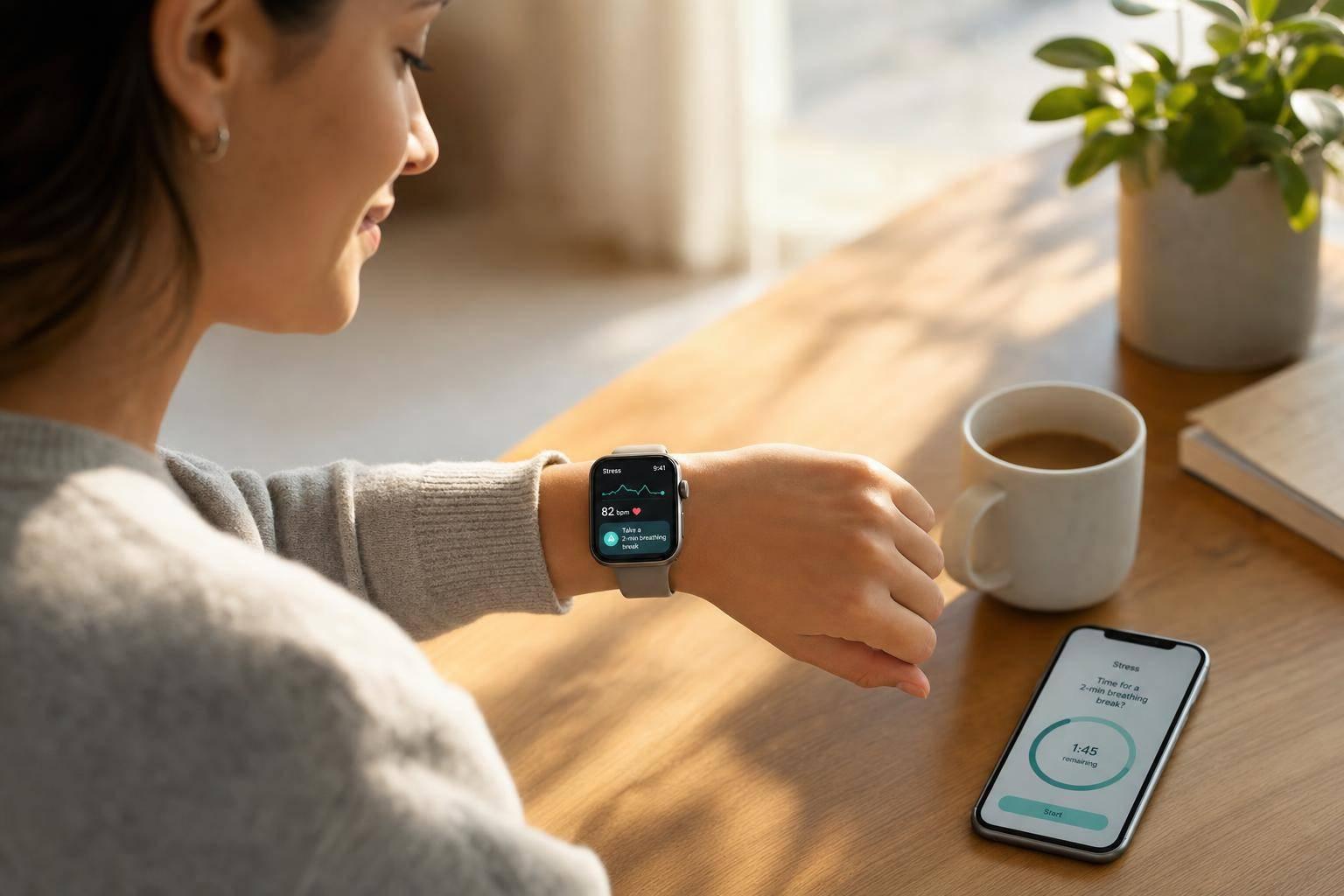
AI stress monitoring helps me spot stress patterns early by tracking body signals, daily habits, and short mood notes over time. Instead of relying on one check-in, it looks for changes in heart rate, HRV, sleep, activity, and context so I can act before stress starts hurting focus, sleep, or recovery.
Here’s the short version:
- It tracks stress with wearables like heart rate, HRV, sleep, movement, and sometimes skin signals
- It cleans the data first to remove motion and sensor noise
- It compares readings to my normal baseline, not just a fixed rule
- It turns those signals into a stress score and watches the pattern across days and weeks
- It can prompt simple next steps like breathing, breaks, lighter training, or earlier wind-down time
- It works best with steady use, a proper device fit, and clear privacy settings
What matters most is not one bad reading. It’s the pattern: repeated high scores, weak recovery between spikes, and links between stress, sleep, and daily habits.
I’d use this kind of tool as a habit guide, not a diagnosis. If the data is steady and the app handles personal health data with care, AI stress tracking can help me make small changes sooner instead of waiting until stress shows up in obvious ways.
Startup: Moment real-time stress detection from voice + HRV | NLP, wearables, just-in-time prompts
sbb-itb-f5765c6
How AI turns wearable data into a stress score
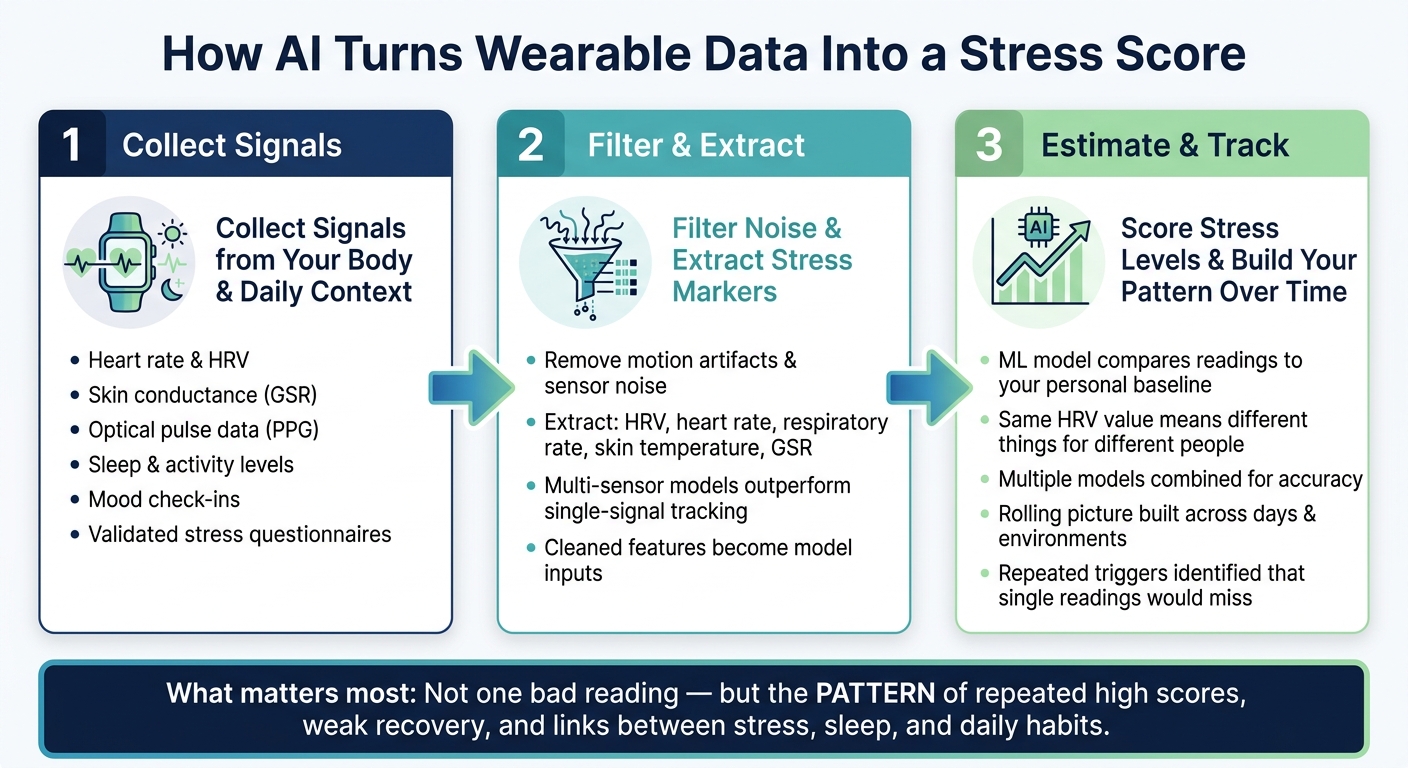
How AI Turns Wearable Data Into a Stress Score: 3-Step Process
Step 1: Collect signals from your body, behavior, and daily context
Your wearable can send AI a mix of signals tied to how your body is doing and what your day looks like. That can include heart rate, HRV, skin conductance (GSR), optical pulse data (PPG), sleep, activity, and mood check-ins. Some systems also line up those signals with validated stress questionnaires so the score matches your reported stress [1].
Before the system assigns a stress score, it cleans the incoming data.
Step 2: Filter motion and sensor noise and extract stress markers
Raw wearable data is messy. A walk up the stairs, a loose strap, or a shaky wrist can distort the signal. So the system first filters out motion artifacts and sensor noise.
After that, the model pulls out stress markers such as HRV, heart rate, respiratory rate, skin temperature, and skin conductance (GSR). These markers give the model the pieces it needs to judge what’s going on.
Multi-sensor models often do better than single-signal tracking because they compare several signals against your baseline. That matters a lot. One signal on its own can miss the bigger picture.
Once filtered, these features become the inputs for the stress score.
Step 3: Estimate stress levels and track trends over days and weeks
Once the data is cleaned and the markers are extracted, a machine learning model compares your current readings with your individual baseline and classifies a stress level. That baseline is a big deal because the same heart rate or HRV value can mean different things for different people.
Many systems combine multiple models because no single method fits every signal. Over time, the system builds a rolling picture of your stress patterns across different days and environments. That makes it easier to spot repeating triggers that a single reading would miss.
That score is what a virtual health assistant uses to decide when to prompt action. The rolling score can then trigger coaching and real-time guidance.
How virtual health assistants use stress data to guide action
How Healify connects stress data with 24/7 AI coaching
A stress score matters only when it leads to something you can do. That’s where a virtual health assistant comes in. It takes the score and turns it into guidance you can use right away.
Healify does this by linking wearables, biometrics, and lifestyle data to its AI coach, Anna. Anna then turns stress trends into clear next steps. Instead of making you sort through charts on your own, Anna looks at your stress patterns alongside sleep, activity, and recovery data to give you personal guidance 24/7.
Real-time prompts for breathing, breaks, sleep, and recovery
When stress goes up, the assistant can respond on the spot with a short action. That might be a breathing prompt, a screen break, or a lighter workout.
If stress keeps climbing later in the day, it can also suggest a wind-down reminder or a relaxation routine. The goal is simple: help protect sleep before stress spills into the night and piles up by morning.
Long-term personalization based on what actually helps you
At first, the assistant starts with broad recommendations. Then it learns from your patterns over time.
Say you sleep better after an earlier wind-down routine and worse after late intense exercise. Future suggestions shift to match that. The system tracks which actions improve your HRV, mood, resting heart rate, and sleep quality, then adjusts based on those results.
That makes setup and daily use the next step.
How to set up and use AI stress monitoring day to day
Once the model has your baseline, the next step is simple: turn each score into a small daily move.
Connect your iPhone, wearable, and Apple Health data
First, make sure your iPhone and wearable work with the app and can track heart rate and HRV. Then turn on Apple Health permissions so the app can read sleep, heart rate, and activity data. That access helps the assistant compare today’s numbers with your baseline and respond with the right context.
It also helps to set notification windows so prompts don’t pop up during meetings or in the middle of the night. From there, pick one or two clear goals to create a personal health dashboard. For example:
- Spot stress spikes during the day
- Improve evening recovery
That keeps the setup focused instead of turning it into another thing to manage. [2][3][5]
If you use Healify, connect it to Apple Health during setup.
Use a simple morning, workday, and evening stress routine
In the morning, check your overnight sleep, resting heart rate, and HRV before the day gets rolling. If HRV is low or sleep was short, ease up a bit. That might mean delaying hard training, cutting back your schedule, or just starting at a slower pace. [2][4]
During the workday, answer prompts when they show up. A fast mood note right after a deadline crunch gives the model context about what set off the spike. Logging close to the moment tends to make the pattern easier to read. [2][4][5]
In the evening, close the loop with one small change for tomorrow. You might move caffeine earlier, aim for an earlier bedtime, or cut back on screen time at night. Then the next reading can show whether that shift helped. [2][3][4]
Read stress scores without treating them like a diagnosis
One high score after a rough night of sleep or a hard workout usually matters less than your personal baseline. So don’t treat a one-off spike like a diagnosis. Treat it as context.
What matters more is the pattern:
- Repeated high readings across days or weeks
- Whether your recovery returns between spikes
That’s the part worth watching. [2][3][6]
A good way to use the data is to ask: what changed, what helped, and what should I try tomorrow? That keeps the tool in the right lane - a signal that supports habits, not a clinical test.
Limits, privacy, and key takeaways
What can reduce accuracy in AI stress detection
AI stress monitoring works best when the data is clean and steady. If the device fits loosely, if you move around a lot, or if you only wear it for short stretches, the signal can get messy. And once the signal gets messy, the readout can drift.
Consistency matters just as much. If you skip days, the system has less to work with, which makes it harder to spot a steady trend over time. On top of that, people aren't built the same way. Two people can show similar readings and still feel stress in very different ways.
The fix is pretty simple: wear the device on a regular basis and make sure it fits the right way.
What to know about privacy when sharing health and mood data
Accuracy is one part of the story. Privacy is the other.
AI stress monitoring depends on sensitive health data, including heart rate, HRV and sleep, activity, and mood notes. Putting those signals together can improve the readout, but it also means there's more personal data in play. Before you share anything, look at the basics:
- What the app collects
- Where the data is stored
- How long it keeps the data
- How you can delete it
Mood notes need extra care because they add context that biometric data can't show on its own. A heart rate spike might tell the system something changed. A mood note can explain why. That's useful, but it also makes those notes more personal. Only log what you're okay sharing, and double-check how the app stores that information.
Conclusion: How AI stress monitoring helps you act earlier and more personally
The main point isn't the score by itself. It's the pattern behind the score.
When wearable signals are paired with behavior and context, the system can spot stress trends before they start hitting your sleep, focus, and recovery. Used on a steady basis and with realistic expectations, that's what this kind of monitoring is good at.
FAQs
How long does AI need to learn my baseline?
AI needs an initial 30-day learning period to map out your personal baseline. During that window, it watches your usual heart rate, skin temperature, and sweat levels to build a reference point that fits you.
Once that baseline is in place, Healify can do a much better job spotting when your biometrics drift from your normal patterns. It also keeps fine-tuning its accuracy as it learns more from your data over time.
Can exercise or poor sleep affect my stress score?
Yes. Exercise and poor sleep can affect your stress score because both change your body’s biometrics.
Tools like Healify account for this by using your personal data, sleep quality, and activity patterns to set your baseline and separate actual stress from short-term changes caused by movement or fatigue.
Is AI stress monitoring private and secure?
Yes. Privacy and security matter a lot in AI-based stress monitoring. The tools can offer helpful insights, but they also deal with sensitive health data. That means strong security measures and encryption need to stay front and center.
As these systems get better, experts and developers keep stressing user privacy and transparency right alongside progress in the tech.