Improve your health
Improve your health
Improve your health
4 de diciembre de 2025
Dispositivos portátiles y AI: Consejos para optimizar el sueño
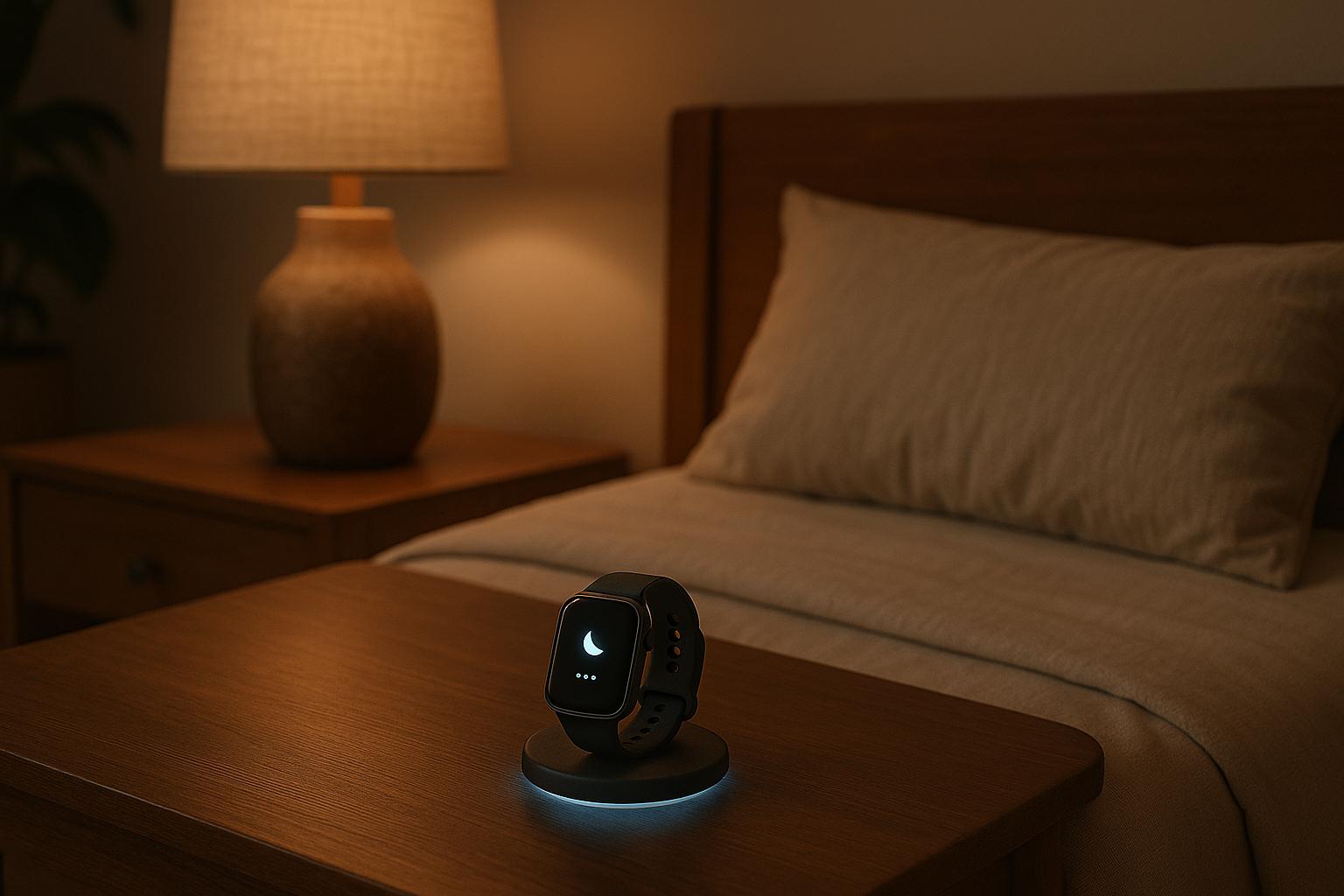
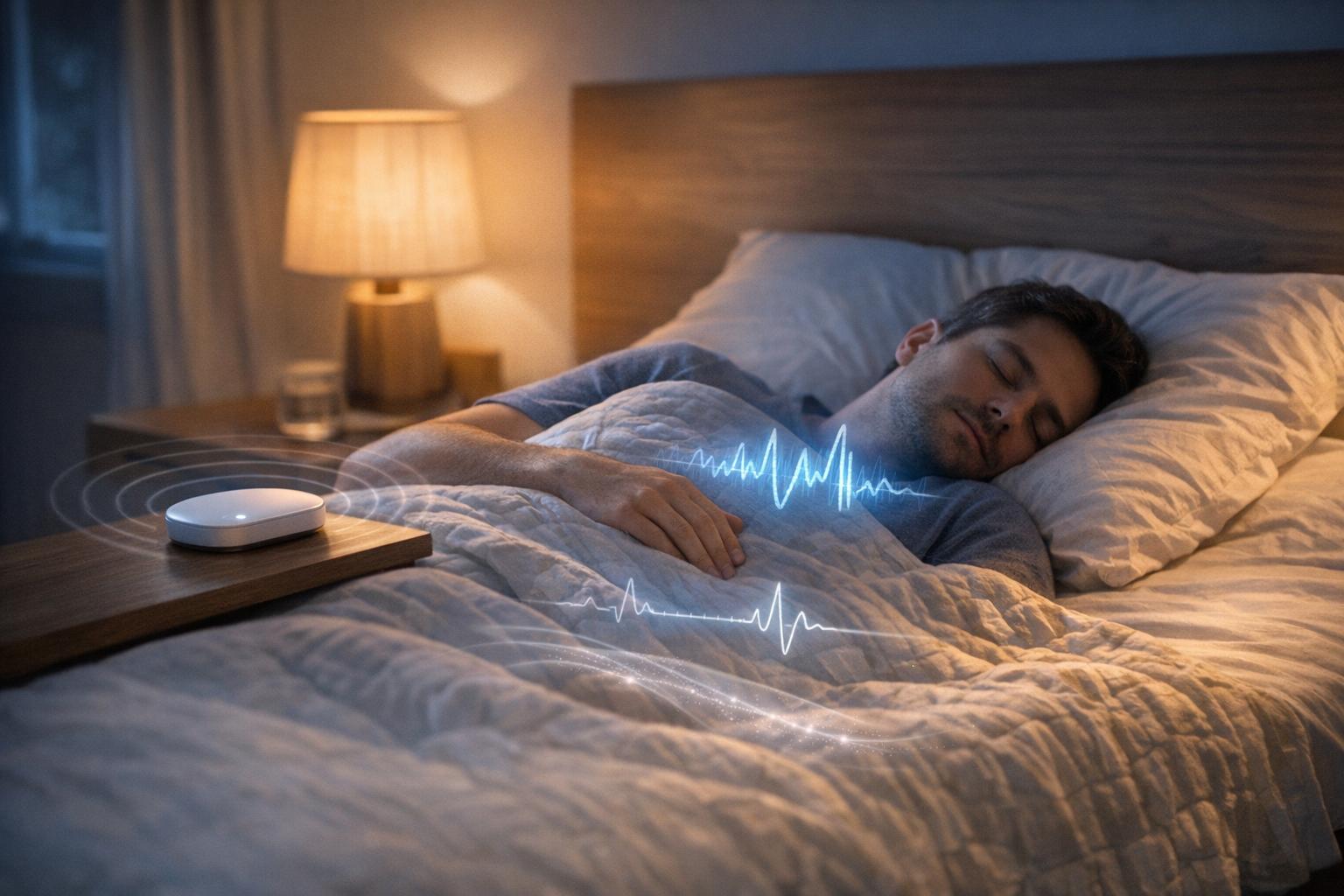
¿Luchas con el sueño? Los wearables y la IA pueden ayudarte a descansar mejor. Estas herramientas analizan tus patrones de sueño y hábitos diarios para ofrecerte consejos personalizados. Así es como funcionan:
Monitorea los patrones de sueño: Dispositivos como el Oura Ring y el Apple Watch controlan las etapas del sueño, la frecuencia cardíaca y más. La IA analiza estos datos para identificar tendencias.
Rutinas personalizadas: Los chatbots de IA sugieren hábitos a la hora de acostarte en base a tus datos, como reducir la cafeína o probar técnicas de relajación.
Automatiza tu entorno: Conecta wearables a dispositivos inteligentes del hogar para ajustar la temperatura, iluminación y sonido para un mejor sueño.
Alarmas inteligentes: Despiértate durante el sueño ligero para una mañana más suave.
Wearables de grado médico: Algunos dispositivos detectan trastornos del sueño como la apnea, ofreciendo detalles para discusiones médicas.
Los wearables y la IA simplifican la mejora del sueño convirtiendo los datos en pasos accionables. Desde el seguimiento de patrones hasta el ajuste de tu entorno, estas herramientas hacen que el mejor descanso sea alcanzable.
Mejores Wearables para el Sueño en 2025: Clasificaciones Científicas
1. Usa Rastreadores de Sueño de IA para Identificar Patrones de Sueño
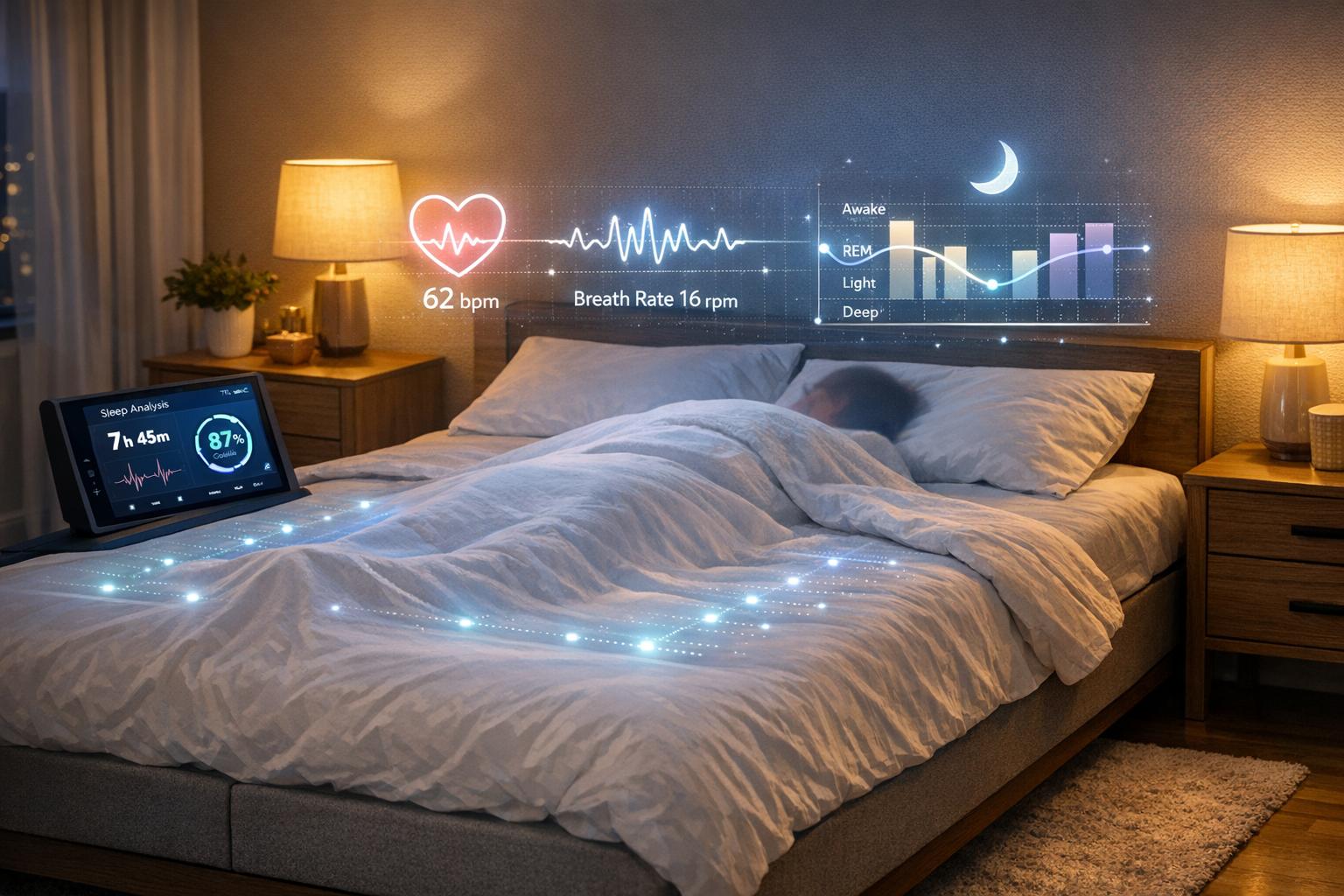
Cada noche, tu dispositivo wearable recopila una cantidad impresionante de datos sobre el sueño: cuánto tardas en dormirte, cuántas veces te despiertas y cuánto tiempo pasas en cada etapa del sueño. Los rastreadores de sueño de IA toman esta información en bruto y la convierten en ideas significativas adaptadas a tus hábitos únicos de sueño.
Métricas clave del sueño a observar. Los dispositivos wearables monitorean factores esenciales como el tiempo total de sueño, la eficiencia del sueño (cuánto de tu tiempo en la cama es sueño real), los despertares después del inicio del sueño y la distribución del sueño ligero, profundo y REM. Dispositivos populares como el Apple Watch Series 8, Oura Ring y Fitbit Charge 5 son conocidos por ofrecer resultados fiables en estas métricas. Por ejemplo, el Oura Ring muestra un 79% de acuerdo con estudios clínicos de sueño al clasificar cuatro etapas del sueño, lo que está cerca del 83% de acuerdo logrado por técnicos de sueño profesionales al revisar los mismos datos [2].
El poder radica en detectar patrones a lo largo del tiempo. Los algoritmos de IA analizan semanas de datos de sueño para descubrir tendencias que podrías pasar por alto. Por ejemplo, podrías notar una caída en el sueño profundo en las noches cuando haces ejercicio tarde en la noche o un aumento en la vigilia durante periodos de estrés laboral, incluso si no te sientes particularmente estresado a la hora de dormir. Estos patrones revelan cómo los hábitos diarios influyen en la calidad de tu sueño.
Plataformas como Healify llevan esto un paso más allá al combinar datos de wearables con biometría y detalles de estilo de vida. Si te despiertas durante la noche, la IA puede investigar tus datos de salud para identificar causas posibles, como niveles bajos de oxígeno en sangre o estrés elevado, ofreciendo pistas para mejorar tu descanso.
Comienza estableciendo una línea base. Usa tu dispositivo consistentemente durante una o dos semanas sin cambiar tu rutina. Rastrea tanto las métricas del dispositivo como cómo te sientes descansado por la mañana. Podrías aprender que tu eficiencia del sueño promedia el 82% o que solo estás obteniendo 1.5 horas de sueño profundo por noche.
Una vez que entiendas tus patrones de sueño típicos, haz un cambio pequeño a la vez. Por ejemplo, si tus datos muestran que tardas unos 45 minutos en dormirte, intenta reducir el tiempo de pantalla una hora antes de acostarte. Luego, monitorea cómo este ajuste afecta el inicio del sueño en la próxima semana o dos. Este enfoque paso a paso puede convertir conjeturas en ideas accionables y personalizadas.
Una nota rápida sobre wearables: Si bien estos dispositivos son excelentes para detectar el sueño, son menos precisos al identificar la vigilia. Concéntrate en tendencias a largo plazo en lugar de lecturas de una sola noche. Con la combinación de sensores precisos de wearable y la capacidad de la IA para reconocer patrones, ganas una comprensión clara y basada en datos de tus hábitos de sueño y los factores que los influyen. A continuación, ve cómo los chatbots de IA pueden ayudar a crear rutinas personalizadas para dormir para mejorar aún más tu sueño.
2. Obtén Rutinas Personalizadas para Dormir de Chatbots de IA
Lleva tu juego de sueño al siguiente nivel transformando los datos de tu dispositivo wearable en una rutina personalizada para dormir con la ayuda de chatbots de IA. Estos chatbots van más allá de los consejos superficiales al analizar tus hábitos diarios y métricas de sueño: como cuánto tardas en quedarte dormido, con qué frecuencia te despiertas durante la noche y cómo se distribuye tu sueño en diferentes etapas. Por ejemplo, si tu wearable muestra que tardas mucho en dormirte, la IA no solo sugerirá consejos genéricos. En cambio, podría recomendar técnicas específicas de relajación y rastrear si esos cambios realmente mejoran tu sueño con el tiempo. Es como tener un entrenador personal de sueño que se adapta a tus necesidades.
Los chatbots de IA también combinan tus datos de sueño con otros factores clave como tus niveles de actividad, estrés, horarios de comidas y consumo de cafeína. Esta perspectiva más amplia ayuda a identificar problemas que podrías pasar por alto, como cómo los entrenamientos nocturnos podrían estar afectando tu sueño profundo o cómo el estrés podría estar causando despertares más frecuentes.
Aplicaciones como Healify están a la vanguardia en coaching de salud por IA. Su asistente de IA, Anna, proporciona asesoramiento personalizado las 24 horas del día. Ya sea que preguntes, "¿Cómo puedo dormir mejor esta noche?" o algo más específico, Anna utiliza tus datos de wearables, biometría y estilo de vida para ofrecer recomendaciones personalizadas.
"Healify es tu compañero de salud potenciado, diseñado para descifrar tu cuerpo en tiempo real. Desde el estrés hasta los patrones de sueño, proporciona conocimientos personalizados y consejos prácticos, empoderándote para optimizar tu bienestar físico y mental al instante." [1]
Ajustando Tu Rutina con IA
Las recomendaciones impulsadas por IA te permiten ajustar tus hábitos de sueño según tus necesidades únicas. Por ejemplo, si tu eficiencia del sueño comienza a disminuir, la IA podría sugerir que te acuestes más temprano, que extiendas tu tiempo de relajación o que pruebes técnicas de reducción de estrés. Con el tiempo, a medida que mejoran tus datos, el chatbot refuerza las estrategias que funcionan mejor, creando un ciclo de retroalimentación que mantiene tu sueño en buen camino.
Soluciones específicas para desafíos comunes del sueño:
Los chatbots de IA pueden enfocarse en problemas particulares de sueño y sugerir cambios en tu rutina nocturna:
¿Frequentes despertares durante la noche? Prueba la meditación guiada 30 a 60 minutos antes de acostarte.
¿No obtienes suficiente sueño profundo? Mantén tu dormitorio fresco (alrededor de 18°C a 20°C) o haz algunos estiramientos suaves por la noche.
¿Problemas para dormirte? Reduce la cafeína más tarde en el día o apega a una rutina pre-sueño consistente.
Y si los métodos tradicionales como la meditación no te atraen, la IA podría sugerir alternativas como escuchar un audiolibro en su lugar.
Manteniéndose consistente con la optimización del horario:
Al analizar semanas de datos de wearables, los chatbots de IA pueden identificar tus patrones naturales de sueño y recomendar un horario que se alinee con el ritmo de tu cuerpo. Por ejemplo, si tus datos muestran que obtienes mejor sueño profundo al acostarte más temprano, la IA podría sugerir adelantar tu hora de dormir y combinarlo con actividades específicas de relajación para ayudarte a cumplir con el plan.
Sophie, una entusiasta del fitness, descubrió los beneficios de este enfoque personalizado cuando combinó la IA de Healify con los datos de su iPhone y Apple Watch. Ella compartió:
"Solía sentirme abrumada por los datos de salud en mi iPhone y Apple Watch. Healify cambió eso, dándome una orientación clara. Mi energía ha mejorado, y ahora sé exactamente qué pasos tomar para mejorar mi salud." [1]
Una Nota sobre la Precisión de los Wearables
Aunque los wearables son excelentes para monitorear los patrones de sueño, no son perfectos detectando la vigilia. Por eso los chatbots de IA se enfocan en tendencias a lo largo de varias semanas antes de hacer recomendaciones. Esto asegura que el consejo se base en patrones reales en lugar de fluctuaciones nocturnas.
A continuación, descubre cómo integrar la tecnología del hogar inteligente puede mejorar aún más tu entorno de sueño.
3. Automate tu Entorno de Sueño con la Integración del Hogar Inteligente
Tu dispositivo wearable ya monitorea tus patrones de sueño, pero ¿qué pasa si también podría ayudarte a crear el entorno perfecto para una noche de descanso? Al conectar tu wearable a dispositivos inteligentes del hogar, puedes automatizar elementos clave como la temperatura, iluminación y sonido para alinearlo con las necesidades de tu cuerpo.
Por ejemplo, cuando tu wearable detecta que se acerca la hora de dormir, puede activar una serie de ajustes. Un termostato inteligente puede bajar la temperatura de la habitación a tu rango preferido, las luces inteligentes pueden atenuarse a tonos cálidos y relajantes, y un altavoz inteligente puede reproducir ruido blanco para bloquear las distracciones. Esta sinergia transforma tu dormitorio en un refugio para un sueño de calidad justo cuando más lo necesitas.
Por Qué el Control Ambiental es Clave
La temperatura juega un papel importante en lo bien que duermes. Los expertos recomiendan mantener tu dormitorio entre 16°C y 19°C. Este rango apoya el proceso natural de enfriamiento de tu cuerpo al quedarte dormido, ayudándote a mantenerte cómodo durante la noche. Además, una iluminación tenue y cálida (alrededor de 2700K o menos) puede naturalmente mejorar la eficiencia del sueño en un 10% a un 15% y extender el sueño profundo en un 20% a un 30%. La iluminación cálida también evita suprimir la melatonina, la hormona que te ayuda a dormirte, potencialmente ayudándote a quedarte dormido 15 a 30 minutos más rápido.
Configurando Tu Entorno de Sueño Inteligente
Es más fácil de lo que crees conectar tu wearable con tu sistema de hogar inteligente. Plataformas populares como Apple HomeKit, Google Home, y Amazon Alexa funcionan perfectamente con dispositivos como Apple Watch, Fitbit y Oura Ring. Incluso si no eres particularmente experto en tecnología, el proceso de configuración es sencillo.
Así es como puedes empezar:
Enlaza tu termostato, luces y altavoces a tu concentrador de casa inteligente usando su aplicación.
Conecta tu wearable a la misma plataforma.
Crea rutinas de automatización que se activen en base a los datos de tu wearable o tu horario para dormir.
Por ejemplo, podrías configurar una rutina de "hora de dormir" que:
Baje el termostato a 18°C unos 30 minutos antes de acostarte.
Aclare las luces al 10% de brillo y las cambie a tonos cálidos.
Reproduzca ruido blanco a través de un altavoz inteligente para bloquear sonidos no deseados.
Cierre persianas inteligentes para bloquear la luz exterior.
La mejor parte es que tu sistema puede adaptarse basándose en tus datos de sueño. Si tu wearable muestra que duermes mejor a 17°C en lugar de 18°C, puedes ajustar los ajustes para que coincidan. Esta mezcla de automatización y personalización crea un entorno de sueño verdaderamente personalizado.
Personalización Impulsada por IA
La automatización es solo el comienzo. Las aplicaciones de salud impulsadas por IA llevan la personalización al siguiente nivel analizando tus datos de sueño y identificando patrones. Estas aplicaciones pueden sugerir ajustes específicos para mejorar tu descanso.
Toma Healify, por ejemplo. Se sincroniza con tu wearable para analizar cómo factores como la temperatura, iluminación y niveles de actividad afectan tu sueño. Usando estos datos, la asistente de IA de Healify, Anna, puede recomendar configuraciones de temperatura ideales, horarios de iluminación y rutinas a la hora de dormir adaptadas a tus patrones únicos de sueño. Esto no se trata solo de automatizar tu entorno, sino de entender por qué ciertos cambios funcionan para ti.
Dispositivos Inteligentes para el Hogar a Considerar
Crear un hogar inteligente amigable para el sueño no tiene que agotar tu billetera. Hay muchas opciones asequibles para termostatos inteligentes, bombillas y altavoces.
Un dispositivo destacado es el Google Nest Hub (2da Gen). Utiliza tecnología de radar Motion Sense para seguir el sueño sin necesitar un wearable. Monitorea el movimiento, respiración, luz, sonido y temperatura del cuarto, proporcionando detalladas ideas sobre el sueño. Ya sea que lo uses como respaldo o junto a tu wearable, es una gran adición a tu configuración.
Consejos para Mejorar la Automatización
Reduce gradualmente la temperatura 30–60 minutos antes de acostarte en lugar de bajarla de golpe. Esto imita el proceso natural de enfriamiento de tu cuerpo.
Configura tus luces inteligentes para que se atenúen lentamente durante 30 minutos para señalarle a tu cerebro que es hora de relajarse.
Si tu horario de sueño cambia los fines de semana, crea perfiles de automatización separados para días laborables y fines de semana. Tu wearable puede ayudar a rastrear estos patrones para que tu hogar inteligente se ajuste en consecuencia.
Para usuarios avanzados, plataformas como IFTTT (If This Then That) permiten flujos de trabajo más complejos. Por ejemplo, podrías crear automatizaciones que ajusten tu entorno en base a tu variabilidad de frecuencia cardíaca o niveles de estrés detectados por tu wearable.
Qué Tener en Cuenta
Si bien la automatización del hogar inteligente puede mejorar tu entorno de sueño, no es un sustituto de hábitos saludables. La mala higiene del sueño, como beber demasiada cafeína, horarios de sueño irregulares o alto estrés, no puede solucionarse solo con aparatos. Piensa en la automatización como una herramienta útil que complementa las buenas prácticas.
Además, recuerda que los datos wearables se vuelven más precisos con el tiempo. El uso constante permite a la IA identificar patrones fiables, haciendo más efectivas sus recomendaciones.
Por último, prioriza la privacidad. Entiende qué datos recogen tus dispositivos y quién tiene acceso a ellos. Usa contraseñas fuertes, habilita la autenticación de dos factores y revisa las políticas de privacidad de cada plataforma. Verifica si tus datos se almacenan localmente o en la nube para asegurarte de que te sientes cómodo con su manejo.
Lo siguiente: despertadores inteligentes que te ayudan a despertarte en el momento perfecto.
4. Usa Relojes Despertadores Inteligentes para Despertarte en el Momento Adecuado
Despertarse aturdido es más que solo una molestia: suele significar que tu alarma te ha sacado de la etapa de sueño equivocada. Los despertadores tradicionales no consideran si estás en sueño profundo o ligero cuando suenan, pero los despertadores inteligentes sí lo hacen. Estos dispositivos utilizan IA y sensores wearables para rastrear tus ciclos de sueño y despertarte durante una fase de sueño ligero, haciendo las mañanas mucho más fáciles de manejar.
Aquí está la ciencia detrás: tu sueño pasa por diferentes etapas: vigilia, sueño ligero, sueño profundo y sueño REM. Si te sacan del sueño profundo o REM, es probable que te sientas desorientado y lento, un fenómeno llamado inercia del sueño. Por otro lado, despertarse durante el sueño ligero, cuando tu cerebro está naturalmente más cerca de la vigilia, permite una transición más suave para estar completamente despierto. Vamos a desglosar cómo funcionan estos dispositivos y cómo pueden mejorar tus mañanas.
Cómo los Relojes Despertadores Inteligentes Trackean tu Sueño
Las alarmas inteligentes se basan en la tecnología wearable como acelerómetros y sensores PPG para monitorear tus patrones de sueño. El acelerómetro detecta tus movimientos, mientras que el sensor PPG mide la variabilidad de la frecuencia cardíaca. Juntos, pueden identificar cuándo estás cambiando entre las etapas del sueño e identificar la ventana ideal de 30 minutos antes de tu hora de despertador configurada para despertarte durante el sueño ligero.
Por ejemplo, el Apple Watch Series 8 ha demostrado identificar el 83.27% de los episodios de sueño ligero y el 68.57% de los episodios de sueño REM con precisión [3]. Del mismo modo, el Fitbit Charge 5 logra un error absoluto porcentual medio del 16.76% para la detección del sueño REM [3]. El Oura Ring también tiene un buen rendimiento, con un 79% de acuerdo en la clasificación del sueño en cuatro etapas, superando tanto al Apple Watch como al Fitbit Sense [2].
Elegir el Dispositivo Adecuado
No todos los wearables son iguales cuando se trata de alarmas inteligentes. Los dispositivos que combinan tecnología de acelerómetro y sensor PPG son generalmente más precisos al diferenciar las etapas del sueño que aquellos que se basan únicamente en el movimiento.
El Apple Watch Series 8 lidera en precisión para identificar episodios de vigilia, con un 52.15% de especificidad, seguido por el Fitbit Sense con un 48.80% [3]. Para aquellos que prefieren no usar un dispositivo en la cama, el Google Nest Hub (2ª Gen) es una sólida alternativa. Utiliza tecnología radar Motion Sense para monitorear el sueño sin requerir un wearable, monitoreando factores como movimiento, respiración, luz, sonido y temperatura del cuarto [4].
Configurando tu Alarma Inteligente
Para obtener el máximo provecho de tu alarma inteligente, la configuración adecuada es clave. Comienza usando tu dispositivo consistentemente durante 3 a 5 noches antes de habilitar la alarma. Esto permite al dispositivo aprender tus patrones únicos de sueño.
Establece tu tiempo objetivo de despertar unos 30 minutos antes de la hora en que necesitas estar arriba. Por ejemplo, si necesitas despertarte a las 7:00 AM, configura la alarma para las 6:30 AM. Luego, el dispositivo te despertará en cualquier momento entre las 6:30 y las 7:00 AM cuando detecte que estás en sueño ligero.
Algunos consejos para mejorar la precisión:
Mantén un horario de sueño consistente.
Asegúrate de que tu wearable tenga buen contacto con la piel durante toda la noche.
Evita el alcohol o la cafeína de 3 a 4 horas antes de acostarte, ya que pueden interrumpir los patrones normales de sueño y confundir los algoritmos del dispositivo.
Errores Comunes a Evitar
Algunos errores comunes pueden reducir la efectividad de las alarmas inteligentes:
Establecer la ventana de la alarma demasiado estrecha (menos de 20 minutos) limita la capacidad del dispositivo para encontrar el momento adecuado para despertarte.
Usar tu dispositivo de manera inconsistente o muy suelta puede llevar a datos inexactos.
Cambiar frecuentemente entre alarmas inteligentes y fijas impide que el dispositivo aprenda tus hábitos de sueño.
Recuerda, las alarmas inteligentes no son una solución mágica para la privación de sueño o trastornos. Funcionan mejor cuando se combinan con hábitos saludables de sueño y un descanso adecuado.
Combinando Alarmas Inteligentes con Coaching de Salud de IA
Combinar tu alarma inteligente con una aplicación de coaching de salud por IA puede llevar la optimización de tu sueño al siguiente nivel. Aplicaciones como Healify analizan tus datos de sueño: como la duración del sueño, la eficiencia y la distribución de etapas, y ofrecen recomendaciones personalizadas.
La asistente de IA de Healify, Anna, puede detectar tendencias como mal sueño profundo o despertares frecuentes y sugerir formas de abordarlas. Por ejemplo, si el estrés está afectando tu sueño, Anna podría recomendarte técnicas de relajación antes de acostarte. La aplicación también refina las configuraciones de tu alarma inteligente a lo largo del tiempo, usando tus datos de sueño y biometría para mejorar la precisión.
Qué Significan Realmente los Datos
Es importante comprender las capacidades y limitaciones de tu dispositivo. Mientras que los wearables son altamente sensibles (más del 90%) para detectar el sueño, su especificidad para detectar despertares breves varía entre el 29.39% y el 52.15% [3]. Esto significa que son excelentes para saber cuándo estás dormido, pero podrían ocasionalmente clasificar erróneamente las etapas del sueño o no detectar breves despertares.
Los coeficientes kappa de Cohen para wearables varían desde 0.21 hasta 0.53, indicando una alineación de moderada a justa con los estudios clínicos de sueño [3]. Aunque no son perfectos, la mayoría de los usuarios reportan sentirse más alerta y renovados dentro de 1 a 2 semanas de uso consistente.
Las alarmas inteligentes son especialmente útiles para aquellos que luchan con la inercia del sueño. Para maximizar sus beneficios, combínalas con otras estrategias como mantener una hora de acostarse consistente y crear un entorno óptimo para el sueño. Juntas, estas estrategias pueden hacer que despertarse sea menos una batalla y más un comienzo natural para tu día.
5. Monitorea los Trastornos del Sueño con Wearables de Grado Médico
Si estás lidiando con un sueño deficiente o sospechas de un trastorno del sueño, los wearables de grado médico pueden proporcionar los datos detallados necesarios para discutir tus preocupaciones con un médico. A diferencia de los rastreadores de fitness estándar, estos dispositivos están diseñados para monitorear marcadores de salud específicos que podrían indicar condiciones como apnea del sueño, insomnio u otros problemas relacionados con la respiración durante el sueño.
La diferencia clave entre los wearables de consumo y los de grado médico radica en su precisión y validación clínica. Los dispositivos de grado médico están equipados con sensores avanzados y algoritmos validados contra la polisomnografía (PSG), el estándar de oro para diagnosticar trastornos del sueño. Estos dispositivos logran hasta un 79% de acuerdo con PSG en la clasificación del sueño en cuatro etapas, lo que está cerca del 83% de acuerdo inter-evaluador observado entre técnicos de sueño humanos analizando los mismos datos. Exploremos cómo se destacan estos dispositivos.
Dispositivos Autorizados por la FDA para la Detección de Apnea del Sueño
Dispositivos como el Apple Watch y smartwatches Samsung han recibido autorización de la FDA para la detección de la apnea obstructiva del sueño (AOS), una distinción que los diferencia de la mayoría de los otros wearables. Esta autorización indica que estos dispositivos cumplen con los estándares clínicos para identificar casos potenciales de apnea del sueño. Por ejemplo, el Apple Watch Series 8 tiene un error porcentual absoluto medio (MAPE) de solo 6.5% para estimar el tiempo total de sueño, mientras que el Fitbit Charge 5 tiene un MAPE de 16.76% para detectar el sueño REM.
Qué Monitorizan los Wearables de Grado Médico
Los wearables de grado médico rastrean varias métricas críticas para ayudar a identificar trastornos del sueño, incluyendo:
Tiempo Total de Sueño (TTS)
Eficiencia del Sueño (ES)
Vigilia Después de Inicio del Sueño (WDIS)
Latencia de Inicio del Sueño (LIS)
Distribución de etapas del sueño
Los dispositivos con múltiples sensores, como monitores de frecuencia cardíaca, rastreadores de temperatura, detectores de movimiento y monitores de saturación de oxígeno (SpO2), ofrecen una imagen más completa de tu salud del sueño.
Para la apnea del sueño, las métricas clave incluyen la variabilidad de la frecuencia cardíaca, la saturación de oxígeno y las interrupciones en la respiración. Plataformas de IA como Healify pueden emitir alertas como "NIVEL BAJO DE OXÍGENO EN LA SANGRE", que pueden ser críticas para identificar episodios que necesitan atención médica.
El síndrome de piernas inquietas puede detectarse a través de patrones de movimiento inusuales durante el sueño, mientras que el insomnio a menudo se presenta como una larga latencia de inicio del sueño, despertares frecuentes y menor eficiencia del sueño. Dispositivos como el Oura Ring Gen 4, con sus 18 rutas sensoriales, sobresalen en capturar datos detallados sobre la frecuencia cardíaca, movimiento y temperatura corporal para ayudar a detectar estos patrones.
Comprensión de la Precisión y Limitaciones del Dispositivo
Aunque estos dispositivos son altamente sensibles para detectar el sueño (más del 90%), son menos precisos al identificar despertares breves, con especificidad que varía entre 29.39% y 52.15%. Los dispositivos Fitbit, por ejemplo, demuestran acuerdo moderado con la polisomnografía, con coeficientes kappa de Cohen entre 0.41 y 0.42. Aunque no son infalibles, estos dispositivos son efectivos para el cribado y monitoreo de tendencias a lo largo del tiempo.
Preparación para Estudios Clínicos de Sueño
Los wearables de grado médico son más útiles para el cribado y monitoreo a largo plazo en lugar de proporcionar un diagnóstico definitivo. Para prepararte para un estudio clínico de sueño, recopila de 2 a 4 semanas de datos de wearables para establecer una línea base. Mantén un registro de síntomas como jadeos al respirar, somnolencia diurna excesiva o apneas observadas. Presentar gráficos de tu distribución de etapas del sueño, patrones de WDIS y correlaciones entre hábitos de estilo de vida y calidad del sueño pueden ser útiles durante tu evaluación médica.
Después de recibir un diagnóstico, los wearables también pueden rastrear qué tan bien están funcionando tratamientos como la terapia CPAP. Pueden monitorear mejoras en la eficiencia del sueño y reducciones en las interrupciones del sueño.
Combinando los Datos del Wearable con el Coaching de Salud de IA
Plataformas como Healify llevan los datos del wearable un paso más allá al integrarlos en el coaching personalizado de IA. Estas plataformas analizan las métricas de sueño para identificar patrones que podrían requerir atención médica, como baja eficiencia del sueño o distribución irregular del sueño REM. La asistente de IA de Healify, Anna, correlaciona los datos de sueño con otras biometrías como la variabilidad de la frecuencia cardíaca y los niveles de estrés para proporcionar un contexto más amplio de la calidad de tu sueño.
Para aquellos que gestionan trastornos del sueño diagnosticados, el coaching de IA puede ayudar a rastrear la adhesión al tratamiento y ofrecer retroalimentación motivacional. También puede identificar posibles desencadenantes para un mal sueño al analizar la relación entre factores de estilo de vida y calidad del sueño. Este tipo de monitoreo continuo permite la detección temprana de cambios en la efectividad del tratamiento, permitiendo ajustes según sea necesario.
Elegir el Dispositivo Adecuado para Tus Necesidades
Al seleccionar un dispositivo, enfócate en uno que combine validación clínica, seguimiento de datos exhaustivo y compatibilidad con el coaching de IA. Para el cribado de apnea del sueño, opciones autorizadas por la FDA como el Apple Watch o smartwatches Samsung son excelentes opciones. Si la precisión es una prioridad, el Apple Watch Series 8 o Fitbit Charge 5 se alinean estrechamente con los estándares de polisomnografía. ¿Prefieres un diseño de anillo? El Oura Ring es una opción sólida, ofreciendo una fuerte sensibilidad para la detección del sueño profundo.
Asegúrate de que tu dispositivo rastree la saturación de oxígeno (SpO2), ya que esto es crucial para identificar la apnea del sueño. Los dispositivos con múltiples sensores proporcionan una vista más detallada de tu salud del sueño, dándote a ti y a tu médico una comprensión más clara de lo que está sucediendo mientras descansas.
6. Combina los Datos del Wearable con el Coaching de Salud de IA
Tu dispositivo wearable recolecta una tonelada de información cada noche: frecuencia cardíaca, movimiento, niveles de oxígeno, etapas del sueño, lo que sea. Pero seamos honestos, esos números en bruto no te dicen mucho sobre cómo tus elecciones diarias impactan tu sueño. Ahí es donde el coaching de salud de IA interviene, convirtiendo el seguimiento del sueño en algo mucho más accionable y adaptado a ti. Al combinar los datos del wearable con ideas inteligentes, estas plataformas ofrecen recomendaciones que se alinean con tus hábitos únicos.
El coaching de salud de IA reúne datos de varias fuentes para mostrar cómo tu estilo de vida afecta tu sueño. Toma Healify, por ejemplo. Integra información de tu iPhone, Apple Watch y otros dispositivos, junto con biometría, análisis de sangre y rutinas diarias. Su coach de IA, Anna, está disponible 24/7 para proporcionar consejos personalizados. Pregunta algo como "¿Cómo puedo dormir mejor esta noche?" y Anna usará tus datos para ofrecer consejos que coincidan con las necesidades específicas de tu cuerpo.
Por supuesto, la precisión de los datos de los wearables importa. El Apple Watch Series 8, por ejemplo, tiene un error porcentual absoluto medio de 6.5% para estimar el tiempo total de sueño, mientras que el Fitbit Charge 5 muestra un error del 16.76% para detectar el sueño REM [3]. El Oura Ring Gen 4, con sus 18 rutas sensoriales, proporciona detalles sobre la frecuencia cardíaca, movimiento y temperatura corporal [4]. En cuanto a identificar el sueño ligero y REM, el Apple Watch Series 8 lo acierta el 83.27% y el 68.57% del tiempo, respectivamente, en comparación con la polisomnografía clínica [3]. Mientras tanto, la clasificación del sueño en cuatro etapas del Oura Ring se alinea con la polisomnografía aproximadamente el 79% del tiempo, a la par de las tasas de acuerdo observadas entre técnicos de sueño humanos [2].
Lo que hace que el coaching de IA sea un cambio de juego es su capacidad de vincular las tendencias a largo plazo del sueño con tus hábitos diarios. En lugar de solo mostrar una caída en el sueño profundo en una noche al azar, estas plataformas pueden conectar los puntos entre la calidad de tu sueño y factores como el aumento del estrés o los cambios en tu rutina. Esto te ayuda a entender el "por qué" detrás de tus patrones de sueño.
El monitoreo en tiempo real lleva las cosas un paso más allá. Healify, por ejemplo, rastrea señales durante el día: niveles de estrés, actividad, horarios de comidas - y envía recomendaciones oportunas para ayudarte a evitar posibles interrupciones del sueño. Si tus niveles de estrés se disparan en la tarde, la IA podría sugerir un rápido ejercicio de respiración o una rutina de relajación más temprana para mantener el control.
Las plataformas de IA también abordan las limitaciones de los wearables. Aunque muchos dispositivos son excelentes para detectar episodios de sueño (con más del 90% de sensibilidad), luchan al identificar la vigilia, con tasas de especificidad que van del 29.39% al 52.15% [3]. Al analizar tendencias a largo plazo y contrastar datos de wearables con otros indicadores de salud, el coaching de IA proporciona una imagen más completa de tu sueño.
Healify simplifica todo esto convirtiendo datos complejos en pasos fáciles de seguir. En lugar de dejarte adivinar si una caída en tus métricas de sueño vale la pena preocuparse, te da consejos claros sobre qué ajustar y por qué. Además, rastrea tu progreso a lo largo del tiempo, para que puedas ver cómo tus cambios dan frutos.
¿Y lo mejor? Tienes acceso a orientación cuando la necesites. Ya sea a medianoche o a primera hora de la mañana, tu coach de IA está listo para ayudar. Este ciclo de retroalimentación constante te permite afinar tus hábitos de sueño en tiempo real, haciéndolo más fácil para que descanses mejor y te sientas mejor.
Conclusión
Esta tecnología está transformando cómo abordamos el sueño, convirtiendo conjeturas en pasos accionables para un mejor descanso.
Con dispositivos wearables y el coaching de salud de IA, obtienes más que solo números: recibes un mapa claro para la mejora. Estas herramientas entregan métricas fiables, ayudándote a confiar en los datos que estás rastreando. Pero los datos en bruto no son suficientes; saber qué hacer con ellos es donde el coaching de IA brilla. En lugar de quebrarte la cabeza sobre por qué tu sueño profundo disminuyó el martes pasado, plataformas como Healify conectan los puntos para ti. Al integrar datos de tu iPhone, Apple Watch, biometría, análisis de sangre y hábitos diarios, ofrecen una imagen completa de tus patrones de sueño.
La verdadera magia ocurre cuando la IA transforma estos datos en cambios significativos. Podrías ver que estás obteniendo 7 horas de sueño, pero si te despiertas agotado, claramente algo anda mal. El coaching de IA puede descubrir patrones que probablemente pasarías por alto, como cómo el momento de la cafeína impacta tus etapas del sueño o cómo el estrés por la tarde lleva a noches inquietas. Con la coach de IA de Healify, Anna, obtienes asesoramiento personalizado cuando lo necesites, sin tener que pasar por gráficos sin respuestas.
Por supuesto, los wearables no son perfectos. Mientras que son excelentes para detectar tendencias de sueño, pueden tener problemas con despertares breves o pinpointing etapas exactas del sueño. Piensa en los datos como una herramienta para monitorear patrones a largo plazo en lugar de una solución diagnóstica. Si te sientes constantemente cansado a pesar de tener métricas adecuadas de sueño o notas cambios repentinos sin cambios de estilo de vida, es hora de consultar a un profesional de salud. Condiciones como apnea del sueño o narcolepsia requieren estudios formales del sueño para un diagnóstico adecuado.
La belleza de esta tecnología radica en su adaptabilidad a tus necesidades. Ya sea que quieras quedarte dormido más rápido, reducir los despertares nocturnos o sentirte más renovado por la mañana, los wearables y la IA proporcionan un punto de partida sólido. No necesitas ser un experto en sueño para hacer progresos significativos: solo datos consistentes, análisis reflexivo y orientación práctica adaptada a tu vida.
Comienza pequeño y construye desde ahí. Usa tu dispositivo regularmente, revisa tus datos semanalmente, y prueba un cambio a la vez. Ajusta la temperatura de tu habitación a la ideal de 16–19°C, reduce la cafeína más temprano en el día, o apégate a una hora de acostarte consistente. Luego, observa cómo responden tus métricas de sueño. Estos pequeños pasos estratégicos pueden llevar a mejoras notables en tu descanso.
A medida que la tecnología evoluciona, las asociaciones se volverán aún más precisas. Pero la misión sigue siendo la misma: ayudarte a dormir mejor para que puedas sentirte mejor. Al emparejar el seguimiento constante con el coaching personalizado, puedes convertir cada noche en una oportunidad para mejorar tu descanso y tener días más brillantes.
Preguntas Frecuentes
¿Cómo pueden los wearables y la IA ayudarte a dormir mejor?
Los dispositivos wearables emparejados con la IA están revolucionando la mejora del sueño al profundizar en tus datos personales, como los ciclos de sueño, niveles de actividad y frecuencia cardíaca. Esta combinación ayuda a ofrecer ideas y recomendaciones personalizadas diseñadas para mejorar tu descanso.
Toma aplicaciones como Healify, por ejemplo. Van más allá del seguimiento básico, utilizando la IA para analizar datos de tus wearables, biometría e incluso hábitos diarios. ¿El resultado? Consejos prácticos adaptados para ayudarte a dormir mejor, construir rutinas más saludables y despertarte sintiéndote genuinamente renovado. Es como tener un entrenador de bienestar las 24 horas del día dedicado a tu salud del sueño.
¿Cómo pueden los chatbots de IA ayudar a crear una rutina personalizada para dormir?
Los chatbots de IA, como el de Healify, aprovechan el análisis de datos sofisticados para diseñar rutinas de sueño específicamente adaptadas a tus necesidades. Al extraer información de wearables, hábitos diarios y datos biométricos, identifican patrones y ofrecen pasos prácticos para ayudar a mejorar la calidad de tu sueño.
Disponibles las 24 horas, estos chatbots pueden ajustar sus sugerencias en tiempo real, abordando problemas como el estrés, horarios irregulares o perturbaciones en tu entorno. Este apoyo personalizado te ayuda a construir mejores hábitos de sueño, para que puedas despertarte sintiéndote más descansado y listo para afrontar el día.
¿Cómo puede la integración de dispositivos inteligentes en el hogar mejorar mi sueño y calidad general de sueño?
Los dispositivos inteligentes para el hogar pueden desempeñar un gran papel en ayudarte a obtener un mejor sueño al crear un entorno más relajante y cómodo. Toma por ejemplo los termostatos inteligentes: pueden establecer automáticamente la temperatura de tu habitación en el rango óptimo de sueño de 16–19°C, asegurando que no tengas demasiado calor ni frío. Mientras tanto, los sistemas de iluminación inteligente pueden atenuar las luces o cambiar a tonos más cálidos en la noche, ayudándote a relajarte y apoyar tu ciclo natural de sueño-vigilia.
Además, dispositivos como altavoces inteligentes o máquinas de ruido blanco pueden llenar tu espacio con sonidos calmantes para enmascarar cualquier ruido molesto. Combina estas herramientas con gadgets portátiles o aplicaciones de salud impulsadas por IA como Healify, y puedes obtener consejos e ideas personalizadas para afinar aún más tu configuración y hábitos de sueño.
Entradas de Blog Relacionadas
¿Luchas con el sueño? Los wearables y la IA pueden ayudarte a descansar mejor. Estas herramientas analizan tus patrones de sueño y hábitos diarios para ofrecerte consejos personalizados. Así es como funcionan:
Monitorea los patrones de sueño: Dispositivos como el Oura Ring y el Apple Watch controlan las etapas del sueño, la frecuencia cardíaca y más. La IA analiza estos datos para identificar tendencias.
Rutinas personalizadas: Los chatbots de IA sugieren hábitos a la hora de acostarte en base a tus datos, como reducir la cafeína o probar técnicas de relajación.
Automatiza tu entorno: Conecta wearables a dispositivos inteligentes del hogar para ajustar la temperatura, iluminación y sonido para un mejor sueño.
Alarmas inteligentes: Despiértate durante el sueño ligero para una mañana más suave.
Wearables de grado médico: Algunos dispositivos detectan trastornos del sueño como la apnea, ofreciendo detalles para discusiones médicas.
Los wearables y la IA simplifican la mejora del sueño convirtiendo los datos en pasos accionables. Desde el seguimiento de patrones hasta el ajuste de tu entorno, estas herramientas hacen que el mejor descanso sea alcanzable.
Mejores Wearables para el Sueño en 2025: Clasificaciones Científicas
1. Usa Rastreadores de Sueño de IA para Identificar Patrones de Sueño
Cada noche, tu dispositivo wearable recopila una cantidad impresionante de datos sobre el sueño: cuánto tardas en dormirte, cuántas veces te despiertas y cuánto tiempo pasas en cada etapa del sueño. Los rastreadores de sueño de IA toman esta información en bruto y la convierten en ideas significativas adaptadas a tus hábitos únicos de sueño.
Métricas clave del sueño a observar. Los dispositivos wearables monitorean factores esenciales como el tiempo total de sueño, la eficiencia del sueño (cuánto de tu tiempo en la cama es sueño real), los despertares después del inicio del sueño y la distribución del sueño ligero, profundo y REM. Dispositivos populares como el Apple Watch Series 8, Oura Ring y Fitbit Charge 5 son conocidos por ofrecer resultados fiables en estas métricas. Por ejemplo, el Oura Ring muestra un 79% de acuerdo con estudios clínicos de sueño al clasificar cuatro etapas del sueño, lo que está cerca del 83% de acuerdo logrado por técnicos de sueño profesionales al revisar los mismos datos [2].
El poder radica en detectar patrones a lo largo del tiempo. Los algoritmos de IA analizan semanas de datos de sueño para descubrir tendencias que podrías pasar por alto. Por ejemplo, podrías notar una caída en el sueño profundo en las noches cuando haces ejercicio tarde en la noche o un aumento en la vigilia durante periodos de estrés laboral, incluso si no te sientes particularmente estresado a la hora de dormir. Estos patrones revelan cómo los hábitos diarios influyen en la calidad de tu sueño.
Plataformas como Healify llevan esto un paso más allá al combinar datos de wearables con biometría y detalles de estilo de vida. Si te despiertas durante la noche, la IA puede investigar tus datos de salud para identificar causas posibles, como niveles bajos de oxígeno en sangre o estrés elevado, ofreciendo pistas para mejorar tu descanso.
Comienza estableciendo una línea base. Usa tu dispositivo consistentemente durante una o dos semanas sin cambiar tu rutina. Rastrea tanto las métricas del dispositivo como cómo te sientes descansado por la mañana. Podrías aprender que tu eficiencia del sueño promedia el 82% o que solo estás obteniendo 1.5 horas de sueño profundo por noche.
Una vez que entiendas tus patrones de sueño típicos, haz un cambio pequeño a la vez. Por ejemplo, si tus datos muestran que tardas unos 45 minutos en dormirte, intenta reducir el tiempo de pantalla una hora antes de acostarte. Luego, monitorea cómo este ajuste afecta el inicio del sueño en la próxima semana o dos. Este enfoque paso a paso puede convertir conjeturas en ideas accionables y personalizadas.
Una nota rápida sobre wearables: Si bien estos dispositivos son excelentes para detectar el sueño, son menos precisos al identificar la vigilia. Concéntrate en tendencias a largo plazo en lugar de lecturas de una sola noche. Con la combinación de sensores precisos de wearable y la capacidad de la IA para reconocer patrones, ganas una comprensión clara y basada en datos de tus hábitos de sueño y los factores que los influyen. A continuación, ve cómo los chatbots de IA pueden ayudar a crear rutinas personalizadas para dormir para mejorar aún más tu sueño.
2. Obtén Rutinas Personalizadas para Dormir de Chatbots de IA
Lleva tu juego de sueño al siguiente nivel transformando los datos de tu dispositivo wearable en una rutina personalizada para dormir con la ayuda de chatbots de IA. Estos chatbots van más allá de los consejos superficiales al analizar tus hábitos diarios y métricas de sueño: como cuánto tardas en quedarte dormido, con qué frecuencia te despiertas durante la noche y cómo se distribuye tu sueño en diferentes etapas. Por ejemplo, si tu wearable muestra que tardas mucho en dormirte, la IA no solo sugerirá consejos genéricos. En cambio, podría recomendar técnicas específicas de relajación y rastrear si esos cambios realmente mejoran tu sueño con el tiempo. Es como tener un entrenador personal de sueño que se adapta a tus necesidades.
Los chatbots de IA también combinan tus datos de sueño con otros factores clave como tus niveles de actividad, estrés, horarios de comidas y consumo de cafeína. Esta perspectiva más amplia ayuda a identificar problemas que podrías pasar por alto, como cómo los entrenamientos nocturnos podrían estar afectando tu sueño profundo o cómo el estrés podría estar causando despertares más frecuentes.
Aplicaciones como Healify están a la vanguardia en coaching de salud por IA. Su asistente de IA, Anna, proporciona asesoramiento personalizado las 24 horas del día. Ya sea que preguntes, "¿Cómo puedo dormir mejor esta noche?" o algo más específico, Anna utiliza tus datos de wearables, biometría y estilo de vida para ofrecer recomendaciones personalizadas.
"Healify es tu compañero de salud potenciado, diseñado para descifrar tu cuerpo en tiempo real. Desde el estrés hasta los patrones de sueño, proporciona conocimientos personalizados y consejos prácticos, empoderándote para optimizar tu bienestar físico y mental al instante." [1]
Ajustando Tu Rutina con IA
Las recomendaciones impulsadas por IA te permiten ajustar tus hábitos de sueño según tus necesidades únicas. Por ejemplo, si tu eficiencia del sueño comienza a disminuir, la IA podría sugerir que te acuestes más temprano, que extiendas tu tiempo de relajación o que pruebes técnicas de reducción de estrés. Con el tiempo, a medida que mejoran tus datos, el chatbot refuerza las estrategias que funcionan mejor, creando un ciclo de retroalimentación que mantiene tu sueño en buen camino.
Soluciones específicas para desafíos comunes del sueño:
Los chatbots de IA pueden enfocarse en problemas particulares de sueño y sugerir cambios en tu rutina nocturna:
¿Frequentes despertares durante la noche? Prueba la meditación guiada 30 a 60 minutos antes de acostarte.
¿No obtienes suficiente sueño profundo? Mantén tu dormitorio fresco (alrededor de 18°C a 20°C) o haz algunos estiramientos suaves por la noche.
¿Problemas para dormirte? Reduce la cafeína más tarde en el día o apega a una rutina pre-sueño consistente.
Y si los métodos tradicionales como la meditación no te atraen, la IA podría sugerir alternativas como escuchar un audiolibro en su lugar.
Manteniéndose consistente con la optimización del horario:
Al analizar semanas de datos de wearables, los chatbots de IA pueden identificar tus patrones naturales de sueño y recomendar un horario que se alinee con el ritmo de tu cuerpo. Por ejemplo, si tus datos muestran que obtienes mejor sueño profundo al acostarte más temprano, la IA podría sugerir adelantar tu hora de dormir y combinarlo con actividades específicas de relajación para ayudarte a cumplir con el plan.
Sophie, una entusiasta del fitness, descubrió los beneficios de este enfoque personalizado cuando combinó la IA de Healify con los datos de su iPhone y Apple Watch. Ella compartió:
"Solía sentirme abrumada por los datos de salud en mi iPhone y Apple Watch. Healify cambió eso, dándome una orientación clara. Mi energía ha mejorado, y ahora sé exactamente qué pasos tomar para mejorar mi salud." [1]
Una Nota sobre la Precisión de los Wearables
Aunque los wearables son excelentes para monitorear los patrones de sueño, no son perfectos detectando la vigilia. Por eso los chatbots de IA se enfocan en tendencias a lo largo de varias semanas antes de hacer recomendaciones. Esto asegura que el consejo se base en patrones reales en lugar de fluctuaciones nocturnas.
A continuación, descubre cómo integrar la tecnología del hogar inteligente puede mejorar aún más tu entorno de sueño.
3. Automate tu Entorno de Sueño con la Integración del Hogar Inteligente
Tu dispositivo wearable ya monitorea tus patrones de sueño, pero ¿qué pasa si también podría ayudarte a crear el entorno perfecto para una noche de descanso? Al conectar tu wearable a dispositivos inteligentes del hogar, puedes automatizar elementos clave como la temperatura, iluminación y sonido para alinearlo con las necesidades de tu cuerpo.
Por ejemplo, cuando tu wearable detecta que se acerca la hora de dormir, puede activar una serie de ajustes. Un termostato inteligente puede bajar la temperatura de la habitación a tu rango preferido, las luces inteligentes pueden atenuarse a tonos cálidos y relajantes, y un altavoz inteligente puede reproducir ruido blanco para bloquear las distracciones. Esta sinergia transforma tu dormitorio en un refugio para un sueño de calidad justo cuando más lo necesitas.
Por Qué el Control Ambiental es Clave
La temperatura juega un papel importante en lo bien que duermes. Los expertos recomiendan mantener tu dormitorio entre 16°C y 19°C. Este rango apoya el proceso natural de enfriamiento de tu cuerpo al quedarte dormido, ayudándote a mantenerte cómodo durante la noche. Además, una iluminación tenue y cálida (alrededor de 2700K o menos) puede naturalmente mejorar la eficiencia del sueño en un 10% a un 15% y extender el sueño profundo en un 20% a un 30%. La iluminación cálida también evita suprimir la melatonina, la hormona que te ayuda a dormirte, potencialmente ayudándote a quedarte dormido 15 a 30 minutos más rápido.
Configurando Tu Entorno de Sueño Inteligente
Es más fácil de lo que crees conectar tu wearable con tu sistema de hogar inteligente. Plataformas populares como Apple HomeKit, Google Home, y Amazon Alexa funcionan perfectamente con dispositivos como Apple Watch, Fitbit y Oura Ring. Incluso si no eres particularmente experto en tecnología, el proceso de configuración es sencillo.
Así es como puedes empezar:
Enlaza tu termostato, luces y altavoces a tu concentrador de casa inteligente usando su aplicación.
Conecta tu wearable a la misma plataforma.
Crea rutinas de automatización que se activen en base a los datos de tu wearable o tu horario para dormir.
Por ejemplo, podrías configurar una rutina de "hora de dormir" que:
Baje el termostato a 18°C unos 30 minutos antes de acostarte.
Aclare las luces al 10% de brillo y las cambie a tonos cálidos.
Reproduzca ruido blanco a través de un altavoz inteligente para bloquear sonidos no deseados.
Cierre persianas inteligentes para bloquear la luz exterior.
La mejor parte es que tu sistema puede adaptarse basándose en tus datos de sueño. Si tu wearable muestra que duermes mejor a 17°C en lugar de 18°C, puedes ajustar los ajustes para que coincidan. Esta mezcla de automatización y personalización crea un entorno de sueño verdaderamente personalizado.
Personalización Impulsada por IA
La automatización es solo el comienzo. Las aplicaciones de salud impulsadas por IA llevan la personalización al siguiente nivel analizando tus datos de sueño y identificando patrones. Estas aplicaciones pueden sugerir ajustes específicos para mejorar tu descanso.
Toma Healify, por ejemplo. Se sincroniza con tu wearable para analizar cómo factores como la temperatura, iluminación y niveles de actividad afectan tu sueño. Usando estos datos, la asistente de IA de Healify, Anna, puede recomendar configuraciones de temperatura ideales, horarios de iluminación y rutinas a la hora de dormir adaptadas a tus patrones únicos de sueño. Esto no se trata solo de automatizar tu entorno, sino de entender por qué ciertos cambios funcionan para ti.
Dispositivos Inteligentes para el Hogar a Considerar
Crear un hogar inteligente amigable para el sueño no tiene que agotar tu billetera. Hay muchas opciones asequibles para termostatos inteligentes, bombillas y altavoces.
Un dispositivo destacado es el Google Nest Hub (2da Gen). Utiliza tecnología de radar Motion Sense para seguir el sueño sin necesitar un wearable. Monitorea el movimiento, respiración, luz, sonido y temperatura del cuarto, proporcionando detalladas ideas sobre el sueño. Ya sea que lo uses como respaldo o junto a tu wearable, es una gran adición a tu configuración.
Consejos para Mejorar la Automatización
Reduce gradualmente la temperatura 30–60 minutos antes de acostarte en lugar de bajarla de golpe. Esto imita el proceso natural de enfriamiento de tu cuerpo.
Configura tus luces inteligentes para que se atenúen lentamente durante 30 minutos para señalarle a tu cerebro que es hora de relajarse.
Si tu horario de sueño cambia los fines de semana, crea perfiles de automatización separados para días laborables y fines de semana. Tu wearable puede ayudar a rastrear estos patrones para que tu hogar inteligente se ajuste en consecuencia.
Para usuarios avanzados, plataformas como IFTTT (If This Then That) permiten flujos de trabajo más complejos. Por ejemplo, podrías crear automatizaciones que ajusten tu entorno en base a tu variabilidad de frecuencia cardíaca o niveles de estrés detectados por tu wearable.
Qué Tener en Cuenta
Si bien la automatización del hogar inteligente puede mejorar tu entorno de sueño, no es un sustituto de hábitos saludables. La mala higiene del sueño, como beber demasiada cafeína, horarios de sueño irregulares o alto estrés, no puede solucionarse solo con aparatos. Piensa en la automatización como una herramienta útil que complementa las buenas prácticas.
Además, recuerda que los datos wearables se vuelven más precisos con el tiempo. El uso constante permite a la IA identificar patrones fiables, haciendo más efectivas sus recomendaciones.
Por último, prioriza la privacidad. Entiende qué datos recogen tus dispositivos y quién tiene acceso a ellos. Usa contraseñas fuertes, habilita la autenticación de dos factores y revisa las políticas de privacidad de cada plataforma. Verifica si tus datos se almacenan localmente o en la nube para asegurarte de que te sientes cómodo con su manejo.
Lo siguiente: despertadores inteligentes que te ayudan a despertarte en el momento perfecto.
4. Usa Relojes Despertadores Inteligentes para Despertarte en el Momento Adecuado
Despertarse aturdido es más que solo una molestia: suele significar que tu alarma te ha sacado de la etapa de sueño equivocada. Los despertadores tradicionales no consideran si estás en sueño profundo o ligero cuando suenan, pero los despertadores inteligentes sí lo hacen. Estos dispositivos utilizan IA y sensores wearables para rastrear tus ciclos de sueño y despertarte durante una fase de sueño ligero, haciendo las mañanas mucho más fáciles de manejar.
Aquí está la ciencia detrás: tu sueño pasa por diferentes etapas: vigilia, sueño ligero, sueño profundo y sueño REM. Si te sacan del sueño profundo o REM, es probable que te sientas desorientado y lento, un fenómeno llamado inercia del sueño. Por otro lado, despertarse durante el sueño ligero, cuando tu cerebro está naturalmente más cerca de la vigilia, permite una transición más suave para estar completamente despierto. Vamos a desglosar cómo funcionan estos dispositivos y cómo pueden mejorar tus mañanas.
Cómo los Relojes Despertadores Inteligentes Trackean tu Sueño
Las alarmas inteligentes se basan en la tecnología wearable como acelerómetros y sensores PPG para monitorear tus patrones de sueño. El acelerómetro detecta tus movimientos, mientras que el sensor PPG mide la variabilidad de la frecuencia cardíaca. Juntos, pueden identificar cuándo estás cambiando entre las etapas del sueño e identificar la ventana ideal de 30 minutos antes de tu hora de despertador configurada para despertarte durante el sueño ligero.
Por ejemplo, el Apple Watch Series 8 ha demostrado identificar el 83.27% de los episodios de sueño ligero y el 68.57% de los episodios de sueño REM con precisión [3]. Del mismo modo, el Fitbit Charge 5 logra un error absoluto porcentual medio del 16.76% para la detección del sueño REM [3]. El Oura Ring también tiene un buen rendimiento, con un 79% de acuerdo en la clasificación del sueño en cuatro etapas, superando tanto al Apple Watch como al Fitbit Sense [2].
Elegir el Dispositivo Adecuado
No todos los wearables son iguales cuando se trata de alarmas inteligentes. Los dispositivos que combinan tecnología de acelerómetro y sensor PPG son generalmente más precisos al diferenciar las etapas del sueño que aquellos que se basan únicamente en el movimiento.
El Apple Watch Series 8 lidera en precisión para identificar episodios de vigilia, con un 52.15% de especificidad, seguido por el Fitbit Sense con un 48.80% [3]. Para aquellos que prefieren no usar un dispositivo en la cama, el Google Nest Hub (2ª Gen) es una sólida alternativa. Utiliza tecnología radar Motion Sense para monitorear el sueño sin requerir un wearable, monitoreando factores como movimiento, respiración, luz, sonido y temperatura del cuarto [4].
Configurando tu Alarma Inteligente
Para obtener el máximo provecho de tu alarma inteligente, la configuración adecuada es clave. Comienza usando tu dispositivo consistentemente durante 3 a 5 noches antes de habilitar la alarma. Esto permite al dispositivo aprender tus patrones únicos de sueño.
Establece tu tiempo objetivo de despertar unos 30 minutos antes de la hora en que necesitas estar arriba. Por ejemplo, si necesitas despertarte a las 7:00 AM, configura la alarma para las 6:30 AM. Luego, el dispositivo te despertará en cualquier momento entre las 6:30 y las 7:00 AM cuando detecte que estás en sueño ligero.
Algunos consejos para mejorar la precisión:
Mantén un horario de sueño consistente.
Asegúrate de que tu wearable tenga buen contacto con la piel durante toda la noche.
Evita el alcohol o la cafeína de 3 a 4 horas antes de acostarte, ya que pueden interrumpir los patrones normales de sueño y confundir los algoritmos del dispositivo.
Errores Comunes a Evitar
Algunos errores comunes pueden reducir la efectividad de las alarmas inteligentes:
Establecer la ventana de la alarma demasiado estrecha (menos de 20 minutos) limita la capacidad del dispositivo para encontrar el momento adecuado para despertarte.
Usar tu dispositivo de manera inconsistente o muy suelta puede llevar a datos inexactos.
Cambiar frecuentemente entre alarmas inteligentes y fijas impide que el dispositivo aprenda tus hábitos de sueño.
Recuerda, las alarmas inteligentes no son una solución mágica para la privación de sueño o trastornos. Funcionan mejor cuando se combinan con hábitos saludables de sueño y un descanso adecuado.
Combinando Alarmas Inteligentes con Coaching de Salud de IA
Combinar tu alarma inteligente con una aplicación de coaching de salud por IA puede llevar la optimización de tu sueño al siguiente nivel. Aplicaciones como Healify analizan tus datos de sueño: como la duración del sueño, la eficiencia y la distribución de etapas, y ofrecen recomendaciones personalizadas.
La asistente de IA de Healify, Anna, puede detectar tendencias como mal sueño profundo o despertares frecuentes y sugerir formas de abordarlas. Por ejemplo, si el estrés está afectando tu sueño, Anna podría recomendarte técnicas de relajación antes de acostarte. La aplicación también refina las configuraciones de tu alarma inteligente a lo largo del tiempo, usando tus datos de sueño y biometría para mejorar la precisión.
Qué Significan Realmente los Datos
Es importante comprender las capacidades y limitaciones de tu dispositivo. Mientras que los wearables son altamente sensibles (más del 90%) para detectar el sueño, su especificidad para detectar despertares breves varía entre el 29.39% y el 52.15% [3]. Esto significa que son excelentes para saber cuándo estás dormido, pero podrían ocasionalmente clasificar erróneamente las etapas del sueño o no detectar breves despertares.
Los coeficientes kappa de Cohen para wearables varían desde 0.21 hasta 0.53, indicando una alineación de moderada a justa con los estudios clínicos de sueño [3]. Aunque no son perfectos, la mayoría de los usuarios reportan sentirse más alerta y renovados dentro de 1 a 2 semanas de uso consistente.
Las alarmas inteligentes son especialmente útiles para aquellos que luchan con la inercia del sueño. Para maximizar sus beneficios, combínalas con otras estrategias como mantener una hora de acostarse consistente y crear un entorno óptimo para el sueño. Juntas, estas estrategias pueden hacer que despertarse sea menos una batalla y más un comienzo natural para tu día.
5. Monitorea los Trastornos del Sueño con Wearables de Grado Médico
Si estás lidiando con un sueño deficiente o sospechas de un trastorno del sueño, los wearables de grado médico pueden proporcionar los datos detallados necesarios para discutir tus preocupaciones con un médico. A diferencia de los rastreadores de fitness estándar, estos dispositivos están diseñados para monitorear marcadores de salud específicos que podrían indicar condiciones como apnea del sueño, insomnio u otros problemas relacionados con la respiración durante el sueño.
La diferencia clave entre los wearables de consumo y los de grado médico radica en su precisión y validación clínica. Los dispositivos de grado médico están equipados con sensores avanzados y algoritmos validados contra la polisomnografía (PSG), el estándar de oro para diagnosticar trastornos del sueño. Estos dispositivos logran hasta un 79% de acuerdo con PSG en la clasificación del sueño en cuatro etapas, lo que está cerca del 83% de acuerdo inter-evaluador observado entre técnicos de sueño humanos analizando los mismos datos. Exploremos cómo se destacan estos dispositivos.
Dispositivos Autorizados por la FDA para la Detección de Apnea del Sueño
Dispositivos como el Apple Watch y smartwatches Samsung han recibido autorización de la FDA para la detección de la apnea obstructiva del sueño (AOS), una distinción que los diferencia de la mayoría de los otros wearables. Esta autorización indica que estos dispositivos cumplen con los estándares clínicos para identificar casos potenciales de apnea del sueño. Por ejemplo, el Apple Watch Series 8 tiene un error porcentual absoluto medio (MAPE) de solo 6.5% para estimar el tiempo total de sueño, mientras que el Fitbit Charge 5 tiene un MAPE de 16.76% para detectar el sueño REM.
Qué Monitorizan los Wearables de Grado Médico
Los wearables de grado médico rastrean varias métricas críticas para ayudar a identificar trastornos del sueño, incluyendo:
Tiempo Total de Sueño (TTS)
Eficiencia del Sueño (ES)
Vigilia Después de Inicio del Sueño (WDIS)
Latencia de Inicio del Sueño (LIS)
Distribución de etapas del sueño
Los dispositivos con múltiples sensores, como monitores de frecuencia cardíaca, rastreadores de temperatura, detectores de movimiento y monitores de saturación de oxígeno (SpO2), ofrecen una imagen más completa de tu salud del sueño.
Para la apnea del sueño, las métricas clave incluyen la variabilidad de la frecuencia cardíaca, la saturación de oxígeno y las interrupciones en la respiración. Plataformas de IA como Healify pueden emitir alertas como "NIVEL BAJO DE OXÍGENO EN LA SANGRE", que pueden ser críticas para identificar episodios que necesitan atención médica.
El síndrome de piernas inquietas puede detectarse a través de patrones de movimiento inusuales durante el sueño, mientras que el insomnio a menudo se presenta como una larga latencia de inicio del sueño, despertares frecuentes y menor eficiencia del sueño. Dispositivos como el Oura Ring Gen 4, con sus 18 rutas sensoriales, sobresalen en capturar datos detallados sobre la frecuencia cardíaca, movimiento y temperatura corporal para ayudar a detectar estos patrones.
Comprensión de la Precisión y Limitaciones del Dispositivo
Aunque estos dispositivos son altamente sensibles para detectar el sueño (más del 90%), son menos precisos al identificar despertares breves, con especificidad que varía entre 29.39% y 52.15%. Los dispositivos Fitbit, por ejemplo, demuestran acuerdo moderado con la polisomnografía, con coeficientes kappa de Cohen entre 0.41 y 0.42. Aunque no son infalibles, estos dispositivos son efectivos para el cribado y monitoreo de tendencias a lo largo del tiempo.
Preparación para Estudios Clínicos de Sueño
Los wearables de grado médico son más útiles para el cribado y monitoreo a largo plazo en lugar de proporcionar un diagnóstico definitivo. Para prepararte para un estudio clínico de sueño, recopila de 2 a 4 semanas de datos de wearables para establecer una línea base. Mantén un registro de síntomas como jadeos al respirar, somnolencia diurna excesiva o apneas observadas. Presentar gráficos de tu distribución de etapas del sueño, patrones de WDIS y correlaciones entre hábitos de estilo de vida y calidad del sueño pueden ser útiles durante tu evaluación médica.
Después de recibir un diagnóstico, los wearables también pueden rastrear qué tan bien están funcionando tratamientos como la terapia CPAP. Pueden monitorear mejoras en la eficiencia del sueño y reducciones en las interrupciones del sueño.
Combinando los Datos del Wearable con el Coaching de Salud de IA
Plataformas como Healify llevan los datos del wearable un paso más allá al integrarlos en el coaching personalizado de IA. Estas plataformas analizan las métricas de sueño para identificar patrones que podrían requerir atención médica, como baja eficiencia del sueño o distribución irregular del sueño REM. La asistente de IA de Healify, Anna, correlaciona los datos de sueño con otras biometrías como la variabilidad de la frecuencia cardíaca y los niveles de estrés para proporcionar un contexto más amplio de la calidad de tu sueño.
Para aquellos que gestionan trastornos del sueño diagnosticados, el coaching de IA puede ayudar a rastrear la adhesión al tratamiento y ofrecer retroalimentación motivacional. También puede identificar posibles desencadenantes para un mal sueño al analizar la relación entre factores de estilo de vida y calidad del sueño. Este tipo de monitoreo continuo permite la detección temprana de cambios en la efectividad del tratamiento, permitiendo ajustes según sea necesario.
Elegir el Dispositivo Adecuado para Tus Necesidades
Al seleccionar un dispositivo, enfócate en uno que combine validación clínica, seguimiento de datos exhaustivo y compatibilidad con el coaching de IA. Para el cribado de apnea del sueño, opciones autorizadas por la FDA como el Apple Watch o smartwatches Samsung son excelentes opciones. Si la precisión es una prioridad, el Apple Watch Series 8 o Fitbit Charge 5 se alinean estrechamente con los estándares de polisomnografía. ¿Prefieres un diseño de anillo? El Oura Ring es una opción sólida, ofreciendo una fuerte sensibilidad para la detección del sueño profundo.
Asegúrate de que tu dispositivo rastree la saturación de oxígeno (SpO2), ya que esto es crucial para identificar la apnea del sueño. Los dispositivos con múltiples sensores proporcionan una vista más detallada de tu salud del sueño, dándote a ti y a tu médico una comprensión más clara de lo que está sucediendo mientras descansas.
6. Combina los Datos del Wearable con el Coaching de Salud de IA
Tu dispositivo wearable recolecta una tonelada de información cada noche: frecuencia cardíaca, movimiento, niveles de oxígeno, etapas del sueño, lo que sea. Pero seamos honestos, esos números en bruto no te dicen mucho sobre cómo tus elecciones diarias impactan tu sueño. Ahí es donde el coaching de salud de IA interviene, convirtiendo el seguimiento del sueño en algo mucho más accionable y adaptado a ti. Al combinar los datos del wearable con ideas inteligentes, estas plataformas ofrecen recomendaciones que se alinean con tus hábitos únicos.
El coaching de salud de IA reúne datos de varias fuentes para mostrar cómo tu estilo de vida afecta tu sueño. Toma Healify, por ejemplo. Integra información de tu iPhone, Apple Watch y otros dispositivos, junto con biometría, análisis de sangre y rutinas diarias. Su coach de IA, Anna, está disponible 24/7 para proporcionar consejos personalizados. Pregunta algo como "¿Cómo puedo dormir mejor esta noche?" y Anna usará tus datos para ofrecer consejos que coincidan con las necesidades específicas de tu cuerpo.
Por supuesto, la precisión de los datos de los wearables importa. El Apple Watch Series 8, por ejemplo, tiene un error porcentual absoluto medio de 6.5% para estimar el tiempo total de sueño, mientras que el Fitbit Charge 5 muestra un error del 16.76% para detectar el sueño REM [3]. El Oura Ring Gen 4, con sus 18 rutas sensoriales, proporciona detalles sobre la frecuencia cardíaca, movimiento y temperatura corporal [4]. En cuanto a identificar el sueño ligero y REM, el Apple Watch Series 8 lo acierta el 83.27% y el 68.57% del tiempo, respectivamente, en comparación con la polisomnografía clínica [3]. Mientras tanto, la clasificación del sueño en cuatro etapas del Oura Ring se alinea con la polisomnografía aproximadamente el 79% del tiempo, a la par de las tasas de acuerdo observadas entre técnicos de sueño humanos [2].
Lo que hace que el coaching de IA sea un cambio de juego es su capacidad de vincular las tendencias a largo plazo del sueño con tus hábitos diarios. En lugar de solo mostrar una caída en el sueño profundo en una noche al azar, estas plataformas pueden conectar los puntos entre la calidad de tu sueño y factores como el aumento del estrés o los cambios en tu rutina. Esto te ayuda a entender el "por qué" detrás de tus patrones de sueño.
El monitoreo en tiempo real lleva las cosas un paso más allá. Healify, por ejemplo, rastrea señales durante el día: niveles de estrés, actividad, horarios de comidas - y envía recomendaciones oportunas para ayudarte a evitar posibles interrupciones del sueño. Si tus niveles de estrés se disparan en la tarde, la IA podría sugerir un rápido ejercicio de respiración o una rutina de relajación más temprana para mantener el control.
Las plataformas de IA también abordan las limitaciones de los wearables. Aunque muchos dispositivos son excelentes para detectar episodios de sueño (con más del 90% de sensibilidad), luchan al identificar la vigilia, con tasas de especificidad que van del 29.39% al 52.15% [3]. Al analizar tendencias a largo plazo y contrastar datos de wearables con otros indicadores de salud, el coaching de IA proporciona una imagen más completa de tu sueño.
Healify simplifica todo esto convirtiendo datos complejos en pasos fáciles de seguir. En lugar de dejarte adivinar si una caída en tus métricas de sueño vale la pena preocuparse, te da consejos claros sobre qué ajustar y por qué. Además, rastrea tu progreso a lo largo del tiempo, para que puedas ver cómo tus cambios dan frutos.
¿Y lo mejor? Tienes acceso a orientación cuando la necesites. Ya sea a medianoche o a primera hora de la mañana, tu coach de IA está listo para ayudar. Este ciclo de retroalimentación constante te permite afinar tus hábitos de sueño en tiempo real, haciéndolo más fácil para que descanses mejor y te sientas mejor.
Conclusión
Esta tecnología está transformando cómo abordamos el sueño, convirtiendo conjeturas en pasos accionables para un mejor descanso.
Con dispositivos wearables y el coaching de salud de IA, obtienes más que solo números: recibes un mapa claro para la mejora. Estas herramientas entregan métricas fiables, ayudándote a confiar en los datos que estás rastreando. Pero los datos en bruto no son suficientes; saber qué hacer con ellos es donde el coaching de IA brilla. En lugar de quebrarte la cabeza sobre por qué tu sueño profundo disminuyó el martes pasado, plataformas como Healify conectan los puntos para ti. Al integrar datos de tu iPhone, Apple Watch, biometría, análisis de sangre y hábitos diarios, ofrecen una imagen completa de tus patrones de sueño.
La verdadera magia ocurre cuando la IA transforma estos datos en cambios significativos. Podrías ver que estás obteniendo 7 horas de sueño, pero si te despiertas agotado, claramente algo anda mal. El coaching de IA puede descubrir patrones que probablemente pasarías por alto, como cómo el momento de la cafeína impacta tus etapas del sueño o cómo el estrés por la tarde lleva a noches inquietas. Con la coach de IA de Healify, Anna, obtienes asesoramiento personalizado cuando lo necesites, sin tener que pasar por gráficos sin respuestas.
Por supuesto, los wearables no son perfectos. Mientras que son excelentes para detectar tendencias de sueño, pueden tener problemas con despertares breves o pinpointing etapas exactas del sueño. Piensa en los datos como una herramienta para monitorear patrones a largo plazo en lugar de una solución diagnóstica. Si te sientes constantemente cansado a pesar de tener métricas adecuadas de sueño o notas cambios repentinos sin cambios de estilo de vida, es hora de consultar a un profesional de salud. Condiciones como apnea del sueño o narcolepsia requieren estudios formales del sueño para un diagnóstico adecuado.
La belleza de esta tecnología radica en su adaptabilidad a tus necesidades. Ya sea que quieras quedarte dormido más rápido, reducir los despertares nocturnos o sentirte más renovado por la mañana, los wearables y la IA proporcionan un punto de partida sólido. No necesitas ser un experto en sueño para hacer progresos significativos: solo datos consistentes, análisis reflexivo y orientación práctica adaptada a tu vida.
Comienza pequeño y construye desde ahí. Usa tu dispositivo regularmente, revisa tus datos semanalmente, y prueba un cambio a la vez. Ajusta la temperatura de tu habitación a la ideal de 16–19°C, reduce la cafeína más temprano en el día, o apégate a una hora de acostarte consistente. Luego, observa cómo responden tus métricas de sueño. Estos pequeños pasos estratégicos pueden llevar a mejoras notables en tu descanso.
A medida que la tecnología evoluciona, las asociaciones se volverán aún más precisas. Pero la misión sigue siendo la misma: ayudarte a dormir mejor para que puedas sentirte mejor. Al emparejar el seguimiento constante con el coaching personalizado, puedes convertir cada noche en una oportunidad para mejorar tu descanso y tener días más brillantes.
Preguntas Frecuentes
¿Cómo pueden los wearables y la IA ayudarte a dormir mejor?
Los dispositivos wearables emparejados con la IA están revolucionando la mejora del sueño al profundizar en tus datos personales, como los ciclos de sueño, niveles de actividad y frecuencia cardíaca. Esta combinación ayuda a ofrecer ideas y recomendaciones personalizadas diseñadas para mejorar tu descanso.
Toma aplicaciones como Healify, por ejemplo. Van más allá del seguimiento básico, utilizando la IA para analizar datos de tus wearables, biometría e incluso hábitos diarios. ¿El resultado? Consejos prácticos adaptados para ayudarte a dormir mejor, construir rutinas más saludables y despertarte sintiéndote genuinamente renovado. Es como tener un entrenador de bienestar las 24 horas del día dedicado a tu salud del sueño.
¿Cómo pueden los chatbots de IA ayudar a crear una rutina personalizada para dormir?
Los chatbots de IA, como el de Healify, aprovechan el análisis de datos sofisticados para diseñar rutinas de sueño específicamente adaptadas a tus necesidades. Al extraer información de wearables, hábitos diarios y datos biométricos, identifican patrones y ofrecen pasos prácticos para ayudar a mejorar la calidad de tu sueño.
Disponibles las 24 horas, estos chatbots pueden ajustar sus sugerencias en tiempo real, abordando problemas como el estrés, horarios irregulares o perturbaciones en tu entorno. Este apoyo personalizado te ayuda a construir mejores hábitos de sueño, para que puedas despertarte sintiéndote más descansado y listo para afrontar el día.
¿Cómo puede la integración de dispositivos inteligentes en el hogar mejorar mi sueño y calidad general de sueño?
Los dispositivos inteligentes para el hogar pueden desempeñar un gran papel en ayudarte a obtener un mejor sueño al crear un entorno más relajante y cómodo. Toma por ejemplo los termostatos inteligentes: pueden establecer automáticamente la temperatura de tu habitación en el rango óptimo de sueño de 16–19°C, asegurando que no tengas demasiado calor ni frío. Mientras tanto, los sistemas de iluminación inteligente pueden atenuar las luces o cambiar a tonos más cálidos en la noche, ayudándote a relajarte y apoyar tu ciclo natural de sueño-vigilia.
Además, dispositivos como altavoces inteligentes o máquinas de ruido blanco pueden llenar tu espacio con sonidos calmantes para enmascarar cualquier ruido molesto. Combina estas herramientas con gadgets portátiles o aplicaciones de salud impulsadas por IA como Healify, y puedes obtener consejos e ideas personalizadas para afinar aún más tu configuración y hábitos de sueño.
Entradas de Blog Relacionadas
Finalmente toma el control de tu salud

Finalmente toma el control de tu salud
Finalmente toma el control de tu salud