Improve your health
Improve your health
Improve your health
15 de noviembre de 2025
Cómo Apple Watch protege los datos de salud con encriptación
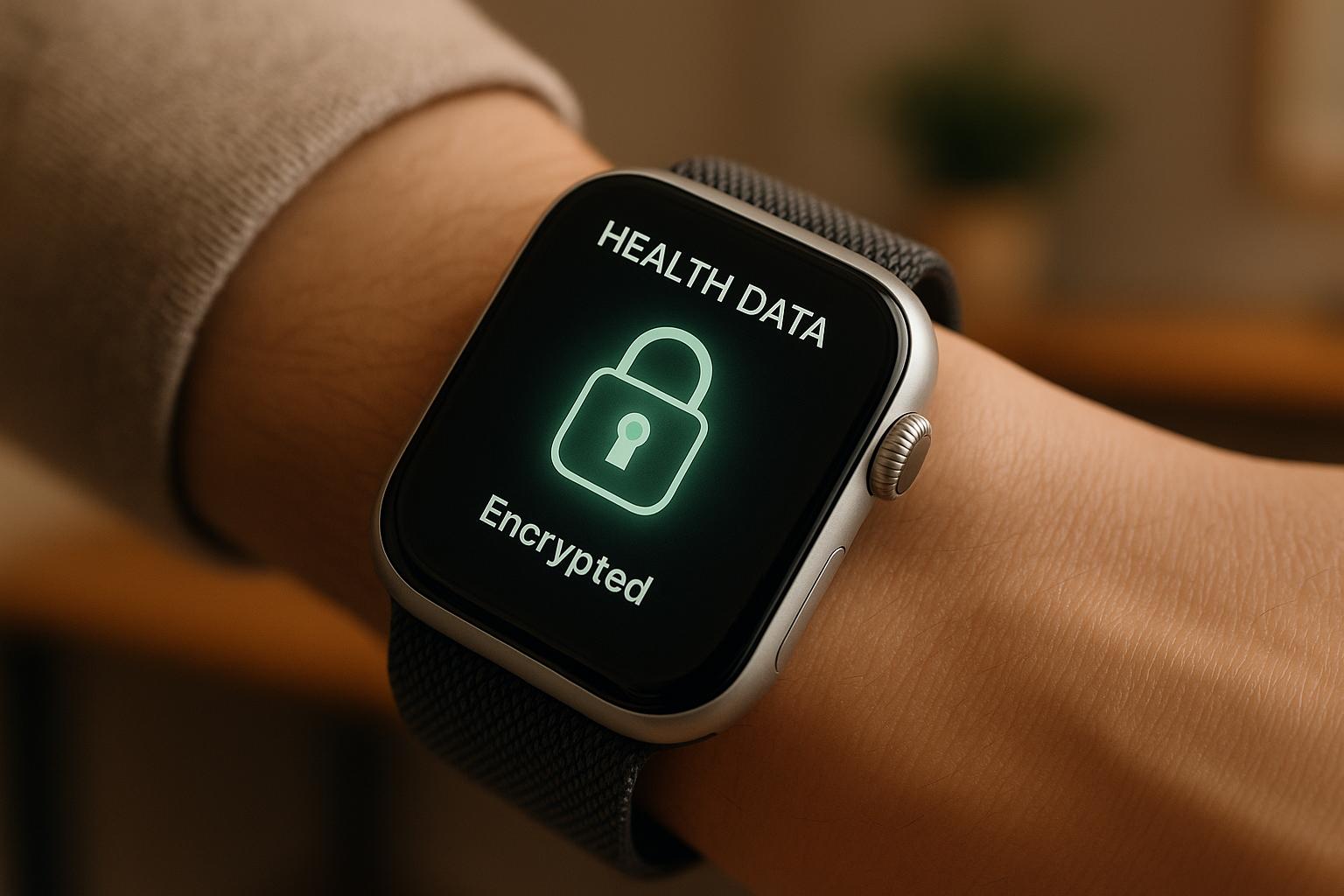
Apple Watch prioriza la seguridad de tus datos de salud a través de medidas avanzadas de cifrado y privacidad. Así es como funciona:
Cifrado en el Dispositivo: Los datos de salud se encriptan directamente en tu Apple Watch utilizando cifrado AES-256, protegidos por el Secure Enclave, un chip dedicado que aísla la información sensible.
Transferencia de Datos Segura: Los datos compartidos entre tu Apple Watch y el iPhone se cifran utilizando protocolos como AES-256-GCM, garantizando protección durante la transmisión.
Protección de iCloud: Con la Protección Avanzada de Datos de iCloud habilitada, tus datos de salud almacenados en la nube se cifran de extremo a extremo, lo que significa que solo tú puedes acceder a ellos.
Control del Usuario: Tú decides qué aplicaciones pueden acceder a tus datos de salud a través de permisos claros, asegurando la privacidad.
Privacidad Bluetooth: La rotación regular de la dirección Bluetooth impide el seguimiento por terceros.
El sistema de cifrado de Apple asegura que tus datos de salud estén seguros y privados, incluso en caso de robo de dispositivos o violaciones de seguridad. Sin embargo, mantener tus dispositivos actualizados y habilitar funciones como la autenticación de dos factores es clave para maximizar la protección.
¡Protección Avanzada de Datos de Apple Explicada!
Cómo Funcionan los Cifrado del Apple Watch
El Apple Watch utiliza un sistema de seguridad en capas para proteger tus datos de salud, combinando hardware especializado, métodos de cifrado avanzado y protocolos de comunicación centrados en la privacidad. Esto asegura que tu información sensible permanezca segura desde el momento en que se recopila hasta que llega a tu iPhone o iCloud. Vamos a desglosar cómo funciona todo esto.
Almacenamiento Basado en Hardware y Secure Enclave
En el núcleo de la seguridad del Apple Watch está el Secure Enclave, un procesador dedicado que opera independientemente del sistema principal. Este chip aislado maneja tareas criptográficas sensibles y crea un entorno confiable de hardware para almacenar claves de cifrado. Estas claves están completamente fuera del alcance de aplicaciones no autorizadas o posibles atacantes.
Incluso si el sistema operativo principal se ve comprometido, tus datos de salud permanecen seguros porque las claves de cifrado nunca salen del Secure Enclave. Esto significa que información como tu ritmo cardíaco, patrones de sueño y otras métricas de salud permanecen bloqueadas a menos que autentiques con tu código de acceso, Touch ID o Face ID.
Tus datos de salud están cifrados directamente en el dispositivo utilizando algoritmos avanzados. Por lo tanto, si tu Apple Watch se pierde o es robado, los datos almacenados permanecen inaccesibles sin tus credenciales. Apple también utiliza un sistema llamado protección basada en clases, que asigna diferentes niveles de control de acceso según la sensibilidad de los datos. Los datos de salud obtienen el nivel más alto de seguridad, requiriendo autenticación completa del dispositivo antes de que puedan ser accedidos.
Protocolos de Cifrado de Transferencia de Datos
Cuando tu Apple Watch se comunica con tu iPhone, confía en protocolos de cifrado para mantener seguros tus datos de salud durante la transmisión. El proceso de emparejamiento entre los dos dispositivos involucra un intercambio fuera de banda de claves públicas, que establece un canal seguro y previene el espionaje.
Apple emplea IKEv2/IPsec para el intercambio de claves y utiliza ya sea AES-256-GCM o ChaCha20-Poly1305 para el cifrado, dependiendo del modelo de tu dispositivo y sistema operativo. Estos métodos de cifrado cumplen con estándares de seguridad rigurosos.
Los modelos más nuevos de Apple Watch y iPhone normalmente usan AES-256-GCM, mientras que los dispositivos más antiguos pueden depender de ChaCha20-Poly1305. Ambos métodos proporcionan un cifrado fuerte, pero Apple actualiza continuamente sus protocolos para asegurar el máximo nivel de seguridad a medida que se introducen nuevos dispositivos.
Además, cada pieza de datos de salud enviada entre tu reloj y teléfono está cifrada y protegida para la integridad. Esto significa que las partes no autorizadas no pueden leer o alterar tus datos sin ser detectadas.
Rotación de Dirección Bluetooth para la Privacidad
Apple va más allá del cifrado de tus datos de salud al proteger también tu privacidad con rotación de dirección Bluetooth. Tu reloj cambia regularmente su dirección MAC de Bluetooth durante la comunicación inalámbrica, lo que hace extremadamente difícil para terceros rastrear tus movimientos.
Este sistema previene el rastreo por Bluetooth, donde actores malintencionados o negocios podrían intentar monitorear tu ubicación usando un identificador de hardware estático. Al rotar la dirección Bluetooth, tu reloj se mantiene invisible para los sistemas de rastreo que confían en identificadores fijos.
¿Lo mejor? Esta función se ejecuta automáticamente en segundo plano, sin esfuerzo de tu parte. Funciona de la mano con los protocolos de cifrado para proteger tanto tus datos de salud como tu privacidad personal durante la comunicación inalámbrica.
Seguridad de Transmisión de Datos y Sincronización en la Nube
Apple se toma en serio la seguridad de los datos, implementando múltiples capas de protección para mantener tu información segura tanto durante la transmisión como el almacenamiento. Al combinar cifrado a nivel de dispositivo con medidas de seguridad avanzadas para sincronización de datos y almacenamiento en la nube, Apple asegura que tu información - ya sea que esté viajando entre dispositivos o almacenada en iCloud - permanezca protegida.
Cifrado de Extremo a Extremo entre Dispositivos
Los datos de salud en tu Apple Watch están asegurados con cifrado de extremo a extremo, siempre que la configuración de tu dispositivo cumpla con requisitos específicos. Para habilitar esto, tus dispositivos deben:
Estar ejecutando iOS 12 o posterior
Tener habilitada la autenticación de dos factores
Usar un código de acceso del dispositivo
Una vez que estas configuraciones están en su lugar, tus datos de salud se vuelven completamente inaccesibles para Apple o terceros, ya sea que estén siendo transmitidos o almacenados. Las claves de cifrado se mantienen bajo tu control, almacenadas de manera segura en tu dispositivo y protegidas por tu código de acceso. La transmisión de datos se basa en protocolos de cifrado de estándar industrial, y para dispositivos con watchOS 10 o posterior, las claves privadas se generan utilizando pares Ed25519 aleatorios de 256 bits enraizados en el Secure Enclave de tu Apple Watch. Incluso al compartir datos de salud, estos mismos estándares de cifrado aseguran que tu información sensible permanezca protegida durante todo el proceso.
Protección Avanzada de Datos de iCloud
Apple extiende sus medidas de seguridad a iCloud con Protección Avanzada de Datos de iCloud, una función opcional que añade cifrado de extremo a extremo para más categorías de datos, incluyendo tu información de salud. Esta función asegura que solo tú tengas control sobre las claves de cifrado. Al habilitarla, las claves de cifrado de tu información de salud se almacenan en tu iCloud Keychain, que está cifrado e inaccesible para Apple. Incluso en respuesta a solicitudes legales o regulatorias, Apple no puede acceder a tus datos de salud cifrados.
Para activar esta función, deberás optar por ella a través de la configuración de iCloud y asegurar que las configuraciones de tu dispositivo cumplan con las recomendaciones de seguridad de Apple. Apple enfatiza la importancia de mantener estas configuraciones para maximizar la protección.
En cuanto a las copias de seguridad de dispositivos, Apple manejará tus datos de salud con cuidado. Las copias de seguridad cifradas creadas a través de Finder o iTunes incluyen datos de salud, mientras que las copias de seguridad no cifradas las excluyen por completo, reduciendo el riesgo de exposición accidental de tu información sensible. Este enfoque asegura que tus datos de salud permanezcan seguros, incluso durante el proceso de copia de seguridad.
Control del Usuario y Cumplimiento de la Privacidad
Apple te da control total sobre tus datos de salud, ofreciendo herramientas de privacidad dentro del ecosistema de Apple Watch que están alineadas con las regulaciones sanitarias más importantes.
Gestión de Permisos de Aplicaciones
Tus datos de salud en el Apple Watch permanecen privados a menos que elijas compartirlos. Las aplicaciones deben pedir tu permiso antes de acceder a cualquier información de salud, y tú decides a qué pueden acceder.
Cuando descargas una aplicación relacionada con la salud, solicita acceso a través del marco HealthKit de Apple. La pantalla de permisos detalla exactamente qué datos quiere la aplicación, y puedes aprobar o denegar el acceso para cada tipo de datos. Por ejemplo, podrías permitir que una aplicación de fitness registre tus pasos pero bloquearla para que no acceda a tus datos de sueño.
Cambiar estos permisos es simple. Ve a Configuración > Privacidad y Seguridad > Salud en tu iPhone para gestionar o revocar accesos en cualquier momento.
A mayo de 2023, más de 100,000 aplicaciones utilizan HealthKit para integrarse con los datos de Apple Health. Cada una de estas aplicaciones debe seguir reglas de permiso estrictas[2]. Además, si una aplicación planea compartir tus datos de salud con otros servicios, debe notificártelo, explicarte claramente qué datos se compartirán y obtener tu consentimiento explícito.
Estos controles de privacidad aseguran que Apple cumpla con altos estándares legales y éticos.
HIPAA y Cumplimiento Regulatorio
Los permisos controlados por el usuario de Apple están respaldados por un fuerte marco de cifrado, ayudándoles a cumplir con requisitos legales estrictos para proteger los datos de salud.
Aunque Apple en sí misma no es una entidad cubierta por HIPAA, ha diseñado su aplicación Health y el marco HealthKit para apoyar el cumplimiento con las principales leyes de privacidad de la salud de EE.UU., incluyendo HIPAA (Ley de Portabilidad y Responsabilidad del Seguro de Salud). Este marco permite a los proveedores de salud y desarrolladores crear soluciones compatibles con HIPAA usando las herramientas de Apple.
Tus datos de salud están cifrados en tu dispositivo, y si usas iCloud con la configuración adecuada, permanecen inaccesibles para Apple o terceros.
Para los proveedores de salud que utilizan la función de Registros de Salud de Apple, Apple requiere un Acuerdo de Asociado Comercial (BAA) firmado para asegurar el cumplimiento de HIPAA al acceder a los datos de los pacientes a través de la aplicación Health[2][3]. Apple también admite regulaciones internacionales como GDPR, dando a los usuarios la capacidad de acceder, exportar y eliminar sus datos de salud a través de su portal de privacidad. Esto se alinea con los requisitos para la portabilidad de datos y el derecho al olvido[1][2].
Una gran ventaja del enfoque de Apple es que no puede proporcionar tus datos de salud a las fuerzas del orden o cumplir con la mayoría de las solicitudes legales de información de usuarios. Sin acceso a las claves de cifrado, Apple no puede descifrar o compartir tus datos, incluso bajo una orden judicial[1].
Para mejorar tu privacidad y cumplir con los estándares regulatorios, habilita la autenticación de dos factores para tu ID de Apple, usa un código de acceso fuerte para tu dispositivo y mantén tus dispositivos actualizados con las últimas versiones de iOS y watchOS. Estos pasos aseguran que estés protegido por las medidas de seguridad más avanzadas de Apple.
La Fundación Mozilla elogió las prácticas de privacidad de Apple para dispositivos wearables, señalando que los datos de salud de Apple Watch son "bastante seguros" en la nube cuando los usuarios siguen los pasos de seguridad recomendados[1][2]. Este reconocimiento subraya el compromiso de Apple en salvaguardar tus datos de salud mientras cumple con los requisitos regulatorios.
Integración de la App de Salud: Trabajando con Healify
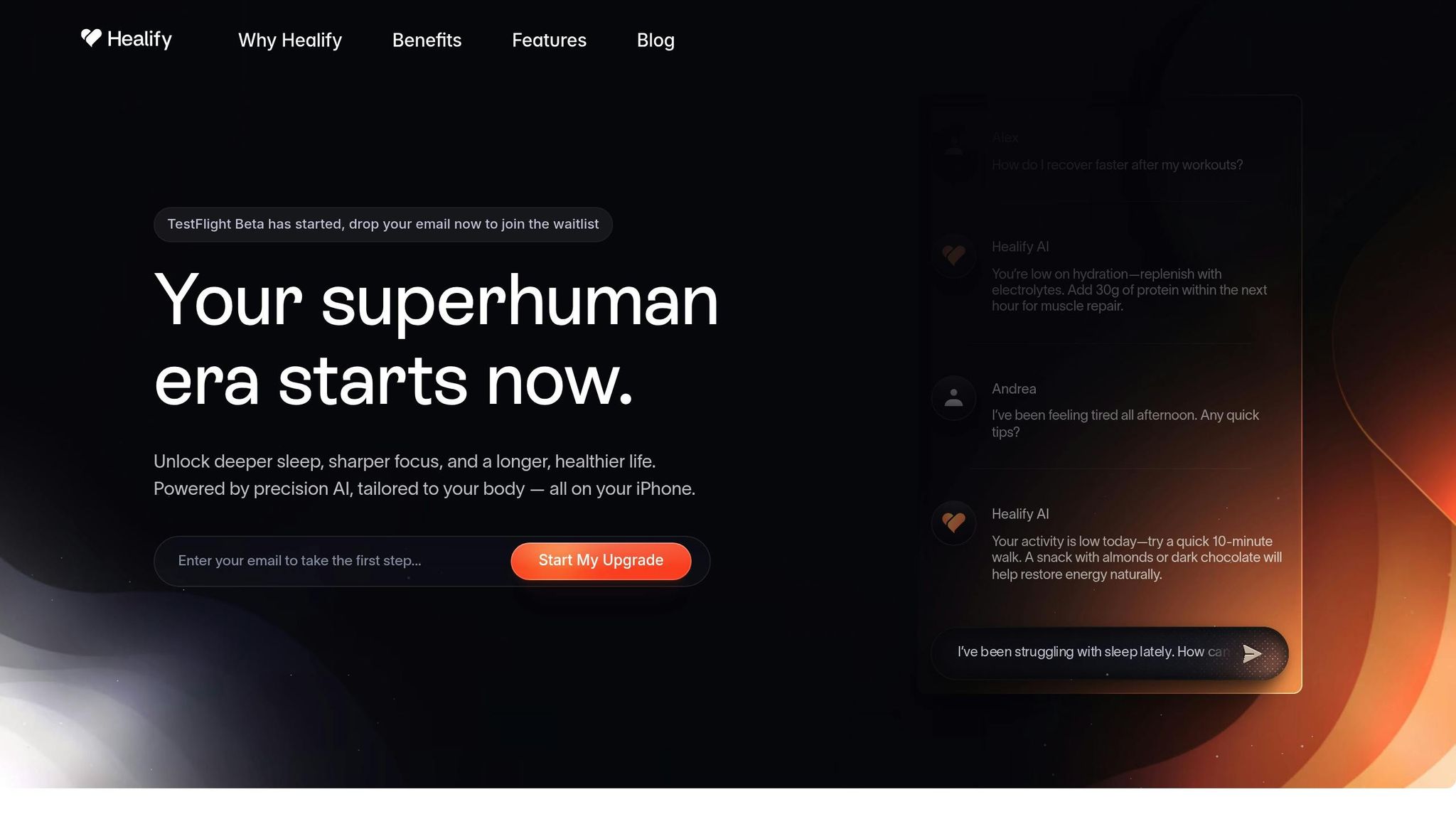
Los datos cifrados del Apple Watch proporcionan la base para aplicaciones de salud avanzadas como Healify, que transforman métricas crudas en consejos de salud prácticos y fáciles de seguir. Este marco de intercambio seguro permite a Healify ofrecer recomendaciones precisas y en tiempo real sobre la salud, mientras prioriza la privacidad del usuario.
Intercambio Seguro de Datos con Aplicaciones de Terceros
Cuando vinculas Healify a tu Apple Watch, la aplicación utiliza HealthKit para acceder de manera segura a tus métricas de salud. Tus datos permanecen cifrados hasta que le otorgas explícitamente permiso a Healify para acceder a información específica, como la frecuencia cardíaca, patrones de sueño o niveles de actividad. Incluso Apple en sí misma no puede acceder a estos datos sin tu aprobación.
Puedes gestionar estos permisos directamente en tu iPhone en Configuración > Privacidad y Seguridad > Salud. Aquí decides qué métricas puede acceder Healify, y puedes ajustar o revocar estos permisos en cualquier momento. Si decides dejar de usar Healify, simplemente revocar su acceso detendrá inmediatamente su capacidad para recuperar nuevos datos de tu Apple Watch.
Cuando Healify procesa tu información de salud para obtener análisis avanzados, los datos se transmiten a través de canales cifrados y se almacenan de acuerdo con los estándares de seguridad líderes en la industria. Esto asegura que tu información sea tanto privada como protegida. Con este sistema seguro en su lugar, Healify transforma tus datos cifrados en guías de salud personalizadas en las que puedes confiar.
Cómo Utiliza Healify los Datos del Apple Watch
Healify toma el flujo continuo de datos de tu Apple Watch y lo traduce en recomendaciones accionables a través de su coach de salud AI, Anna. Analizando métricas clave - como variabilidad de la frecuencia cardíaca, etapas del sueño y tendencias de actividad - Healify proporciona orientación que va mucho más allá de los simples conteos de pasos.
Por ejemplo, si tu Apple Watch detecta una frecuencia cardíaca elevada consistentemente vinculada al estrés, Healify combina estos datos con tus patrones de sueño y actividad para recomendar soluciones prácticas, como un ejercicio de respiración de 10 minutos o ajustes en tu rutina diaria. En lugar de simplemente notificarte sobre el problema, Anna ofrece intervenciones específicas basadas en datos.
El monitoreo en tiempo real de Healify también brilla durante la recuperación después del ejercicio. Si tus métricas - como frecuencia cardíaca y variabilidad - indican estrés post-ejercicio, la aplicación podría sugerir beber electrolitos o consumir proteínas para ayudar en la recuperación. Este tipo de consejos oportunos y personalizados convierte los datos crudos del Apple Watch en pasos que puedes tomar inmediatamente para apoyar tu salud.
La aplicación también sobresale en mejorar la calidad del sueño. Analizando las etapas del sueño, la frecuencia cardíaca durante el descanso y las fluctuaciones de temperatura de la muñeca, Healify identifica patrones que pueden interrumpir tu sueño. Por ejemplo, Anna podría notar que tu sueño profundo disminuye en las noches cuando tu frecuencia cardíaca nocturna es más alta, y podría recomendar cambios en tu rutina antes de dormir o técnicas de manejo del estrés. Todo esto se realiza mientras se adhieren a los estándares de privacidad de Apple, utilizando datos cifrados para ofrecer perspectivas personalizadas.
Healify sigue estrictamente los protocolos de privacidad y nunca comparte tus datos de salud con terceros sin tu consentimiento explícito. Todo el procesamiento de datos está cifrado, asegurando que tus perspectivas de salud personal permanezcan seguras dentro del ecosistema de Apple mientras habilitas un coaching impulsado por AI poderoso.
Sophie, una entusiasta del fitness, compartió sus pensamientos: "Solía sentirme abrumada por todos los datos de salud en mi iPhone y Apple Watch. Healify simplificó todo, dándome una guía clara. Mis niveles de energía han mejorado, y finalmente sé qué pasos tomar para mejorar mi salud."
Esta colaboración destaca cómo el marco seguro de cifrado del Apple Watch empodera a aplicaciones como Healify para entregar valor personal y significativo mientras se protege la privacidad del usuario.
Cifrado del Apple Watch: Fortalezas y Limitaciones
El Apple Watch es conocido por su robusto cifrado, particularmente en lo que respecta a proteger datos de salud. Sin embargo, como cualquier sistema de seguridad, tiene tanto puntos fuertes como áreas donde los usuarios necesitan mantenerse vigilantes. Mucho depende de cómo el usuario haya configurado el dispositivo.
En su núcleo, el cifrado del Apple Watch está construido sobre protecciones basadas en hardware sólidas. Para dispositivos que ejecutan iOS 15 o posterior emparejados con watchOS 8 o más nuevo, el cifrado se basa en AES-256-GCM, un estándar altamente seguro que mantiene los datos seguros incluso si el dispositivo se compromete. El Secure Enclave - un chip dedicado - maneja el cifrado, asegurando que los datos sensibles estén bloqueados. Cuando se combinan con características como la autenticación de dos factores, un código de acceso fuerte y un software actualizado, Apple asegura que ni siquiera las fuerzas del orden puedan descifrar tus datos.
Pero aquí está el problema: la efectividad del sistema depende de la configuración del usuario. Si omites la autenticación de dos factores o usas un código de acceso débil, esencialmente estás debilitando la fortaleza. Los modelos más antiguos de Apple Watch y dispositivos que ejecutan iOS 11 o anteriores también carecen de los últimos protocolos de cifrado, dejándolos más vulnerables.
Tabla de Comparación: Beneficios y Desventajas
Aspecto de Seguridad | Beneficios | Desventajas |
|---|---|---|
Cifrado de Hardware | Los datos están cifrados en el dispositivo usando el Secure Enclave; requiere credenciales de desbloqueo | Los dispositivos más antiguos pueden carecer de características avanzadas de cifrado, ofreciendo protección más débil. |
Cifrado de Extremo a Extremo | Impide que Apple descifre tus datos; protege contra violaciones del servidor y acceso legal | Requiere iOS 12 o posterior, autenticación de dos factores y un código de acceso; no habilitado de forma predeterminada. |
Control del Usuario | Permite controlar los permisos de aplicaciones y la opción de deshabilitar la sincronización de iCloud | La seguridad depende de la configuración del usuario; las configuraciones incorrectas pueden exponer datos sensibles. |
Comunicación de Dispositivos | Utiliza AES-256-GCM para comunicación segura entre Apple Watch y iPhone en dispositivos más nuevos | Los dispositivos más antiguos dependen de cifrado menos avanzado como ChaCha20-Poly1305. |
Protección de Copia de Seguridad | Cifra los datos de salud en copias de seguridad de iCloud cuando está configurado correctamente | Olvidar tu código de acceso o clave de recuperación puede resultar en pérdida permanente de datos; las copias de seguridad no cifradas son vulnerables. |
Apple también ha hecho elecciones de diseño que equilibran la seguridad con la usabilidad. Por ejemplo, los datos de ID Médico se dejan intencionadamente sin cifrar para que los servicios de emergencia puedan acceder a información crítica rápidamente. Si bien esta característica puede salvar vidas, también significa que ciertos detalles de salud están accesibles incluso sin desbloquear el dispositivo.
Otro desafío es la recuperación de datos. Si pierdes el acceso a tu código de acceso o autenticación de dos factores, tus datos de salud cifrados podrían perderse para siempre. El fuerte cifrado de Apple significa que no pueden ayudarte a recuperarlo, por lo que mantener tus credenciales seguras es crucial.
Finalmente, la seguridad física del dispositivo es un factor clave. Independientemente de cuán fuerte sea el cifrado, si alguien accede a un Apple Watch desbloqueado o conoce tu código de acceso, tus datos de salud se vuelven vulnerables.
En resumen, el cifrado del Apple Watch proporciona excelente protección, pero no es infalible. Para aprovecharlo al máximo, los usuarios necesitan mantenerse proactivos: habilitar la autenticación de dos factores, usar un código de acceso fuerte y mantener los dispositivos actualizados. Estos pequeños pasos pueden marcar una gran diferencia en la salvaguarda de tus datos.
Conclusión: Apple Watch como Dispositivo Seguro de Datos de Salud
El Apple Watch se destaca como uno de los wearables más seguros para gestionar datos de salud, gracias a su avanzado cifrado en el dispositivo y sólidas características de control de datos. Su diseño asegura que los usuarios mantengan plena autoridad sobre su información sensible mientras equilibra la seguridad con la facilidad de uso.
Lo que distingue al Apple Watch es su capacidad para salvaguardar datos en cada paso. Las métricas de salud como la frecuencia cardíaca, niveles de actividad y más se cifran directamente en el dispositivo, asegurando que incluso Apple no pueda acceder a esta información sin tus credenciales. Combinado con autenticación de dos factores y un código de acceso fuerte, el sistema de cifrado bloquea efectivamente el acceso no autorizado.
La seguridad no se detiene ahí. El cifrado de estándar industrial protege los datos durante la transmisión y las copias de seguridad. Para los usuarios con iOS 12 o posterior y las configuraciones de seguridad adecuadas, esta protección se extiende a los datos almacenados en iCloud. El Apple Watch también se integra perfectamente con aplicaciones de salud de terceros, como Healify, a través de un marco de intercambio seguro de HealthKit. Esto asegura que las aplicaciones accedan solo a la información que decides compartir, manteniendo tu privacidad intacta mientras proporciona funciones como perspectivas de salud personalizadas y monitoreo en tiempo real.
Las capacidades de cifrado del dispositivo van más allá de la privacidad personal: también ayudan a los usuarios a cumplir con estándares regulatorios como HIPAA. Con controles de compartir granulares, puedes decidir qué aplicaciones, como Healify, pueden acceder a tipos de datos específicos mientras mantienes otros detalles privados.
Dicho esto, la efectividad de estas medidas de seguridad depende en gran medida de cómo uses el dispositivo. Para beneficiarte plenamente de las robustas funciones de privacidad del Apple Watch, es crucial habilitar la autenticación de dos factores, configurar un código de acceso fuerte y mantener tu software actualizado. Cuando está configurado correctamente, el Apple Watch se convierte en un centro seguro para datos de salud, permitiendo un monitoreo y coaching de salud avanzados sin comprometer la privacidad.
Para cualquiera que busque perspectivas detalladas de salud combinadas con seguridad de primer nivel, el Apple Watch sirve como una base confiable. Permite a los usuarios compartir datos con aplicaciones como Healify con confianza, transformando métricas de salud complejas en consejos prácticos mientras asegura que la privacidad nunca sea una idea posterior.
Preguntas Frecuentes
¿Cómo utiliza el Apple Watch el Secure Enclave para proteger mis datos de salud?
El Apple Watch utiliza el Secure Enclave, una función de seguridad especializada integrada en su procesador, para proteger tus datos de salud. Esta tecnología asegura que la información personal como tu ritmo cardíaco, niveles de actividad y otras métricas de salud esté cifrada y almacenada de manera segura directamente en tu dispositivo.
Lo que hace que el Secure Enclave se destaque es su capacidad para aislar estos datos del sistema operativo principal. Esta separación añade una capa extra de seguridad, haciendo mucho más difícil que alguien acceda a tu información sin autorización. Incluso si pierdes o te roban tu Apple Watch, el cifrado protegerá tus datos de salud, manteniéndolos privados y fuera de alcance.
¿Cómo puedo mantener seguros mis datos de salud del Apple Watch durante la transmisión y el almacenamiento?
El Apple Watch emplea cifrado avanzado para mantener tus datos de salud seguros, ya sea que estén siendo transmitidos o almacenados. Para fortalecer la protección de tu información, aquí hay algunos pasos que puedes seguir:
Activa la autenticación de dos factores (2FA) para tu ID de Apple. Esto añade una capa extra de seguridad a tu cuenta.
Mantén tus dispositivos actualizados instalando las últimas actualizaciones de software. Estas actualizaciones a menudo incluyen mejoras de seguridad importantes.
Configura un código de acceso fuerte tanto en tu Apple Watch como en el iPhone emparejado. Esto ayuda a bloquear el acceso no autorizado a tus dispositivos.
Tomar estas precauciones puede contribuir enormemente a mantener la privacidad y seguridad de tus datos de salud sensibles.
¿Cómo puedo controlar qué aplicaciones de terceros acceden a mis datos de salud desde el Apple Watch?
Las aplicaciones de terceros pueden acceder a tus datos de salud desde tu Apple Watch solo si les das permiso. Apple protege esta información con cifrado de extremo a extremo, manteniéndola privada y segura.
Si deseas gestionar qué aplicaciones pueden acceder a tus datos, abre la aplicación Salud en tu iPhone. Toca tu foto de perfil en la esquina superior derecha, luego navega a Apps en la sección de Privacidad. Aquí, puedes ver las aplicaciones con acceso y ajustar sus permisos. Siempre tienes el control de tus datos.
Entradas de Blog Relacionadas
Apple Watch prioriza la seguridad de tus datos de salud a través de medidas avanzadas de cifrado y privacidad. Así es como funciona:
Cifrado en el Dispositivo: Los datos de salud se encriptan directamente en tu Apple Watch utilizando cifrado AES-256, protegidos por el Secure Enclave, un chip dedicado que aísla la información sensible.
Transferencia de Datos Segura: Los datos compartidos entre tu Apple Watch y el iPhone se cifran utilizando protocolos como AES-256-GCM, garantizando protección durante la transmisión.
Protección de iCloud: Con la Protección Avanzada de Datos de iCloud habilitada, tus datos de salud almacenados en la nube se cifran de extremo a extremo, lo que significa que solo tú puedes acceder a ellos.
Control del Usuario: Tú decides qué aplicaciones pueden acceder a tus datos de salud a través de permisos claros, asegurando la privacidad.
Privacidad Bluetooth: La rotación regular de la dirección Bluetooth impide el seguimiento por terceros.
El sistema de cifrado de Apple asegura que tus datos de salud estén seguros y privados, incluso en caso de robo de dispositivos o violaciones de seguridad. Sin embargo, mantener tus dispositivos actualizados y habilitar funciones como la autenticación de dos factores es clave para maximizar la protección.
¡Protección Avanzada de Datos de Apple Explicada!
Cómo Funcionan los Cifrado del Apple Watch
El Apple Watch utiliza un sistema de seguridad en capas para proteger tus datos de salud, combinando hardware especializado, métodos de cifrado avanzado y protocolos de comunicación centrados en la privacidad. Esto asegura que tu información sensible permanezca segura desde el momento en que se recopila hasta que llega a tu iPhone o iCloud. Vamos a desglosar cómo funciona todo esto.
Almacenamiento Basado en Hardware y Secure Enclave
En el núcleo de la seguridad del Apple Watch está el Secure Enclave, un procesador dedicado que opera independientemente del sistema principal. Este chip aislado maneja tareas criptográficas sensibles y crea un entorno confiable de hardware para almacenar claves de cifrado. Estas claves están completamente fuera del alcance de aplicaciones no autorizadas o posibles atacantes.
Incluso si el sistema operativo principal se ve comprometido, tus datos de salud permanecen seguros porque las claves de cifrado nunca salen del Secure Enclave. Esto significa que información como tu ritmo cardíaco, patrones de sueño y otras métricas de salud permanecen bloqueadas a menos que autentiques con tu código de acceso, Touch ID o Face ID.
Tus datos de salud están cifrados directamente en el dispositivo utilizando algoritmos avanzados. Por lo tanto, si tu Apple Watch se pierde o es robado, los datos almacenados permanecen inaccesibles sin tus credenciales. Apple también utiliza un sistema llamado protección basada en clases, que asigna diferentes niveles de control de acceso según la sensibilidad de los datos. Los datos de salud obtienen el nivel más alto de seguridad, requiriendo autenticación completa del dispositivo antes de que puedan ser accedidos.
Protocolos de Cifrado de Transferencia de Datos
Cuando tu Apple Watch se comunica con tu iPhone, confía en protocolos de cifrado para mantener seguros tus datos de salud durante la transmisión. El proceso de emparejamiento entre los dos dispositivos involucra un intercambio fuera de banda de claves públicas, que establece un canal seguro y previene el espionaje.
Apple emplea IKEv2/IPsec para el intercambio de claves y utiliza ya sea AES-256-GCM o ChaCha20-Poly1305 para el cifrado, dependiendo del modelo de tu dispositivo y sistema operativo. Estos métodos de cifrado cumplen con estándares de seguridad rigurosos.
Los modelos más nuevos de Apple Watch y iPhone normalmente usan AES-256-GCM, mientras que los dispositivos más antiguos pueden depender de ChaCha20-Poly1305. Ambos métodos proporcionan un cifrado fuerte, pero Apple actualiza continuamente sus protocolos para asegurar el máximo nivel de seguridad a medida que se introducen nuevos dispositivos.
Además, cada pieza de datos de salud enviada entre tu reloj y teléfono está cifrada y protegida para la integridad. Esto significa que las partes no autorizadas no pueden leer o alterar tus datos sin ser detectadas.
Rotación de Dirección Bluetooth para la Privacidad
Apple va más allá del cifrado de tus datos de salud al proteger también tu privacidad con rotación de dirección Bluetooth. Tu reloj cambia regularmente su dirección MAC de Bluetooth durante la comunicación inalámbrica, lo que hace extremadamente difícil para terceros rastrear tus movimientos.
Este sistema previene el rastreo por Bluetooth, donde actores malintencionados o negocios podrían intentar monitorear tu ubicación usando un identificador de hardware estático. Al rotar la dirección Bluetooth, tu reloj se mantiene invisible para los sistemas de rastreo que confían en identificadores fijos.
¿Lo mejor? Esta función se ejecuta automáticamente en segundo plano, sin esfuerzo de tu parte. Funciona de la mano con los protocolos de cifrado para proteger tanto tus datos de salud como tu privacidad personal durante la comunicación inalámbrica.
Seguridad de Transmisión de Datos y Sincronización en la Nube
Apple se toma en serio la seguridad de los datos, implementando múltiples capas de protección para mantener tu información segura tanto durante la transmisión como el almacenamiento. Al combinar cifrado a nivel de dispositivo con medidas de seguridad avanzadas para sincronización de datos y almacenamiento en la nube, Apple asegura que tu información - ya sea que esté viajando entre dispositivos o almacenada en iCloud - permanezca protegida.
Cifrado de Extremo a Extremo entre Dispositivos
Los datos de salud en tu Apple Watch están asegurados con cifrado de extremo a extremo, siempre que la configuración de tu dispositivo cumpla con requisitos específicos. Para habilitar esto, tus dispositivos deben:
Estar ejecutando iOS 12 o posterior
Tener habilitada la autenticación de dos factores
Usar un código de acceso del dispositivo
Una vez que estas configuraciones están en su lugar, tus datos de salud se vuelven completamente inaccesibles para Apple o terceros, ya sea que estén siendo transmitidos o almacenados. Las claves de cifrado se mantienen bajo tu control, almacenadas de manera segura en tu dispositivo y protegidas por tu código de acceso. La transmisión de datos se basa en protocolos de cifrado de estándar industrial, y para dispositivos con watchOS 10 o posterior, las claves privadas se generan utilizando pares Ed25519 aleatorios de 256 bits enraizados en el Secure Enclave de tu Apple Watch. Incluso al compartir datos de salud, estos mismos estándares de cifrado aseguran que tu información sensible permanezca protegida durante todo el proceso.
Protección Avanzada de Datos de iCloud
Apple extiende sus medidas de seguridad a iCloud con Protección Avanzada de Datos de iCloud, una función opcional que añade cifrado de extremo a extremo para más categorías de datos, incluyendo tu información de salud. Esta función asegura que solo tú tengas control sobre las claves de cifrado. Al habilitarla, las claves de cifrado de tu información de salud se almacenan en tu iCloud Keychain, que está cifrado e inaccesible para Apple. Incluso en respuesta a solicitudes legales o regulatorias, Apple no puede acceder a tus datos de salud cifrados.
Para activar esta función, deberás optar por ella a través de la configuración de iCloud y asegurar que las configuraciones de tu dispositivo cumplan con las recomendaciones de seguridad de Apple. Apple enfatiza la importancia de mantener estas configuraciones para maximizar la protección.
En cuanto a las copias de seguridad de dispositivos, Apple manejará tus datos de salud con cuidado. Las copias de seguridad cifradas creadas a través de Finder o iTunes incluyen datos de salud, mientras que las copias de seguridad no cifradas las excluyen por completo, reduciendo el riesgo de exposición accidental de tu información sensible. Este enfoque asegura que tus datos de salud permanezcan seguros, incluso durante el proceso de copia de seguridad.
Control del Usuario y Cumplimiento de la Privacidad
Apple te da control total sobre tus datos de salud, ofreciendo herramientas de privacidad dentro del ecosistema de Apple Watch que están alineadas con las regulaciones sanitarias más importantes.
Gestión de Permisos de Aplicaciones
Tus datos de salud en el Apple Watch permanecen privados a menos que elijas compartirlos. Las aplicaciones deben pedir tu permiso antes de acceder a cualquier información de salud, y tú decides a qué pueden acceder.
Cuando descargas una aplicación relacionada con la salud, solicita acceso a través del marco HealthKit de Apple. La pantalla de permisos detalla exactamente qué datos quiere la aplicación, y puedes aprobar o denegar el acceso para cada tipo de datos. Por ejemplo, podrías permitir que una aplicación de fitness registre tus pasos pero bloquearla para que no acceda a tus datos de sueño.
Cambiar estos permisos es simple. Ve a Configuración > Privacidad y Seguridad > Salud en tu iPhone para gestionar o revocar accesos en cualquier momento.
A mayo de 2023, más de 100,000 aplicaciones utilizan HealthKit para integrarse con los datos de Apple Health. Cada una de estas aplicaciones debe seguir reglas de permiso estrictas[2]. Además, si una aplicación planea compartir tus datos de salud con otros servicios, debe notificártelo, explicarte claramente qué datos se compartirán y obtener tu consentimiento explícito.
Estos controles de privacidad aseguran que Apple cumpla con altos estándares legales y éticos.
HIPAA y Cumplimiento Regulatorio
Los permisos controlados por el usuario de Apple están respaldados por un fuerte marco de cifrado, ayudándoles a cumplir con requisitos legales estrictos para proteger los datos de salud.
Aunque Apple en sí misma no es una entidad cubierta por HIPAA, ha diseñado su aplicación Health y el marco HealthKit para apoyar el cumplimiento con las principales leyes de privacidad de la salud de EE.UU., incluyendo HIPAA (Ley de Portabilidad y Responsabilidad del Seguro de Salud). Este marco permite a los proveedores de salud y desarrolladores crear soluciones compatibles con HIPAA usando las herramientas de Apple.
Tus datos de salud están cifrados en tu dispositivo, y si usas iCloud con la configuración adecuada, permanecen inaccesibles para Apple o terceros.
Para los proveedores de salud que utilizan la función de Registros de Salud de Apple, Apple requiere un Acuerdo de Asociado Comercial (BAA) firmado para asegurar el cumplimiento de HIPAA al acceder a los datos de los pacientes a través de la aplicación Health[2][3]. Apple también admite regulaciones internacionales como GDPR, dando a los usuarios la capacidad de acceder, exportar y eliminar sus datos de salud a través de su portal de privacidad. Esto se alinea con los requisitos para la portabilidad de datos y el derecho al olvido[1][2].
Una gran ventaja del enfoque de Apple es que no puede proporcionar tus datos de salud a las fuerzas del orden o cumplir con la mayoría de las solicitudes legales de información de usuarios. Sin acceso a las claves de cifrado, Apple no puede descifrar o compartir tus datos, incluso bajo una orden judicial[1].
Para mejorar tu privacidad y cumplir con los estándares regulatorios, habilita la autenticación de dos factores para tu ID de Apple, usa un código de acceso fuerte para tu dispositivo y mantén tus dispositivos actualizados con las últimas versiones de iOS y watchOS. Estos pasos aseguran que estés protegido por las medidas de seguridad más avanzadas de Apple.
La Fundación Mozilla elogió las prácticas de privacidad de Apple para dispositivos wearables, señalando que los datos de salud de Apple Watch son "bastante seguros" en la nube cuando los usuarios siguen los pasos de seguridad recomendados[1][2]. Este reconocimiento subraya el compromiso de Apple en salvaguardar tus datos de salud mientras cumple con los requisitos regulatorios.
Integración de la App de Salud: Trabajando con Healify
Los datos cifrados del Apple Watch proporcionan la base para aplicaciones de salud avanzadas como Healify, que transforman métricas crudas en consejos de salud prácticos y fáciles de seguir. Este marco de intercambio seguro permite a Healify ofrecer recomendaciones precisas y en tiempo real sobre la salud, mientras prioriza la privacidad del usuario.
Intercambio Seguro de Datos con Aplicaciones de Terceros
Cuando vinculas Healify a tu Apple Watch, la aplicación utiliza HealthKit para acceder de manera segura a tus métricas de salud. Tus datos permanecen cifrados hasta que le otorgas explícitamente permiso a Healify para acceder a información específica, como la frecuencia cardíaca, patrones de sueño o niveles de actividad. Incluso Apple en sí misma no puede acceder a estos datos sin tu aprobación.
Puedes gestionar estos permisos directamente en tu iPhone en Configuración > Privacidad y Seguridad > Salud. Aquí decides qué métricas puede acceder Healify, y puedes ajustar o revocar estos permisos en cualquier momento. Si decides dejar de usar Healify, simplemente revocar su acceso detendrá inmediatamente su capacidad para recuperar nuevos datos de tu Apple Watch.
Cuando Healify procesa tu información de salud para obtener análisis avanzados, los datos se transmiten a través de canales cifrados y se almacenan de acuerdo con los estándares de seguridad líderes en la industria. Esto asegura que tu información sea tanto privada como protegida. Con este sistema seguro en su lugar, Healify transforma tus datos cifrados en guías de salud personalizadas en las que puedes confiar.
Cómo Utiliza Healify los Datos del Apple Watch
Healify toma el flujo continuo de datos de tu Apple Watch y lo traduce en recomendaciones accionables a través de su coach de salud AI, Anna. Analizando métricas clave - como variabilidad de la frecuencia cardíaca, etapas del sueño y tendencias de actividad - Healify proporciona orientación que va mucho más allá de los simples conteos de pasos.
Por ejemplo, si tu Apple Watch detecta una frecuencia cardíaca elevada consistentemente vinculada al estrés, Healify combina estos datos con tus patrones de sueño y actividad para recomendar soluciones prácticas, como un ejercicio de respiración de 10 minutos o ajustes en tu rutina diaria. En lugar de simplemente notificarte sobre el problema, Anna ofrece intervenciones específicas basadas en datos.
El monitoreo en tiempo real de Healify también brilla durante la recuperación después del ejercicio. Si tus métricas - como frecuencia cardíaca y variabilidad - indican estrés post-ejercicio, la aplicación podría sugerir beber electrolitos o consumir proteínas para ayudar en la recuperación. Este tipo de consejos oportunos y personalizados convierte los datos crudos del Apple Watch en pasos que puedes tomar inmediatamente para apoyar tu salud.
La aplicación también sobresale en mejorar la calidad del sueño. Analizando las etapas del sueño, la frecuencia cardíaca durante el descanso y las fluctuaciones de temperatura de la muñeca, Healify identifica patrones que pueden interrumpir tu sueño. Por ejemplo, Anna podría notar que tu sueño profundo disminuye en las noches cuando tu frecuencia cardíaca nocturna es más alta, y podría recomendar cambios en tu rutina antes de dormir o técnicas de manejo del estrés. Todo esto se realiza mientras se adhieren a los estándares de privacidad de Apple, utilizando datos cifrados para ofrecer perspectivas personalizadas.
Healify sigue estrictamente los protocolos de privacidad y nunca comparte tus datos de salud con terceros sin tu consentimiento explícito. Todo el procesamiento de datos está cifrado, asegurando que tus perspectivas de salud personal permanezcan seguras dentro del ecosistema de Apple mientras habilitas un coaching impulsado por AI poderoso.
Sophie, una entusiasta del fitness, compartió sus pensamientos: "Solía sentirme abrumada por todos los datos de salud en mi iPhone y Apple Watch. Healify simplificó todo, dándome una guía clara. Mis niveles de energía han mejorado, y finalmente sé qué pasos tomar para mejorar mi salud."
Esta colaboración destaca cómo el marco seguro de cifrado del Apple Watch empodera a aplicaciones como Healify para entregar valor personal y significativo mientras se protege la privacidad del usuario.
Cifrado del Apple Watch: Fortalezas y Limitaciones
El Apple Watch es conocido por su robusto cifrado, particularmente en lo que respecta a proteger datos de salud. Sin embargo, como cualquier sistema de seguridad, tiene tanto puntos fuertes como áreas donde los usuarios necesitan mantenerse vigilantes. Mucho depende de cómo el usuario haya configurado el dispositivo.
En su núcleo, el cifrado del Apple Watch está construido sobre protecciones basadas en hardware sólidas. Para dispositivos que ejecutan iOS 15 o posterior emparejados con watchOS 8 o más nuevo, el cifrado se basa en AES-256-GCM, un estándar altamente seguro que mantiene los datos seguros incluso si el dispositivo se compromete. El Secure Enclave - un chip dedicado - maneja el cifrado, asegurando que los datos sensibles estén bloqueados. Cuando se combinan con características como la autenticación de dos factores, un código de acceso fuerte y un software actualizado, Apple asegura que ni siquiera las fuerzas del orden puedan descifrar tus datos.
Pero aquí está el problema: la efectividad del sistema depende de la configuración del usuario. Si omites la autenticación de dos factores o usas un código de acceso débil, esencialmente estás debilitando la fortaleza. Los modelos más antiguos de Apple Watch y dispositivos que ejecutan iOS 11 o anteriores también carecen de los últimos protocolos de cifrado, dejándolos más vulnerables.
Tabla de Comparación: Beneficios y Desventajas
Aspecto de Seguridad | Beneficios | Desventajas |
|---|---|---|
Cifrado de Hardware | Los datos están cifrados en el dispositivo usando el Secure Enclave; requiere credenciales de desbloqueo | Los dispositivos más antiguos pueden carecer de características avanzadas de cifrado, ofreciendo protección más débil. |
Cifrado de Extremo a Extremo | Impide que Apple descifre tus datos; protege contra violaciones del servidor y acceso legal | Requiere iOS 12 o posterior, autenticación de dos factores y un código de acceso; no habilitado de forma predeterminada. |
Control del Usuario | Permite controlar los permisos de aplicaciones y la opción de deshabilitar la sincronización de iCloud | La seguridad depende de la configuración del usuario; las configuraciones incorrectas pueden exponer datos sensibles. |
Comunicación de Dispositivos | Utiliza AES-256-GCM para comunicación segura entre Apple Watch y iPhone en dispositivos más nuevos | Los dispositivos más antiguos dependen de cifrado menos avanzado como ChaCha20-Poly1305. |
Protección de Copia de Seguridad | Cifra los datos de salud en copias de seguridad de iCloud cuando está configurado correctamente | Olvidar tu código de acceso o clave de recuperación puede resultar en pérdida permanente de datos; las copias de seguridad no cifradas son vulnerables. |
Apple también ha hecho elecciones de diseño que equilibran la seguridad con la usabilidad. Por ejemplo, los datos de ID Médico se dejan intencionadamente sin cifrar para que los servicios de emergencia puedan acceder a información crítica rápidamente. Si bien esta característica puede salvar vidas, también significa que ciertos detalles de salud están accesibles incluso sin desbloquear el dispositivo.
Otro desafío es la recuperación de datos. Si pierdes el acceso a tu código de acceso o autenticación de dos factores, tus datos de salud cifrados podrían perderse para siempre. El fuerte cifrado de Apple significa que no pueden ayudarte a recuperarlo, por lo que mantener tus credenciales seguras es crucial.
Finalmente, la seguridad física del dispositivo es un factor clave. Independientemente de cuán fuerte sea el cifrado, si alguien accede a un Apple Watch desbloqueado o conoce tu código de acceso, tus datos de salud se vuelven vulnerables.
En resumen, el cifrado del Apple Watch proporciona excelente protección, pero no es infalible. Para aprovecharlo al máximo, los usuarios necesitan mantenerse proactivos: habilitar la autenticación de dos factores, usar un código de acceso fuerte y mantener los dispositivos actualizados. Estos pequeños pasos pueden marcar una gran diferencia en la salvaguarda de tus datos.
Conclusión: Apple Watch como Dispositivo Seguro de Datos de Salud
El Apple Watch se destaca como uno de los wearables más seguros para gestionar datos de salud, gracias a su avanzado cifrado en el dispositivo y sólidas características de control de datos. Su diseño asegura que los usuarios mantengan plena autoridad sobre su información sensible mientras equilibra la seguridad con la facilidad de uso.
Lo que distingue al Apple Watch es su capacidad para salvaguardar datos en cada paso. Las métricas de salud como la frecuencia cardíaca, niveles de actividad y más se cifran directamente en el dispositivo, asegurando que incluso Apple no pueda acceder a esta información sin tus credenciales. Combinado con autenticación de dos factores y un código de acceso fuerte, el sistema de cifrado bloquea efectivamente el acceso no autorizado.
La seguridad no se detiene ahí. El cifrado de estándar industrial protege los datos durante la transmisión y las copias de seguridad. Para los usuarios con iOS 12 o posterior y las configuraciones de seguridad adecuadas, esta protección se extiende a los datos almacenados en iCloud. El Apple Watch también se integra perfectamente con aplicaciones de salud de terceros, como Healify, a través de un marco de intercambio seguro de HealthKit. Esto asegura que las aplicaciones accedan solo a la información que decides compartir, manteniendo tu privacidad intacta mientras proporciona funciones como perspectivas de salud personalizadas y monitoreo en tiempo real.
Las capacidades de cifrado del dispositivo van más allá de la privacidad personal: también ayudan a los usuarios a cumplir con estándares regulatorios como HIPAA. Con controles de compartir granulares, puedes decidir qué aplicaciones, como Healify, pueden acceder a tipos de datos específicos mientras mantienes otros detalles privados.
Dicho esto, la efectividad de estas medidas de seguridad depende en gran medida de cómo uses el dispositivo. Para beneficiarte plenamente de las robustas funciones de privacidad del Apple Watch, es crucial habilitar la autenticación de dos factores, configurar un código de acceso fuerte y mantener tu software actualizado. Cuando está configurado correctamente, el Apple Watch se convierte en un centro seguro para datos de salud, permitiendo un monitoreo y coaching de salud avanzados sin comprometer la privacidad.
Para cualquiera que busque perspectivas detalladas de salud combinadas con seguridad de primer nivel, el Apple Watch sirve como una base confiable. Permite a los usuarios compartir datos con aplicaciones como Healify con confianza, transformando métricas de salud complejas en consejos prácticos mientras asegura que la privacidad nunca sea una idea posterior.
Preguntas Frecuentes
¿Cómo utiliza el Apple Watch el Secure Enclave para proteger mis datos de salud?
El Apple Watch utiliza el Secure Enclave, una función de seguridad especializada integrada en su procesador, para proteger tus datos de salud. Esta tecnología asegura que la información personal como tu ritmo cardíaco, niveles de actividad y otras métricas de salud esté cifrada y almacenada de manera segura directamente en tu dispositivo.
Lo que hace que el Secure Enclave se destaque es su capacidad para aislar estos datos del sistema operativo principal. Esta separación añade una capa extra de seguridad, haciendo mucho más difícil que alguien acceda a tu información sin autorización. Incluso si pierdes o te roban tu Apple Watch, el cifrado protegerá tus datos de salud, manteniéndolos privados y fuera de alcance.
¿Cómo puedo mantener seguros mis datos de salud del Apple Watch durante la transmisión y el almacenamiento?
El Apple Watch emplea cifrado avanzado para mantener tus datos de salud seguros, ya sea que estén siendo transmitidos o almacenados. Para fortalecer la protección de tu información, aquí hay algunos pasos que puedes seguir:
Activa la autenticación de dos factores (2FA) para tu ID de Apple. Esto añade una capa extra de seguridad a tu cuenta.
Mantén tus dispositivos actualizados instalando las últimas actualizaciones de software. Estas actualizaciones a menudo incluyen mejoras de seguridad importantes.
Configura un código de acceso fuerte tanto en tu Apple Watch como en el iPhone emparejado. Esto ayuda a bloquear el acceso no autorizado a tus dispositivos.
Tomar estas precauciones puede contribuir enormemente a mantener la privacidad y seguridad de tus datos de salud sensibles.
¿Cómo puedo controlar qué aplicaciones de terceros acceden a mis datos de salud desde el Apple Watch?
Las aplicaciones de terceros pueden acceder a tus datos de salud desde tu Apple Watch solo si les das permiso. Apple protege esta información con cifrado de extremo a extremo, manteniéndola privada y segura.
Si deseas gestionar qué aplicaciones pueden acceder a tus datos, abre la aplicación Salud en tu iPhone. Toca tu foto de perfil en la esquina superior derecha, luego navega a Apps en la sección de Privacidad. Aquí, puedes ver las aplicaciones con acceso y ajustar sus permisos. Siempre tienes el control de tus datos.
Entradas de Blog Relacionadas


Finalmente toma el control de tu salud

Finalmente toma el control de tu salud
Finalmente toma el control de tu salud