Improve your health
Improve your health
Improve your health
8 de enero de 2026
Custom Dashboards for Real-Time Health Insights
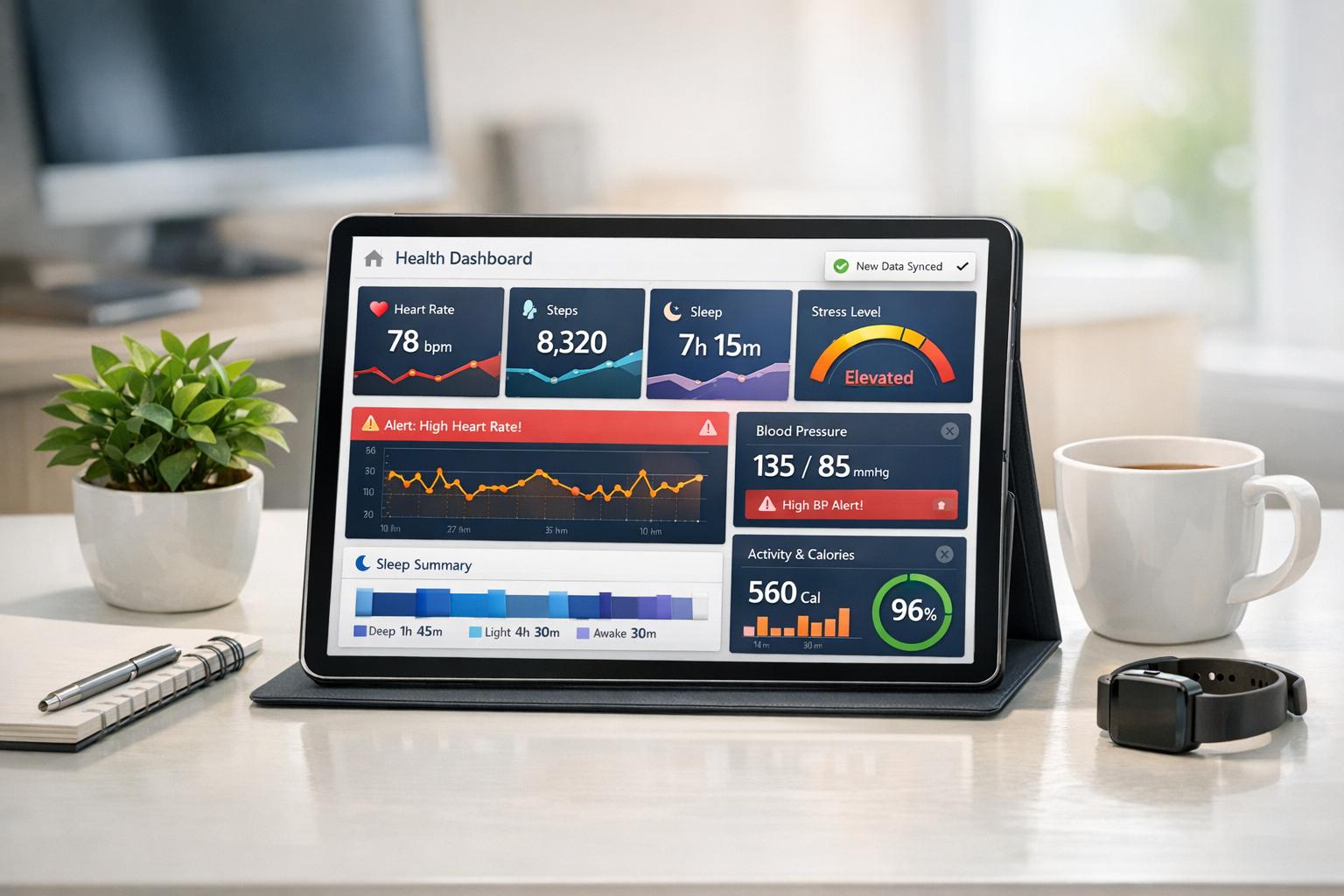
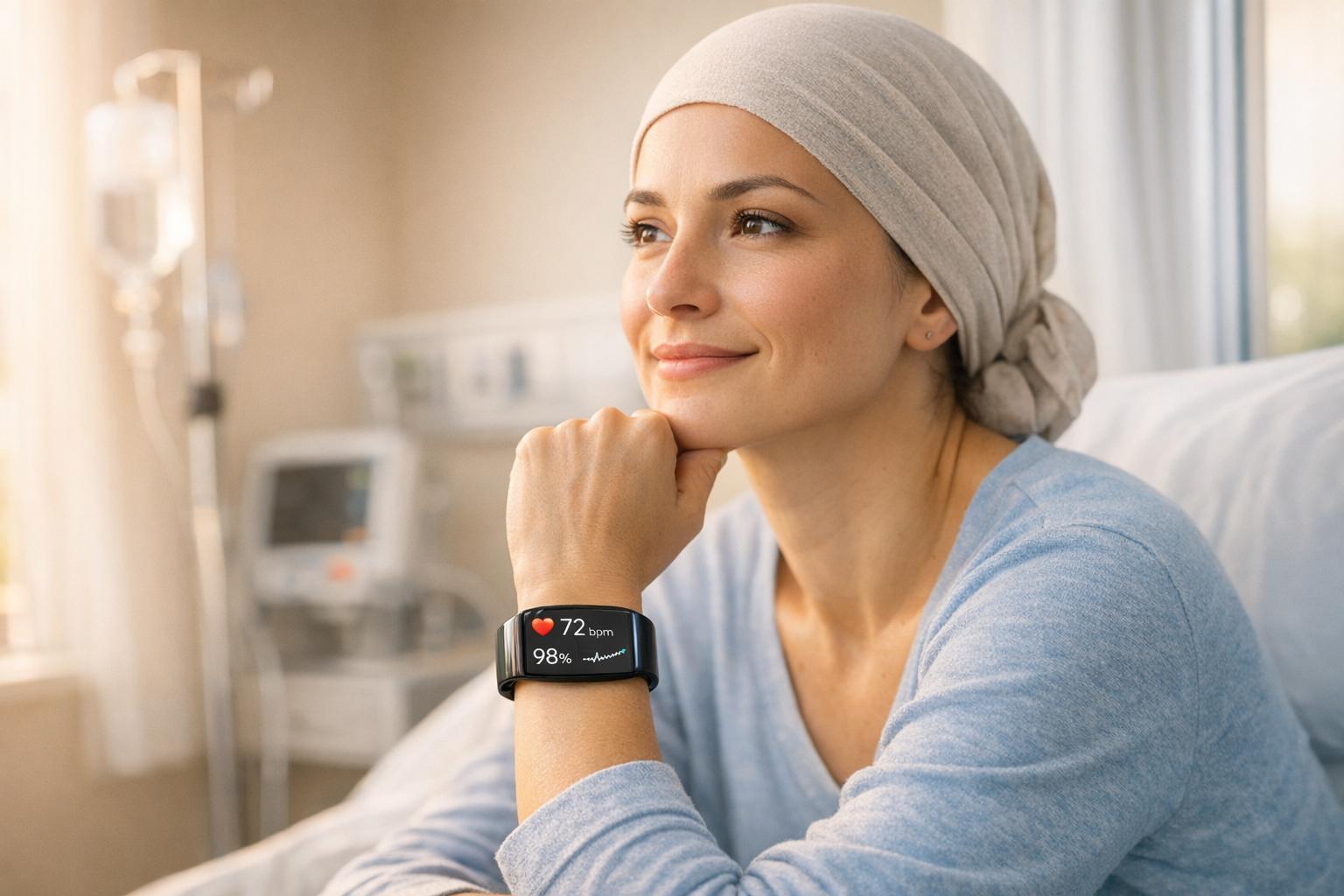
Your health devices collect loads of data - heart rate, sleep patterns, stress levels - but making sense of health data analytics is often overwhelming. Real-time health dashboards solve this by integrating all your metrics into one place, offering clear, actionable insights. Here's what they do:
Centralized Data: Combine stats from your Apple Watch, fitness apps, and medical devices into a single, easy-to-read view.
Actionable Alerts: Get notified about critical changes, like irregular heart rhythms or low sleep quality, so you can act quickly.
Personalized Goals: Tailor dashboards to track what matters most to you - fitness, stress management, or better sleep.
AI Assistance: Tools like Healify’s AI coach, Anna, analyze your data and provide practical advice, from workout adjustments to bedtime tips.
These dashboards eliminate confusion, helping you turn raw numbers into clear steps for better health. With features like real-time updates, custom alerts, and tailored insights, they make managing your well-being easier than ever.
The Problem: Too Much Health Data, Not Enough Clarity
Data Scattered Across Multiple Sources
Your health information is often spread across a variety of platforms. Your Apple Watch tracks one set of metrics, while your sleep app, doctor’s portal, and nutrition app each hold different pieces of the puzzle. The problem? These systems rarely "talk" to one another, leaving you with disconnected fragments of information.
This lack of integration makes it hard to see how your data connects. For example, you might overlook how an elevated resting heart rate could relate to consistently low deep sleep levels (falling below the 25% target). Without this connection, understanding your overall health becomes a guessing game.
"Guava lets us present data to patients in a way they can absorb. That's meaningful - and it provides real value for them." – Dr. Radley Griffin, board-certified family medicine physician [2].
Data scientist Yajurved Jayavarapu encountered this issue firsthand while analyzing his Apple Health data. The exported health information came in XML format - essentially unreadable for the average person. To make sense of it, he had to convert the raw data into spreadsheets, a time-consuming and technical process [5]. Most people don’t have the skills or time to do this, leaving valuable insights locked away.
This fragmentation doesn’t just create confusion - it can delay important health decisions when patterns and trends go unnoticed.
When Too Much Data Prevents Action
The sheer amount of health data generated by devices can be overwhelming. And when it’s scattered and hard to interpret, it becomes more of a burden than a benefit. While these devices churn out gigabytes of data every year, the lack of clarity often hides key trends. Checking your health stats daily may leave you with more questions than answers.
The issue isn’t just the volume of data - it’s the complexity of making sense of it. Basic health apps can tell you how many steps you walked, but they rarely help answer deeper questions like, “Why am I still tired after 8 hours of sleep?” or “Is my late-night workout affecting my recovery?” Without actionable insights, raw numbers feel meaningless [3].
This confusion can have real consequences. When your blood pressure readings, stress levels, and activity data are scattered across multiple apps, recognizing concerning patterns becomes nearly impossible. It’s no surprise that over 230 million people worldwide now turn to ChatGPT every week for health-related questions [4]. They’re often just trying to make sense of their fragmented data and find actionable answers.
Why Real-Time Health Dashboards Work
Real-time health dashboards provide an effective way to make sense of fragmented health data, offering a centralized and actionable view of your well-being.
All Your Health Data in One Place
Imagine having all your essential health metrics - like heart rate, stress levels, sleep quality, and blood pressure - displayed on one screen. Real-time dashboards make this possible by pulling data from multiple devices and apps into a single, unified view. No more toggling between apps or devices; everything you need is right there, ensuring your data stays consistent and easy to interpret [8].
These dashboards often include composite scores, offering a quick snapshot of your overall health on a scale of 0–100 [6]. It’s like having a personal health report card you can check anytime.
Catch Health Issues Before They Grow
One of the standout benefits of real-time dashboards is their ability to flag potential health issues early. Instead of waiting for an annual checkup, you can spot trends like a gradually increasing resting heart rate or a drop in deep sleep below 25%. AI-powered systems continuously analyze your health data, highlighting out-of-range values or sudden changes in key metrics. For example, if your blood pressure crosses a set threshold, such as 130/80 mmHg, you’ll receive an automatic alert, helping you take action before minor concerns become major problems [2].
Dashboards That Match Your Health Goals
The beauty of these dashboards lies in their flexibility. You can tailor them to track metrics that align with your personal health goals, whether you're focusing on fitness, stress management, or improving sleep. For instance, if better sleep is your goal, you might prioritize tracking sleep duration and deep sleep percentage. On the other hand, if you're aiming for fitness gains, you could monitor your resting heart rate and body composition.
To avoid feeling overwhelmed, it’s best to focus on around nine key data points. This keeps the information manageable while ensuring you see what matters most [8]. Some platforms even offer specialized "wellness pathways" like Live Longer, Train Smarter, or Sleep Restored. These pathways automatically filter data and provide recommendations tailored to your specific health objectives [7].
How Healify's Dashboards Deliver Real-Time Health Insights
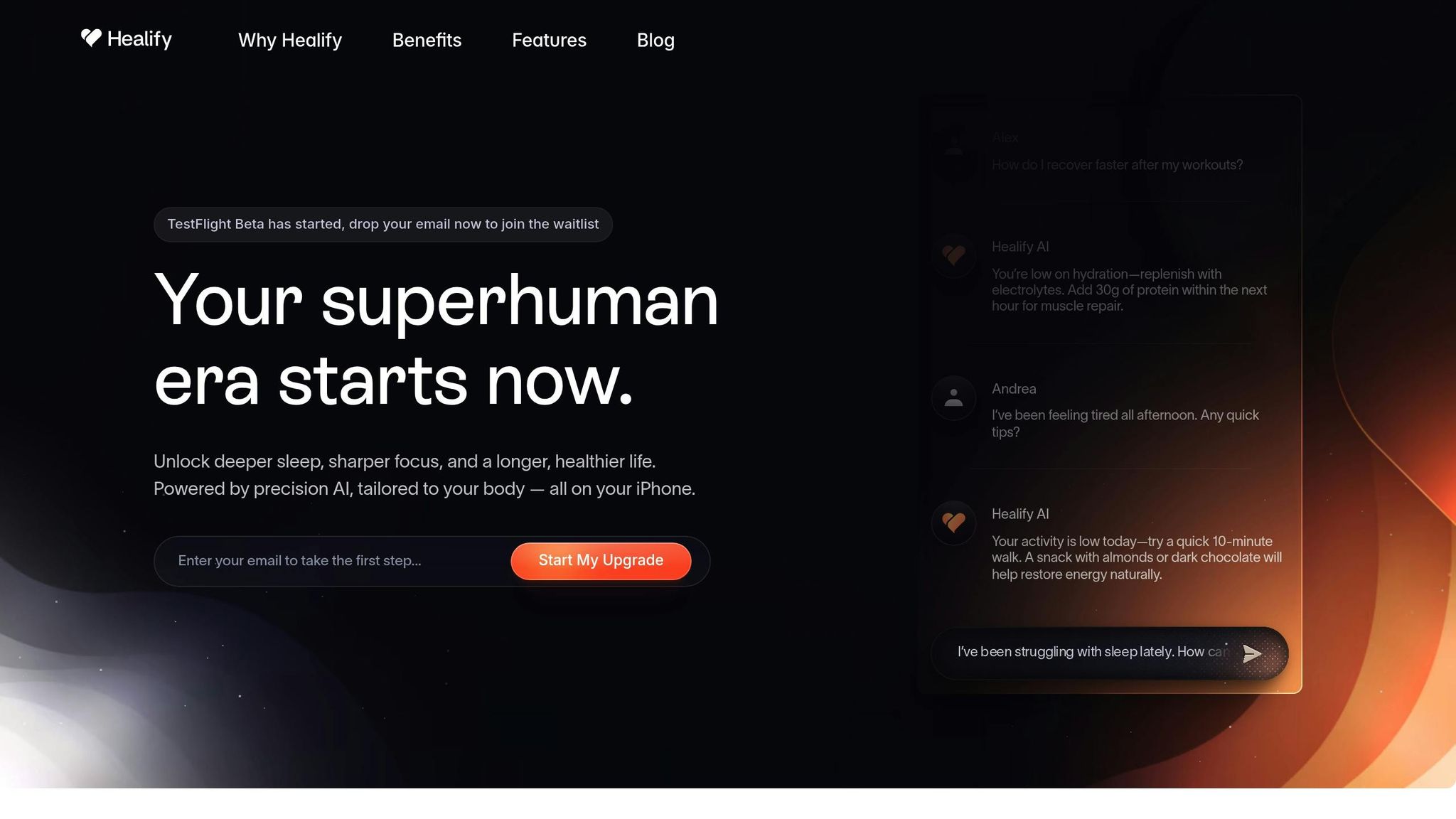
Healify takes the guesswork out of managing your health by bringing all your data into one easy-to-read dashboard, designed specifically for iPhone users. No more juggling multiple apps or trying to make sense of complicated charts. Here’s how its features deliver real-time, actionable insights right to your fingertips.
Syncs Seamlessly with Your Devices
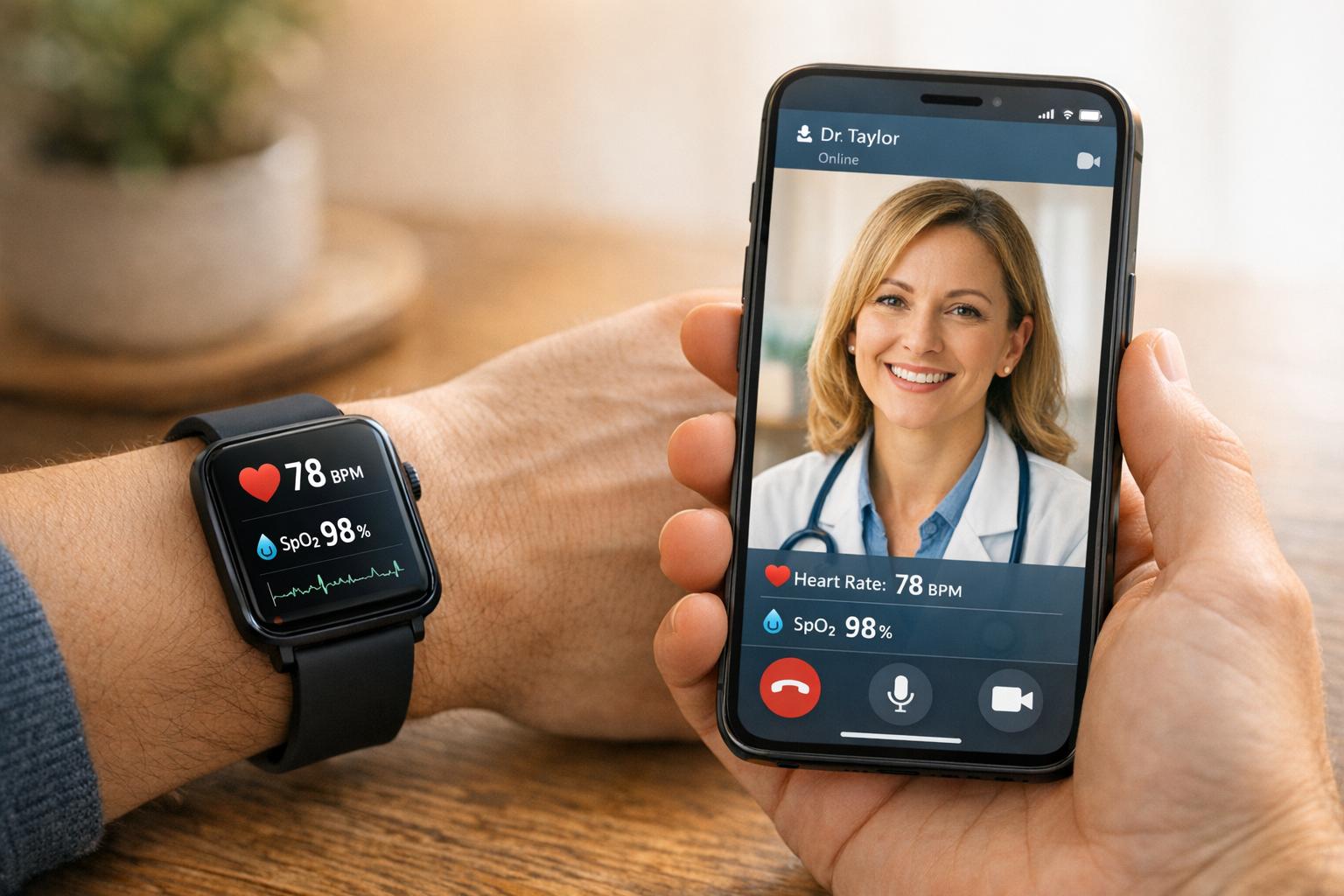
Healify integrates effortlessly with your iPhone, Apple Watch, and medical-grade devices like blood glucose and blood pressure monitors. All your data flows into Apple Health, giving you a comprehensive view of your vitals, activity, and biometrics in one place. Whether it’s tracking your heart rate during a workout or monitoring blood oxygen levels throughout the day, the dashboard updates in real time, ensuring you always have the most current information.
Meet Anna: Your AI Health Coach
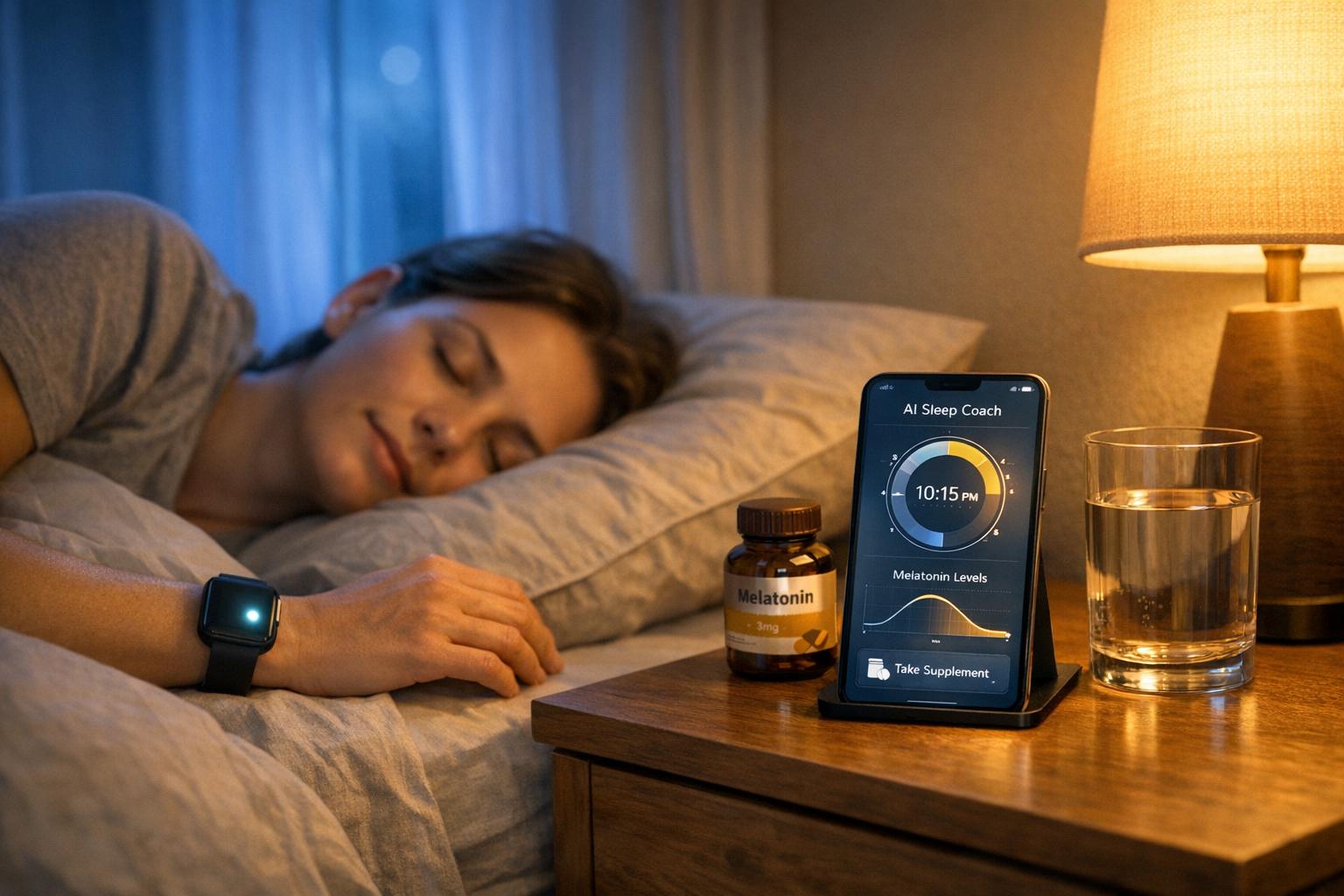
Say hello to Anna, your personal AI health coach who simplifies complex data into practical advice. She’s available 24/7, acting as your virtual doctor, nutritionist, and sleep guide. Anna keeps an eye on your metrics - like cortisol levels or blood oxygen changes - and offers instant, practical tips when something’s off. Got questions? Ask Anna things like, “Why do I feel tired today?” and she’ll analyze your recent sleep, activity, and stress data to give you a clear, data-backed answer.
Tools to Help You Stay on Top of Your Health
Healify’s dashboard prioritizes real-time updates with features like a dynamic wellness score, calculated from four key areas: sleep quality, exercise intensity, nutrition, and stress levels. If something isn’t right - like an irregular heart rhythm or a dip in heart rate variability - you’ll get an alert with actionable steps to take.
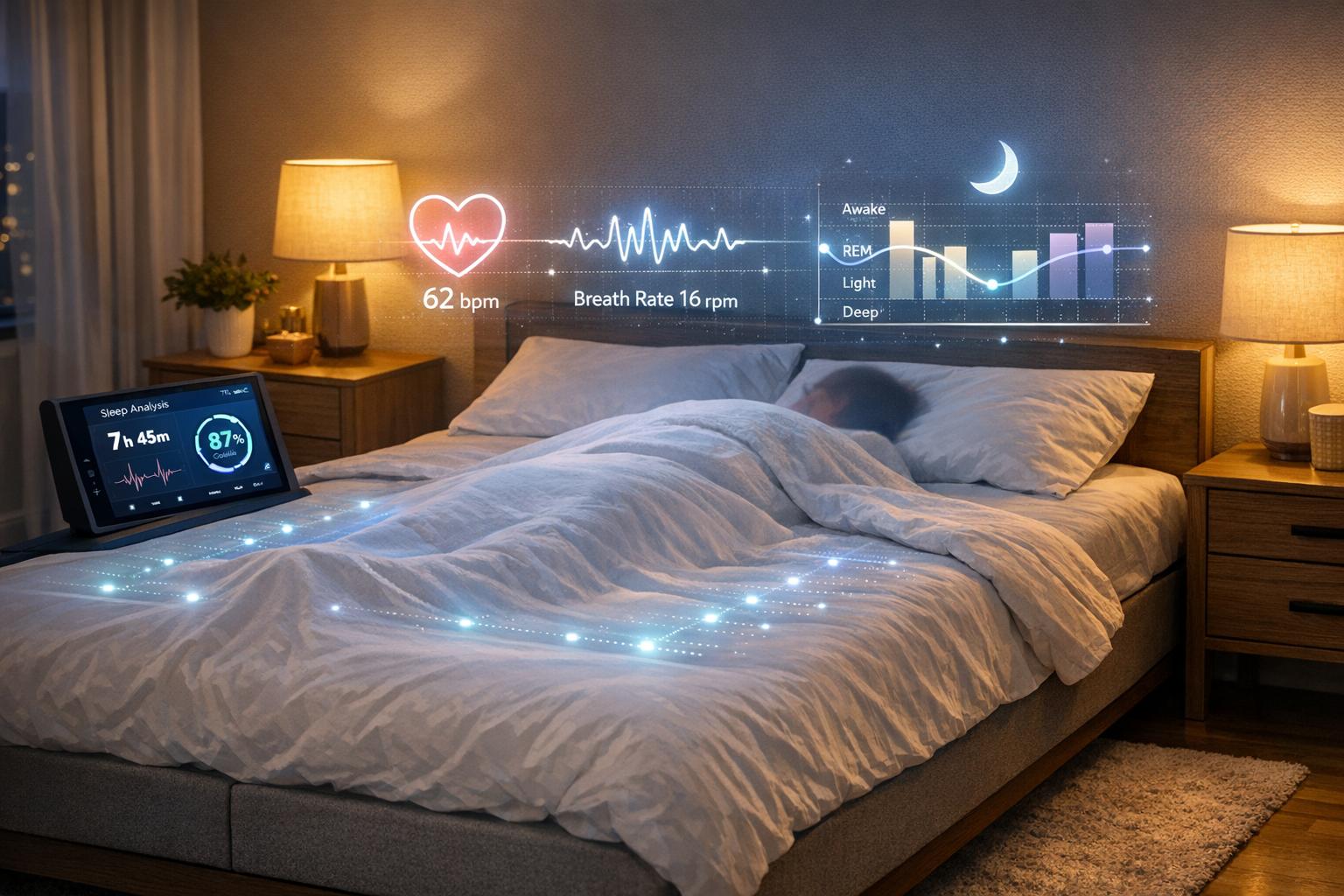
For stress, the stress defense tools analyze heart rate variability and notify you before you even notice the tension, suggesting activities like guided breathing exercises. The sleep tracker evaluates your sleep cycles and recovery, offering tailored bedtime routines to improve rest. And when it comes to nutrition, the meal plan generator adjusts macros on the fly - like recommending extra protein after a tough workout - and even provides easy-to-follow recipes.
"Healify's meal plan and recipe generator calculate macros and provide easy recipes, helping my clients reach their fitness goals faster." - Taylor, Personal Trainer [1]
Setting Up Your Custom Dashboard in Healify
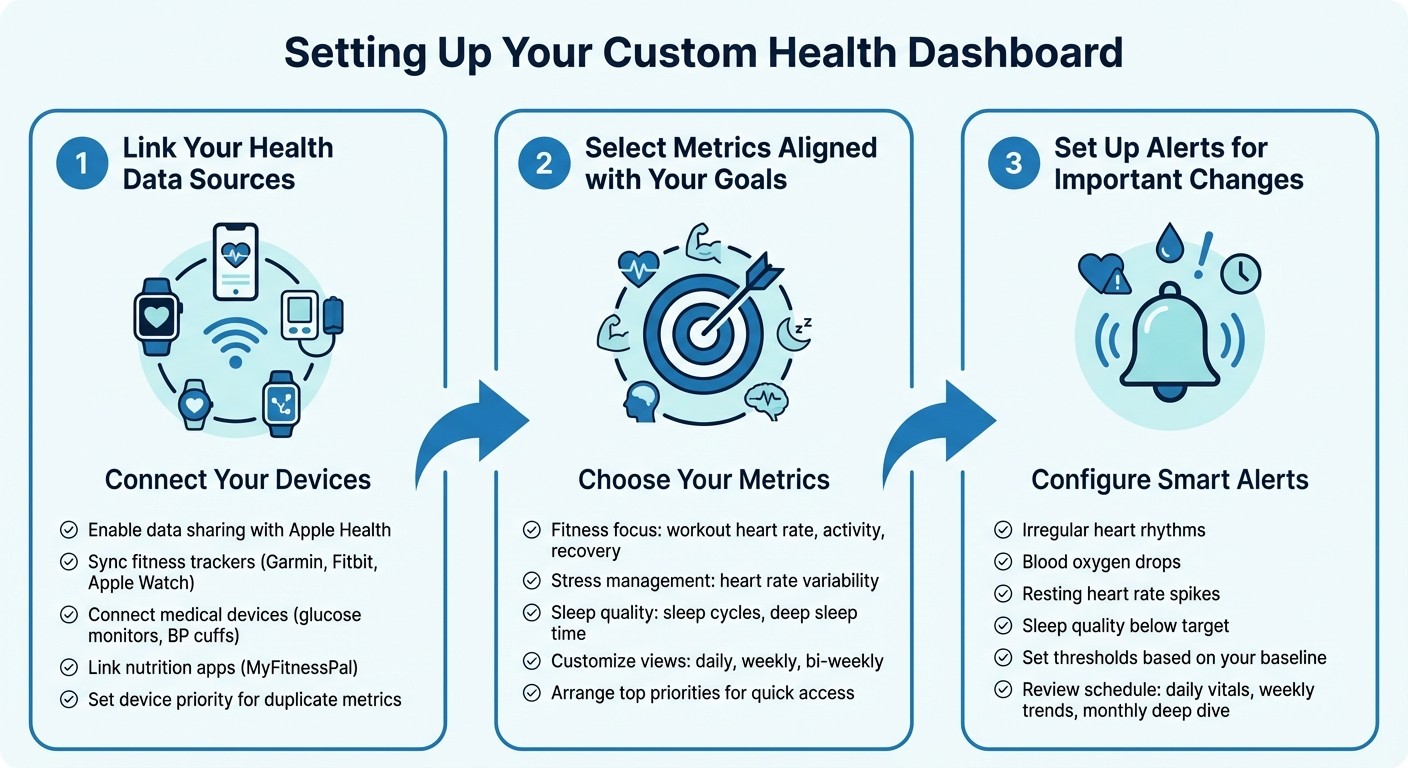
How to Set Up Your Custom Health Dashboard in 3 Steps
Getting your Healify dashboard up and running is simple. Start by linking your devices, picking the metrics that matter most to you, and setting up alerts to stay on top of important changes.
Link Your Health Data Sources
Centralize your health data by integrating it with Apple Health. To do this, open the app for your wearable device - whether it’s Garmin Connect, Fitbit, or Apple Watch settings - and enable data sharing with Apple Health. This allows Healify to pull in a wide range of information, like heart rate, sleep patterns, and blood oxygen levels.
In addition to fitness trackers like the Garmin Venu 3 or Fitbit Charge 6, you can connect medical devices such as blood glucose monitors or blood pressure cuffs. For nutrition tracking, sync apps like MyFitnessPal to automatically upload your calorie and macronutrient data to your dashboard. If multiple devices track the same metric (e.g., both your phone and watch counting steps), set a priority in Apple Health so Healify uses the most reliable source. And if something isn’t tracked automatically - like meal timing or mood - you can manually add it through the Healify app.
Once your devices are synced, the next step is tailoring your dashboard to your health objectives.
Select Metrics Aligned with Your Goals
Your dashboard should focus on what’s most relevant to your health journey. For example, if fitness is your priority, emphasize metrics like workout heart rate, activity levels, and recovery time. If managing stress is your goal, highlight heart rate variability. Sleep-focused users might want to track sleep cycles, time spent in deep sleep, and overall rest quality.
Healify makes it easy to customize your dashboard. You can toggle between daily, weekly, or bi-weekly views, adjust chart sizes, and arrange your most important metrics at the top for quick access. This way, your dashboard stays streamlined and focused, helping you monitor progress without getting overwhelmed by unnecessary data.
After setting up your metrics, configure alerts to ensure you’re always in the loop about critical changes.
Set Up Alerts for Important Changes
Real-time alerts are a game-changer for staying informed. You can set notifications for significant events like irregular heart rhythms, sudden drops in blood oxygen, or unexpected spikes in resting heart rate. Healify’s biometric analysis automatically detects unusual patterns, and its sleep monitoring feature can alert you when your rest quality falls below your set target.
The best part? You don’t need to keep checking your dashboard. Alerts are sent directly to you, so you’re notified as soon as something requires attention. Set your thresholds based on your baseline health data, and Healify will flag anything outside the norm. For a well-rounded approach, schedule a daily check of vital signs, a weekly review of trends, and a monthly deep dive to reassess and refine your goals.
Conclusion: Turn Your Health Data Into a Clear Action Plan
Custom dashboards bring together information from wearables, apps, and medical devices, making sense of what might otherwise feel overwhelming.
With real-time insights at your fingertips, Healify uses AI to cut through the noise and focus on what truly matters, aligning with your sleep, stress, and fitness goals. Anna, your around-the-clock AI health coach, simplifies complex metrics into easy-to-follow advice - like tweaking your bedtime routine or adjusting the intensity of your workouts.
This proactive approach helps you spot potential issues - such as an unexpected spike in your resting heart rate or a drop in sleep quality - before they turn into bigger problems.
FAQs
How do real-time health dashboards combine data from different devices?
Real-time health dashboards bring together data from wearables, medical sensors, and lifestyle apps by using standardized APIs like Apple HealthKit or Google Fit. These APIs automatically sync key metrics - like heart rate, sleep patterns, activity levels, and blood pressure - into a secure cloud system.
Once the data is synced, the platform processes it by standardizing units (e.g., converting steps to miles or BPM to beats per minute) and aligning timestamps to the U.S. date-time format (MM/DD/YYYY hh:mm AM/PM). AI tools then step in to analyze the data, uncover patterns, and generate insights. The results are displayed on the dashboard using simple, visual widgets, giving users a clear and organized view of their health metrics in one place.
For instance, you can connect devices like an Apple Watch or Fitbit, and the system will combine their data with other inputs, such as manual entries or medical records. This creates a real-time, personalized snapshot of your health, making it easier to take action without juggling multiple apps.
Which health metrics can I personalize in my dashboard?
You can customize your dashboard to focus on the health metrics that are most important to you. These might include blood pressure, resting heart rate, stress levels, blood oxygen saturation, weight, daily activity or step count, and sleep duration and quality. You can also incorporate data from wearables, such as heart rate trends and other personalized insights, to get a more complete picture of your well-being.
By tailoring these metrics to your needs, you’ll have real-time access to vital health information, helping you take meaningful steps toward improving both your physical and mental health.
How does Anna, the AI assistant, help improve health management?
Anna works around the clock as your personal health coach, analyzing data from wearables, biometrics, bloodwork, and lifestyle habits to uncover patterns unique to you. With the help of AI, it simplifies all this information into a personalized health score. This score factors in elements like sleep quality, physical activity, nutrition, and stress levels, making complex data easy to understand and act on.
By keeping tabs on your health in real time, Anna can quickly spot changes - like irregular heart rhythms or heightened stress - and suggest practical actions, such as drinking water or taking a quick walk. Over time, it fine-tunes your fitness routines, meal plans, and sleep strategies to match your changing needs. This approach helps you stay on track and address potential concerns early, giving you the tools to confidently manage your health.
Related Blog Posts
Your health devices collect loads of data - heart rate, sleep patterns, stress levels - but making sense of health data analytics is often overwhelming. Real-time health dashboards solve this by integrating all your metrics into one place, offering clear, actionable insights. Here's what they do:
Centralized Data: Combine stats from your Apple Watch, fitness apps, and medical devices into a single, easy-to-read view.
Actionable Alerts: Get notified about critical changes, like irregular heart rhythms or low sleep quality, so you can act quickly.
Personalized Goals: Tailor dashboards to track what matters most to you - fitness, stress management, or better sleep.
AI Assistance: Tools like Healify’s AI coach, Anna, analyze your data and provide practical advice, from workout adjustments to bedtime tips.
These dashboards eliminate confusion, helping you turn raw numbers into clear steps for better health. With features like real-time updates, custom alerts, and tailored insights, they make managing your well-being easier than ever.
The Problem: Too Much Health Data, Not Enough Clarity
Data Scattered Across Multiple Sources
Your health information is often spread across a variety of platforms. Your Apple Watch tracks one set of metrics, while your sleep app, doctor’s portal, and nutrition app each hold different pieces of the puzzle. The problem? These systems rarely "talk" to one another, leaving you with disconnected fragments of information.
This lack of integration makes it hard to see how your data connects. For example, you might overlook how an elevated resting heart rate could relate to consistently low deep sleep levels (falling below the 25% target). Without this connection, understanding your overall health becomes a guessing game.
"Guava lets us present data to patients in a way they can absorb. That's meaningful - and it provides real value for them." – Dr. Radley Griffin, board-certified family medicine physician [2].
Data scientist Yajurved Jayavarapu encountered this issue firsthand while analyzing his Apple Health data. The exported health information came in XML format - essentially unreadable for the average person. To make sense of it, he had to convert the raw data into spreadsheets, a time-consuming and technical process [5]. Most people don’t have the skills or time to do this, leaving valuable insights locked away.
This fragmentation doesn’t just create confusion - it can delay important health decisions when patterns and trends go unnoticed.
When Too Much Data Prevents Action
The sheer amount of health data generated by devices can be overwhelming. And when it’s scattered and hard to interpret, it becomes more of a burden than a benefit. While these devices churn out gigabytes of data every year, the lack of clarity often hides key trends. Checking your health stats daily may leave you with more questions than answers.
The issue isn’t just the volume of data - it’s the complexity of making sense of it. Basic health apps can tell you how many steps you walked, but they rarely help answer deeper questions like, “Why am I still tired after 8 hours of sleep?” or “Is my late-night workout affecting my recovery?” Without actionable insights, raw numbers feel meaningless [3].
This confusion can have real consequences. When your blood pressure readings, stress levels, and activity data are scattered across multiple apps, recognizing concerning patterns becomes nearly impossible. It’s no surprise that over 230 million people worldwide now turn to ChatGPT every week for health-related questions [4]. They’re often just trying to make sense of their fragmented data and find actionable answers.
Why Real-Time Health Dashboards Work
Real-time health dashboards provide an effective way to make sense of fragmented health data, offering a centralized and actionable view of your well-being.
All Your Health Data in One Place
Imagine having all your essential health metrics - like heart rate, stress levels, sleep quality, and blood pressure - displayed on one screen. Real-time dashboards make this possible by pulling data from multiple devices and apps into a single, unified view. No more toggling between apps or devices; everything you need is right there, ensuring your data stays consistent and easy to interpret [8].
These dashboards often include composite scores, offering a quick snapshot of your overall health on a scale of 0–100 [6]. It’s like having a personal health report card you can check anytime.
Catch Health Issues Before They Grow
One of the standout benefits of real-time dashboards is their ability to flag potential health issues early. Instead of waiting for an annual checkup, you can spot trends like a gradually increasing resting heart rate or a drop in deep sleep below 25%. AI-powered systems continuously analyze your health data, highlighting out-of-range values or sudden changes in key metrics. For example, if your blood pressure crosses a set threshold, such as 130/80 mmHg, you’ll receive an automatic alert, helping you take action before minor concerns become major problems [2].
Dashboards That Match Your Health Goals
The beauty of these dashboards lies in their flexibility. You can tailor them to track metrics that align with your personal health goals, whether you're focusing on fitness, stress management, or improving sleep. For instance, if better sleep is your goal, you might prioritize tracking sleep duration and deep sleep percentage. On the other hand, if you're aiming for fitness gains, you could monitor your resting heart rate and body composition.
To avoid feeling overwhelmed, it’s best to focus on around nine key data points. This keeps the information manageable while ensuring you see what matters most [8]. Some platforms even offer specialized "wellness pathways" like Live Longer, Train Smarter, or Sleep Restored. These pathways automatically filter data and provide recommendations tailored to your specific health objectives [7].
How Healify's Dashboards Deliver Real-Time Health Insights
Healify takes the guesswork out of managing your health by bringing all your data into one easy-to-read dashboard, designed specifically for iPhone users. No more juggling multiple apps or trying to make sense of complicated charts. Here’s how its features deliver real-time, actionable insights right to your fingertips.
Syncs Seamlessly with Your Devices
Healify integrates effortlessly with your iPhone, Apple Watch, and medical-grade devices like blood glucose and blood pressure monitors. All your data flows into Apple Health, giving you a comprehensive view of your vitals, activity, and biometrics in one place. Whether it’s tracking your heart rate during a workout or monitoring blood oxygen levels throughout the day, the dashboard updates in real time, ensuring you always have the most current information.
Meet Anna: Your AI Health Coach
Say hello to Anna, your personal AI health coach who simplifies complex data into practical advice. She’s available 24/7, acting as your virtual doctor, nutritionist, and sleep guide. Anna keeps an eye on your metrics - like cortisol levels or blood oxygen changes - and offers instant, practical tips when something’s off. Got questions? Ask Anna things like, “Why do I feel tired today?” and she’ll analyze your recent sleep, activity, and stress data to give you a clear, data-backed answer.
Tools to Help You Stay on Top of Your Health
Healify’s dashboard prioritizes real-time updates with features like a dynamic wellness score, calculated from four key areas: sleep quality, exercise intensity, nutrition, and stress levels. If something isn’t right - like an irregular heart rhythm or a dip in heart rate variability - you’ll get an alert with actionable steps to take.
For stress, the stress defense tools analyze heart rate variability and notify you before you even notice the tension, suggesting activities like guided breathing exercises. The sleep tracker evaluates your sleep cycles and recovery, offering tailored bedtime routines to improve rest. And when it comes to nutrition, the meal plan generator adjusts macros on the fly - like recommending extra protein after a tough workout - and even provides easy-to-follow recipes.
"Healify's meal plan and recipe generator calculate macros and provide easy recipes, helping my clients reach their fitness goals faster." - Taylor, Personal Trainer [1]
Setting Up Your Custom Dashboard in Healify
How to Set Up Your Custom Health Dashboard in 3 Steps
Getting your Healify dashboard up and running is simple. Start by linking your devices, picking the metrics that matter most to you, and setting up alerts to stay on top of important changes.
Link Your Health Data Sources
Centralize your health data by integrating it with Apple Health. To do this, open the app for your wearable device - whether it’s Garmin Connect, Fitbit, or Apple Watch settings - and enable data sharing with Apple Health. This allows Healify to pull in a wide range of information, like heart rate, sleep patterns, and blood oxygen levels.
In addition to fitness trackers like the Garmin Venu 3 or Fitbit Charge 6, you can connect medical devices such as blood glucose monitors or blood pressure cuffs. For nutrition tracking, sync apps like MyFitnessPal to automatically upload your calorie and macronutrient data to your dashboard. If multiple devices track the same metric (e.g., both your phone and watch counting steps), set a priority in Apple Health so Healify uses the most reliable source. And if something isn’t tracked automatically - like meal timing or mood - you can manually add it through the Healify app.
Once your devices are synced, the next step is tailoring your dashboard to your health objectives.
Select Metrics Aligned with Your Goals
Your dashboard should focus on what’s most relevant to your health journey. For example, if fitness is your priority, emphasize metrics like workout heart rate, activity levels, and recovery time. If managing stress is your goal, highlight heart rate variability. Sleep-focused users might want to track sleep cycles, time spent in deep sleep, and overall rest quality.
Healify makes it easy to customize your dashboard. You can toggle between daily, weekly, or bi-weekly views, adjust chart sizes, and arrange your most important metrics at the top for quick access. This way, your dashboard stays streamlined and focused, helping you monitor progress without getting overwhelmed by unnecessary data.
After setting up your metrics, configure alerts to ensure you’re always in the loop about critical changes.
Set Up Alerts for Important Changes
Real-time alerts are a game-changer for staying informed. You can set notifications for significant events like irregular heart rhythms, sudden drops in blood oxygen, or unexpected spikes in resting heart rate. Healify’s biometric analysis automatically detects unusual patterns, and its sleep monitoring feature can alert you when your rest quality falls below your set target.
The best part? You don’t need to keep checking your dashboard. Alerts are sent directly to you, so you’re notified as soon as something requires attention. Set your thresholds based on your baseline health data, and Healify will flag anything outside the norm. For a well-rounded approach, schedule a daily check of vital signs, a weekly review of trends, and a monthly deep dive to reassess and refine your goals.
Conclusion: Turn Your Health Data Into a Clear Action Plan
Custom dashboards bring together information from wearables, apps, and medical devices, making sense of what might otherwise feel overwhelming.
With real-time insights at your fingertips, Healify uses AI to cut through the noise and focus on what truly matters, aligning with your sleep, stress, and fitness goals. Anna, your around-the-clock AI health coach, simplifies complex metrics into easy-to-follow advice - like tweaking your bedtime routine or adjusting the intensity of your workouts.
This proactive approach helps you spot potential issues - such as an unexpected spike in your resting heart rate or a drop in sleep quality - before they turn into bigger problems.
FAQs
How do real-time health dashboards combine data from different devices?
Real-time health dashboards bring together data from wearables, medical sensors, and lifestyle apps by using standardized APIs like Apple HealthKit or Google Fit. These APIs automatically sync key metrics - like heart rate, sleep patterns, activity levels, and blood pressure - into a secure cloud system.
Once the data is synced, the platform processes it by standardizing units (e.g., converting steps to miles or BPM to beats per minute) and aligning timestamps to the U.S. date-time format (MM/DD/YYYY hh:mm AM/PM). AI tools then step in to analyze the data, uncover patterns, and generate insights. The results are displayed on the dashboard using simple, visual widgets, giving users a clear and organized view of their health metrics in one place.
For instance, you can connect devices like an Apple Watch or Fitbit, and the system will combine their data with other inputs, such as manual entries or medical records. This creates a real-time, personalized snapshot of your health, making it easier to take action without juggling multiple apps.
Which health metrics can I personalize in my dashboard?
You can customize your dashboard to focus on the health metrics that are most important to you. These might include blood pressure, resting heart rate, stress levels, blood oxygen saturation, weight, daily activity or step count, and sleep duration and quality. You can also incorporate data from wearables, such as heart rate trends and other personalized insights, to get a more complete picture of your well-being.
By tailoring these metrics to your needs, you’ll have real-time access to vital health information, helping you take meaningful steps toward improving both your physical and mental health.
How does Anna, the AI assistant, help improve health management?
Anna works around the clock as your personal health coach, analyzing data from wearables, biometrics, bloodwork, and lifestyle habits to uncover patterns unique to you. With the help of AI, it simplifies all this information into a personalized health score. This score factors in elements like sleep quality, physical activity, nutrition, and stress levels, making complex data easy to understand and act on.
By keeping tabs on your health in real time, Anna can quickly spot changes - like irregular heart rhythms or heightened stress - and suggest practical actions, such as drinking water or taking a quick walk. Over time, it fine-tunes your fitness routines, meal plans, and sleep strategies to match your changing needs. This approach helps you stay on track and address potential concerns early, giving you the tools to confidently manage your health.
Related Blog Posts

Finalmente toma el control de tu salud

Finalmente toma el control de tu salud
Finalmente toma el control de tu salud