
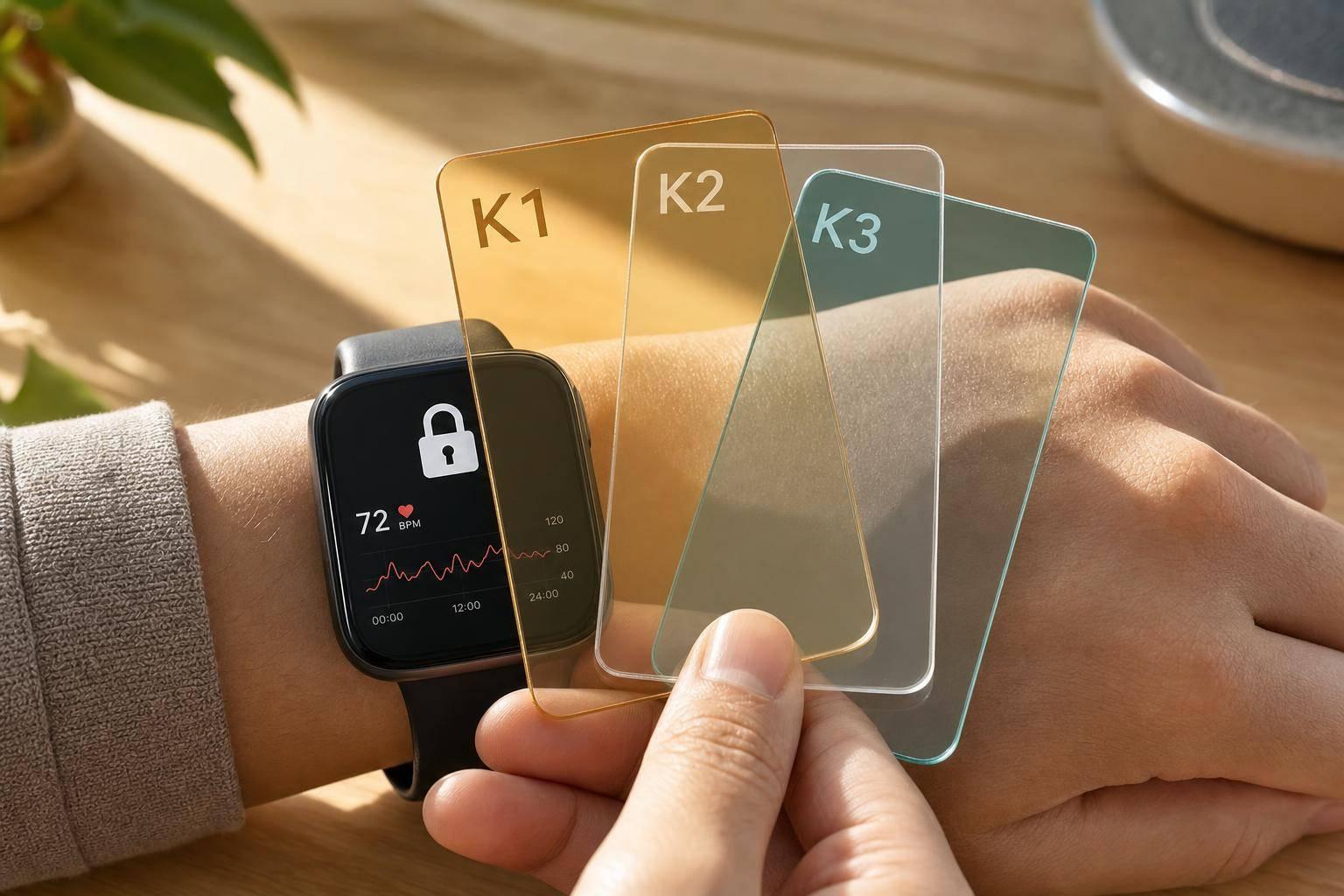
If one encryption key stays active for too long, one leak can expose months or even years of wearable health data. I’d boil the article down to this: rotate keys on a schedule, split keys by system layer, automate the process, and keep old/new keys active during transition so devices don’t fail mid-sync.
Here’s the short version in plain English:
- Wearable data is high risk because it’s personal, constant, and hard to change once exposed.
- Static keys stretch the damage window. If one key is stolen, an attacker may get a long history of heart rate, sleep, stress, or ECG data.
- Key rotation cuts that window down. A common production range is every 30 to 90 days, with extra rotation after device reassignment, firmware updates, attestation issues, or policy changes.
- One key should not protect everything. I’d separate keys for the device, data in transit, and cloud storage.
- Automation matters because wearable systems send data all day, every day. Manual rotation leaves gaps and logging problems.
- Safe rollout matters just as much as rotation. Keep overlapping key versions, confirm devices updated, then retire the old key.
- Audit logs and role separation help track issuance, rotation, and revocation with timestamps, device IDs, and actor IDs.
- Testing first with a small device group can catch decryption failures, version mismatches, and sync issues before fleet-wide rollout.
One simple way to think about it: shorter key life = less data exposed per failure. That is the whole point.
| Area | What I’d do |
|---|---|
| Key lifetime | Rotate every 30–90 days based on data sensitivity |
| Trigger events | Rotate after reassignment, firmware change, attestation failure, or policy update |
| Key design | Use separate keys for device, transport, and cloud layers |
| Rollout | Use overlapping old/new keys; never hard cut over |
| Storage | Keep keys away from stored health data |
| Access | Split who can read data from who can rotate or revoke keys |
| Logging | Record every key event with time, actor, and key version |
| Testing | Pilot first, then roll out fleet-wide |
So if you’re protecting wearable health data, I’d treat key rotation not as a nice extra, but as a basic limit on how much damage one stolen key can do.
Episode 5 - Manage Keys Safely: Generation, Storage, Rotation, and Access Controls
How key rotation reduces exposure
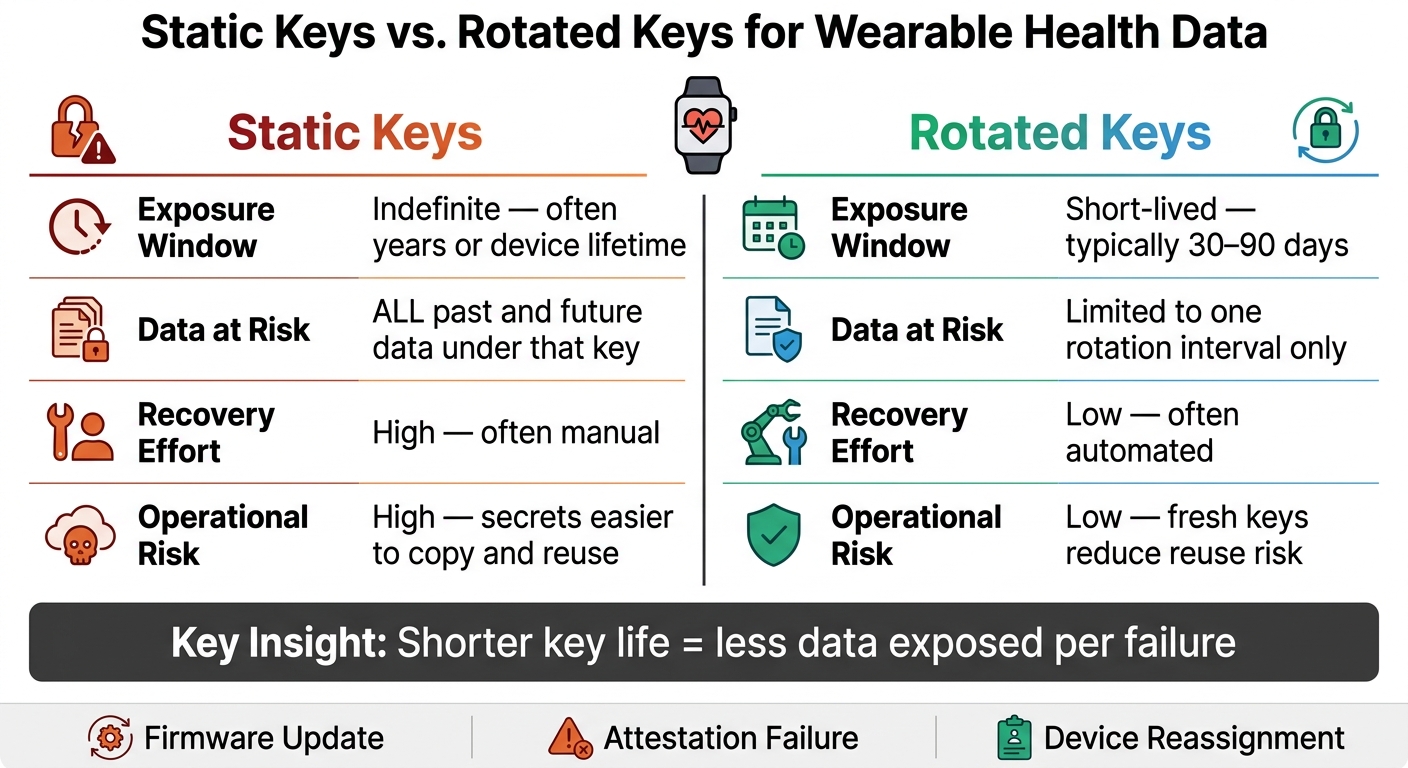
Static vs. Rotated Encryption Keys: Wearable Health Data Protection
Once the risk of long-lived keys is clear, the next step is simple: cut down how long each key stays in use.
Key rotation swaps encryption keys on a set schedule - often every 30 to 90 days in production - or after events like firmware upgrades, attestation failures, or device reassignment. The shorter a key lives, the less data it can expose if it leaks.
Why rotating keys limits the exposure scope
Wearables sync all the time. Heart rate, sleep, and activity data may be collected many times a day. Over time, that steady flow turns one static key into a single point of failure tied to a growing pile of sensitive data.
Rotation stops that pile from growing under one key. When keys are replaced on a regular cadence, each key version protects only a small slice of health history. So if one key is compromised, it doesn't open the door to everything. It only affects data from that one period.
Put plainly: rotation contains damage. One compromised key exposes only one window of synced data.
Static keys vs. rotated keys
The gap between static and rotated keys isn't just an abstract security idea. You can see it right away in what happens after a compromise:
| Feature | Static Keys | Rotated Keys |
|---|---|---|
| Exposure Window | Indefinite; often years or the life of the device. | Short-lived; typically 30–90 days in production. [1] |
| Data at Risk | All past and future data encrypted with that key. [1] | Limited to the specific rotation interval. [1] |
| Recovery Effort | Higher; often manual. [1] | Lower; often automated. [1] |
| Operational Risk | Higher; secrets are easier to copy and reuse. [1] | Lower; fresh keys reduce reuse risk. [1] |
Static keys let risk build up over time. Rotated keys reset that risk on a schedule.
That only helps, though, when rotation follows a clear hierarchy and an automated process.
A practical key rotation setup for wearable health systems
Limiting exposure only works if key rotation is part of the design from day one.
Use a key hierarchy instead of one key for everything
Don’t use one key across the whole stack. Split keys across the device, transport, and cloud layers so a single breach doesn’t hand over every copy of the data.
At the device layer, use device-level AES-256-GCM encryption with user-specific keys tied to the phone's secure enclave. For data in transit, enforce TLS 1.3 or higher at the API gateway, and encrypt sensitive data on the device before transmission. In the cloud, use a managed key management service so encryption keys stay under organizational control. For high-risk data, apply field-level encryption before storage.
That separation matters. Once keys are split by layer, each one can rotate on its own schedule instead of forcing a one-size-fits-all setup.
Set rotation intervals, automation, and key versioning
Rotation schedules should follow data classification, not one blanket timeline for everything.
| Data Classification | Examples | Rotation Approach |
|---|---|---|
| Public | Step counts, general activity | Less frequent |
| Restricted | Blood pressure logs, resting heart rate | Moderate |
| High-risk | ECG waveforms, sleep apnea events | Most frequent |
Rotation should also happen after firmware upgrades, attestation failures, encryption policy changes, or device reassignment. Keep older key versions available until legacy data has been re-encrypted. That way, the system can still decrypt older records while new data is encrypted with the current key version.
Manual rotation vs. automated rotation
At scale, this becomes an operations issue fast. Rotation can’t depend on someone remembering to do it. Wearables produce nonstop data, so keys need to rotate without breaking sync or getting in the way of care workflows.
| Feature | Manual Rotation | Automated Rotation |
|---|---|---|
| Consistency | Low; prone to scheduling gaps | High; follows standardized policy |
| Human Error Risk | High; manual handling risks | Low; programmatic execution |
| Auditability | Difficult; often requires manual logs | Built-in logs |
| Operational Effort | High; grows with fleet size | Low; scales with data volume |
| Fit for Wearables | Poor; unsuitable for remote care | Required; essential for trust continuity |
In plain terms, manual rotation may work for a tiny deployment. For wearable health systems, though, automated rotation is the only setup that can keep up without adding risk.
The next step is locking down who can rotate keys and how those changes are recorded.
sbb-itb-f5765c6
Secure implementation practices that prevent rollout failures
Once rotation is automated, the next risk shifts to storage, access, and rollout. If those controls are loose, rotation can leak data or break syncing.
Separate keys from encrypted health data
Store keys in secure elements or TPM-class hardware. Keep patient data separate from device identity data. If a database gets stolen or a device backup leaks, putting keys in the same place exposes both the data and the trust layer at the same time.
For cloud-stored health records, keep patient data and attestation data in separate environments, even if the same application can reach both.
That said, storage separation by itself isn't enough. It only works when access is tightly limited too.
Add access controls, audit logs, and separation of duties
Limiting who can touch keys matters just as much as rotating them. The people or services that can access health data should not be the same ones that can rotate or revoke keys. That split lowers the chance that one compromised account can cause system-wide damage.
Every key event needs a record. Issuance, rotation, and revocation should each create a tamper-evident log entry with a timestamp and the identity of whoever, or whatever, triggered the action. That audit trail is critical during incident reviews.
| Lifecycle Event | Required Audit Data | Purpose |
|---|---|---|
| Enrollment | Actor ID, Policy Version, Device ID | Proves authorized patient-device binding |
| Key Rotation | Timestamp, Old/New Key Version, Success/Fail | Tracks credential freshness and identifies stale keys |
| Revocation | Reason for Retirement, Date, Evidence | Prevents unauthorized data transmission after discharge |
Access policies should also be attribute-driven, scoped to things like patient cohort, device model, or clinical service line. That way, devices get only the minimum privilege they need.
Even with strong controls, things can still go sideways if rollout fails on live devices.
Test rotation before production use
Rolling out key rotation without testing is how teams end up with failed decryptions and broken sync at the worst time.
Use overlapping old and new credentials so the device can still authenticate during a controlled transition. A pilot with a small device cohort helps teams catch version mismatches, retry failures, and edge cases before they hit the full fleet. During that window, the backend should accept both the old and new keys until each device confirms a successful update - never treat rotation as a hard switch. After a key change, require remote attestation before restoring full data flow [1].
For wearable-connected health apps like Healify, rotation can't interrupt the user experience. If a device can't rotate on its own, the companion app or gateway needs to handle the process so identity continuity stays intact. It also helps to spell out recovery steps in advance: reissue credentials, fall back to restricted mode, or hand off to an operator. When rotation fails, there should be a clear path back to uninterrupted syncing and preserved identity continuity.
Common mistakes and key takeaways
Mistakes that weaken key rotation
Once rotation is live, the biggest problems usually show up in rollout and day-to-day key management. In plain English: most failures come from weak process, not from encryption itself.
Revoking old keys too early can knock active devices offline. The safer path is to use overlapping validity windows, then retire the old key only after the device confirms that the new one is active.
A single-key setup is another common mistake. If one key handles hardware identity, enrollment, and data access, one breach can expose the whole stack. Tiered identities help contain that kind of damage.
The table below shows the difference between rotation that works quietly in the background and rotation that turns into an incident:
| Practice | Safe Approach | Failure-Prone Approach |
|---|---|---|
| Rotation method | Automated background process | Manual or undocumented steps |
| Transition logic | Overlapping validity windows (dual-cert handoff) | One-way cutover - immediate deletion of old keys |
| Identity structure | Tiered identities (hardware, enrollment, service) | Single credential for all functions |
| Trust model | Post-update attestation required | No post-update attestation |
| Decommissioning | Formal revocation and cryptographic wipe | Database-only deactivation |
Vendor exceptions need close attention. "Special case" integrations - the ones that bypass standard policy because a vendor or device model needed an exception - tend to pile up quietly. Over time, they can turn into major audit risk. Document each exception, and keep the same rotation path across the fleet.
Conclusion: Shorter key life means lower data exposure
The core idea is simple: shorter key life reduces the damage a single compromise can cause.
Wearables produce continuous sensitive data. Static keys stretch exposure. Rotation limits damage, and disciplined rollout keeps the system usable. Short rotation windows help contain exposure. Add tiered identities, overlapping validity windows, trigger-based rotation for events like patient discharge, and immutable audit logs, and the blast radius of any single failure gets much smaller.
FAQs
How often should wearable encryption keys rotate?
Wearable encryption keys should rotate often, usually through short-lived session keys. That gives you a practical middle ground: you protect data more often without forcing long-term credentials to expire every time.
The exact timing depends on your organization's key management policy. But NIST and HIPAA both expect clear, regular rotation schedules that cut down data exposure. In many current systems, this process is automated and handled per session.
What happens if a device misses a key update?
If a wearable device misses a key update, it can slip out of compliance and become more open to security threats. That means a higher risk of unauthorized access or interception of sensitive health data.
It can also chip away at trust in the data when key or identity management gets murky. And once that happens, the integrity of the health monitoring process can start to wobble.
Which keys should be separated in a wearable system?
Keys need to stay separate from the data they protect, whether that separation is physical or logical. The goal is simple: no single administrator should be able to access both the plaintext keys and the related health data. That split in responsibility cuts down the risk of misuse and makes internal access a lot harder to abuse.
For stronger security, partial signing keys should live in separate hardware signature modules. Device-specific keys, including the Identity Resolving Key and Connection Signature Resolving Key, also need careful management across devices so access stays controlled and signing remains consistent.