
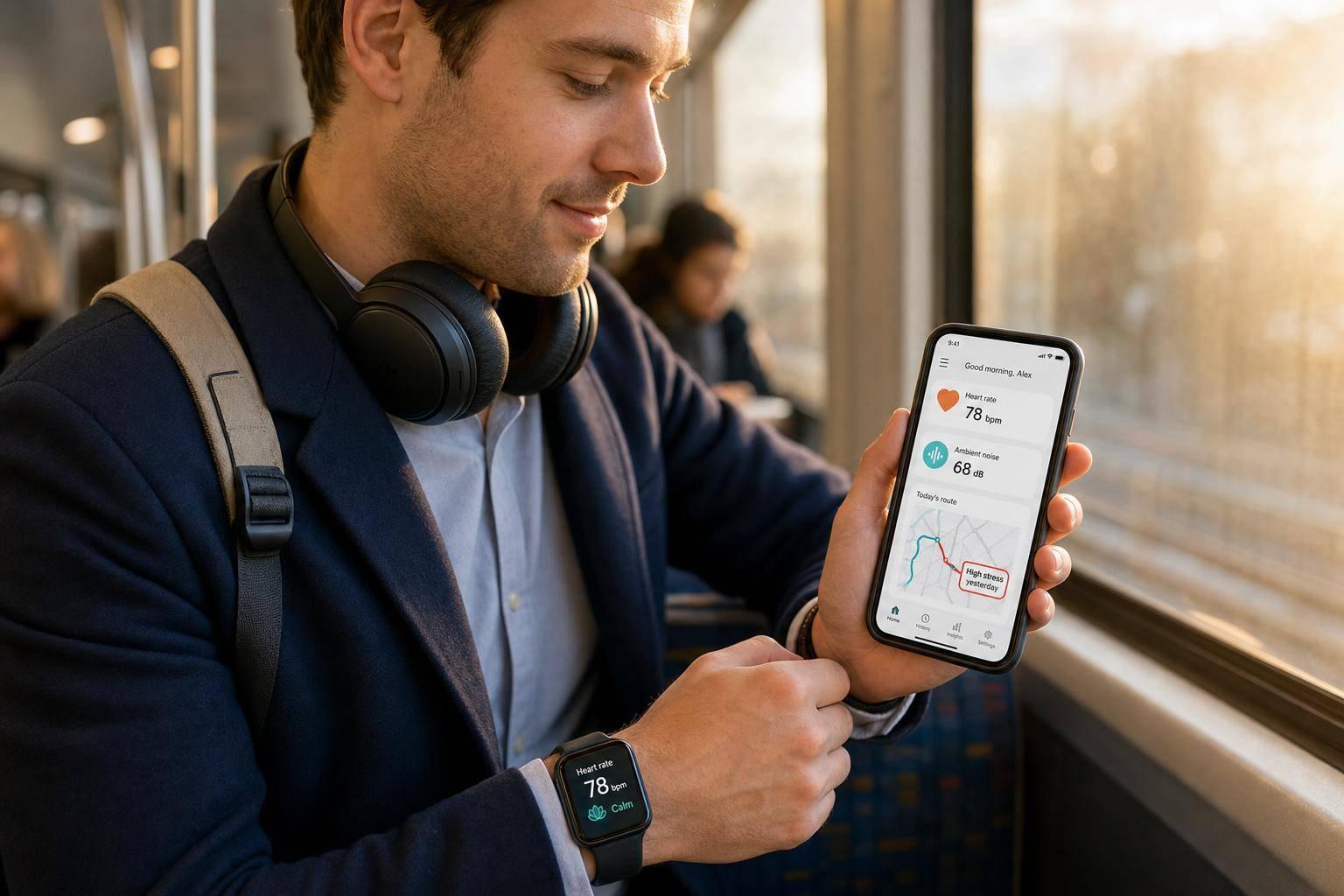
Your commute can push stress up before you even get to work. In the article, I found three simple ways these tools track that stress: body signals like heart rate and HRV, outside conditions like noise and heat, and trip problems like delays and tight transfers.
Here’s the short version:
- I can use a watch or ring to spot stress spikes during or after a ride
- I can use location, motion, and transit data to connect those spikes to a station, route, or missed transfer
- I can use noise apps to find loud parts of a trip, especially when platforms hit 94 dB to 100+ dB
- I can compare tools based on one simple question: Do I want live alerts, post-trip review, or route context?
A few points stood out:
- Stress after a rough commute doesn’t just feel bad. The article notes higher systolic blood pressure after commuting and links more than 6 hours a week of commuting with worse mental health
- Motion data helps separate stress from physical effort, like running for a train
- Some tools focus on live prompts for breathing, while others are better for reviewing patterns later
- The list covers Healify, Apple Watch, Samsung Galaxy Watch, Google Pixel Watch, Garmin Connect, WHOOP, Oura Ring, and NoiseCapture
If I want the simplest way to use this info, the goal is clear: find repeat stress spikes by route, time, and transfer, then change the part of the trip that sets them off.
Quick Comparison
| Tool | Best fit | Main focus | Main drawback | Price |
|---|---|---|---|---|
| Healify | People who want one next step | Coaching from health and wearable data | Beta/waitlist | Free (beta) |
| Apple Watch | iPhone users who want live alerts | Heart rate, HRV, motion, noise via apps | Needs extra app for commute-focused use | $249–$799+ plus app cost |
| Samsung Galaxy Watch | Android users who want wrist tracking | Heart rate, HRV, breathing, skin temp, noise | Better with companion app | $250–$400 |
| Google Pixel Watch | Riders who want stress spikes plus transit updates | cEDA, heart rate, HRV, skin temp, Maps timing | Best with Google/Fitbit setup | $250–$400 |
| Garmin Connect | People who review stress after the ride | Stress history, Body Battery, breathing prompts | Needs Garmin device | $200–$1,000+ |
| WHOOP | People focused on day-long strain | Baseline-based stress and recovery trends | Monthly fee | About $30/month |
| Oura Ring | People who want a low-profile wearable | Finger-based HRV, skin temp, daytime stress | Monthly fee for full history | $299 plus about $5.99/month |
| NoiseCapture | People tracking loud routes | Noise by route segment with GPS | No body data | $0 |
So if I had to boil the whole article down, it’s this: pick the tool based on the signal you care about most, then use the data to make one small commute change at a time.
sbb-itb-f5765c6
What AI Can Actually Measure During a Public Transit Commute
A stress score by itself doesn't tell you much. What matters is when your stress changed and what was happening at that moment - maybe a packed platform, a missed transfer, or loud tunnel noise. The most useful tools tie a reading to a clear part of your ride.
Body Signals: Heart Rate, HRV, Breathing, and Motion
Most wearables use photoplethysmography (PPG) to track heart rate and HRV. A sudden jump in heart rate or a sharp drop in HRV can point to a stress response [1]. Some AI-enabled wearables also track respiratory rate. When stress kicks in, breathing often shifts from deep, diaphragmatic breaths to shallow, chest-based breathing [1].
Motion data matters too. Accelerometers help AI tell the difference between a heart rate spike from sprinting to catch a train and one caused by anxiety on a crowded platform [3]. If a tool can't make that call, the data gets muddy fast. The tools in this list combine those signals in different ways.
Outside Conditions: Noise, Temperature, and Crowd Pressure
Your phone's microphone can log noise levels in decibels, and wearables can pick up changes in skin temperature. AI models can then layer those signals with crowding cues from transit feeds and location data, which helps explain why your biometrics changed during a delayed or packed part of the trip [2]. One pilot study tracked electrodermal activity, blood volume pulse, and skin temperature to predict stress in later trips [3].
Trip Disruptions: Delays, Transfers, and Timing Pressure
Route problems can be measured too. GPS and transit APIs can track delay minutes, spot route deviations, and show which transfer points keep pushing stress up. After enough repeated trips, patterns start to show up: one connection is always too tight, one segment keeps piling on delays, and certain handoff points seem to trigger stress again and again. AI can link those moments to your physiological data [5][6].
That's the gap these tools try to close: not just showing that stress happened, but showing where delays, transfers, and timing pressure pushed it higher.
1. Healify
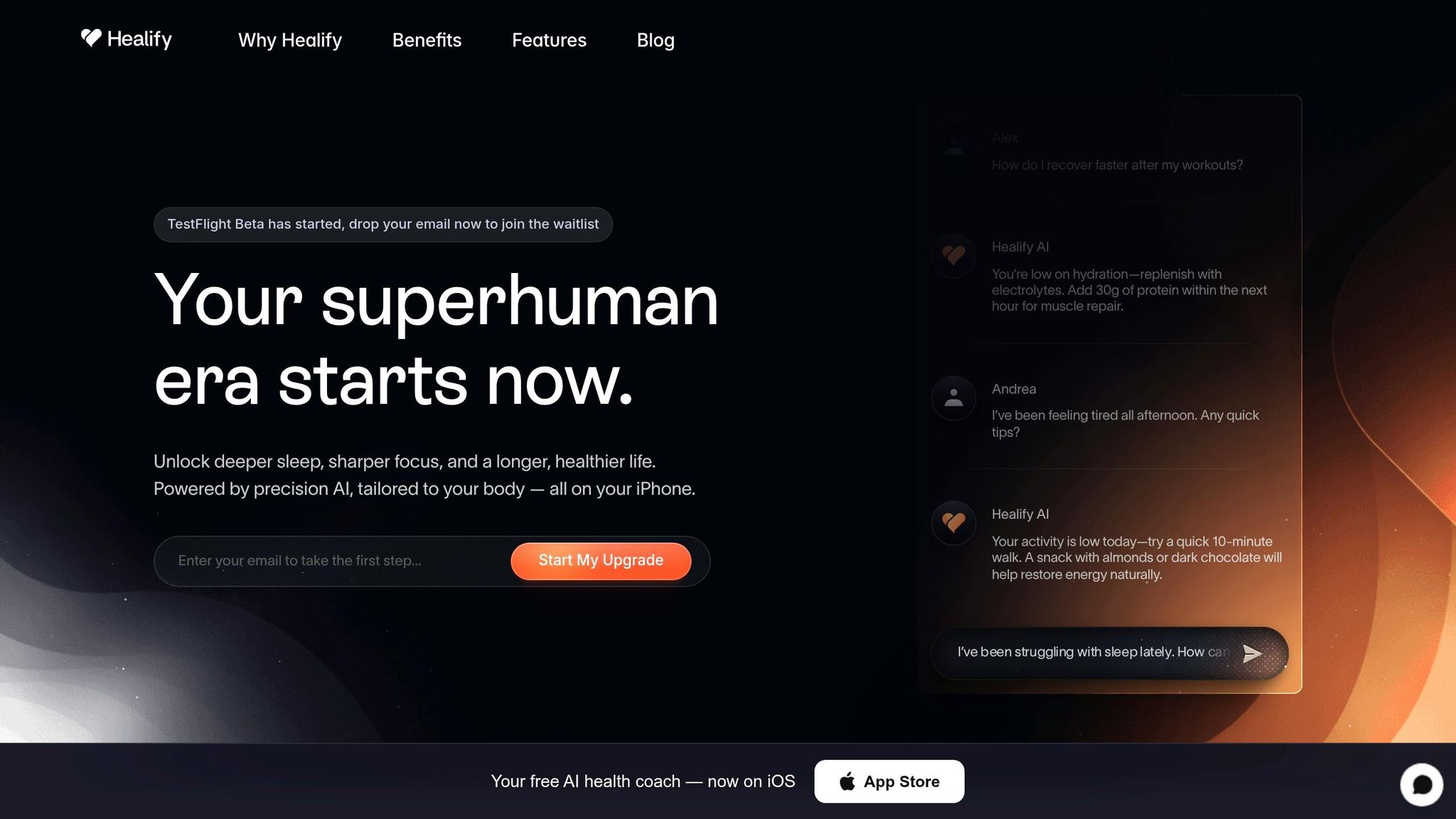
Healify is an iPhone app that pulls wearable, biometric, bloodwork, and lifestyle data into one Health Score, then uses it to give real-time stress guidance. It also applies those signals to your commute by flagging rising stress as it happens. [7]
The app tracks heart rate, blood oxygen, and other stress markers, which can help you spot strain during a crowded or delayed ride. [7]
When synced with Apple Watch, Healify combines movement data with biometrics to tell the difference between physical effort and commute stress. For commuters, that matters because it turns a messy stream of body data into a clear stress pattern linked to the ride itself. [7]
After the ride, Healify turns that readout into a next step. Anna, Healify's AI coach, can suggest simple recovery actions like electrolytes, protein, or a 10-minute walk. [7]
2. Apple Watch
Apple Watch stands out for commuters who want live stress detection during the ride. It uses photoplethysmography (PPG) sensors to track heart rate and HRV on a continuous basis. Those signals can show when stress starts climbing during a commute. Pair it with an AI app, and the watch can turn raw biometric data into commute-specific stress alerts.
Stress signal depth
Apple Watch uses its built-in accelerometer to help separate physical activity from stress.[3] That matters on a crowded train. If your heart rate jumps, you want to know what caused it - running to the platform or the tension of a delayed transfer.
Commute context awareness
Apps can apply personalized thresholds above your resting heart rate to flag stress without mixing it up with light movement.[12] That makes the alert more useful during a normal ride, where small movements happen all the time.
Environmental stress tracking
Some Apple Watch apps also use the microphone to log noise levels during the trip. That adds context when stress starts climbing on a packed platform or in a loud tunnel segment.[9][11]
Actionable coaching
Once stress is detected, Apple Watch can react right away. When stress spikes, the watch can send a haptic tap and prompt a 1- to 3-minute guided breathing session.[9][10] A 2025 clinical trial found that real-time heart rate biofeedback produced significantly greater stress reduction than interventions without feedback.[12] In plain English: feedback in the moment can help stop a stress spike before it snowballs.
You can also add watch face complications to track your stress score in real time without opening an app mid-commute.[8][9]
3. Samsung Galaxy Watch
For Android commuters, Galaxy Watch turns routine ride data into a simple stress readout. It uses heart rate and HRV to estimate commute stress.
Stress signal depth
Galaxy Watch models, from Series 4 through 7, use a BioActive sensor to track heart rate and HRV.[13][14] As of June 2026, the Vitals feature broadens that picture to five bio-signals: heart rate, HRV, respiratory rate, skin temperature, and blood oxygen.[16] Put together, those signals help the watch spot when a commute pushes you above your usual baseline.
That data gets a lot more useful when the watch compares it against your normal baseline, not just a single moment in time.
Commute context awareness
Galaxy Watch uses your baseline metrics to tell the difference between normal day-to-day variation and spikes tied to your commute.
It also goes beyond body signals by adding noise context. That matters on packed trains, loud buses, or rough morning rides, where stress isn’t just about what your body is doing, but what’s happening around you too.
Environmental stress tracking
A 2026 update added Hearing Health, which monitors noise during crowded or loud rides.[16] That gives you one more layer of context alongside the body signals, so the watch can paint a clearer picture of what your commute feels like.
Actionable coaching
When the watch detects high stress, it can prompt a guided breathing exercise right on your wrist.[13][15] As Hon Pak, Senior Vice President and Head of the Digital Health Team at Samsung Electronics, put it:
"Samsung Health is evolving to connect health data measured by Galaxy Watch with AI-based insights, enabling users to understand their physical and mental condition more easily and intuitively." [16]
For cleaner commute data, turn on continuous measurement and wear the band snugly. That makes Galaxy Watch a good fit for riders who want a wrist-based stress log with instant breathing prompts.
4. Google Pixel Watch
For commuters who want body-signal tracking and live transit updates, the Pixel Watch brings both together. On Pixel Watch 2 and newer models, a continuous electrodermal activity (cEDA) sensor tracks tiny shifts in skin sweat levels along with heart rate, HRV, and skin temperature. A machine learning model then uses those signals to flag "Body Responses" - rapid stress spikes.[18][19][20]
Stress signal depth
The cEDA sensor can catch stress spikes that a heart-rate sensor alone may miss. It also needs about a month of regular wear to learn your baseline. On top of that, Pixel Watch 2 and newer models include a multipath heart rate sensor that's up to 40% more accurate during vigorous activity than the first generation. That's a big deal when you're sprinting for a train or weaving through a crowded platform.[19][20][21]
Commute context awareness
With Transit mode and the At a Glance widget, Pixel Watch works with Google Maps to show live commute updates right on your wrist. That can include departure times, delays, and alternate routes. After 2–3 weeks of location history, it starts tailoring those updates to your usual commute.[17][22]
That extra context helps. If your route suddenly changes, you can often line that up with the moment a stress spike shows up.
Environmental stress tracking
The cEDA sensor can also pick up spikes linked to noise, heat, and crowding during transit. As Google Health Support explains:
"Body Responses do not track overall perceived stress levels, just sudden and rapid increases in your 'fight or flight' system." [18]
That distinction is important. The watch isn't trying to read your mind or decide how stressed you feel. It's tracking the moment your body reacts.
Actionable coaching
When a Body Response shows up, the watch sends a notification about 10 minutes later and prompts you to log your mood. From there, it may suggest guided breathing in the on-wrist Relax app or a mindfulness exercise. For a closer look, the Google Health app maps your Body Responses on a daily timeline next to mood logs, which can help you connect stress spikes to certain routes, transfers, or times of day.[18][19]
5. Garmin Connect
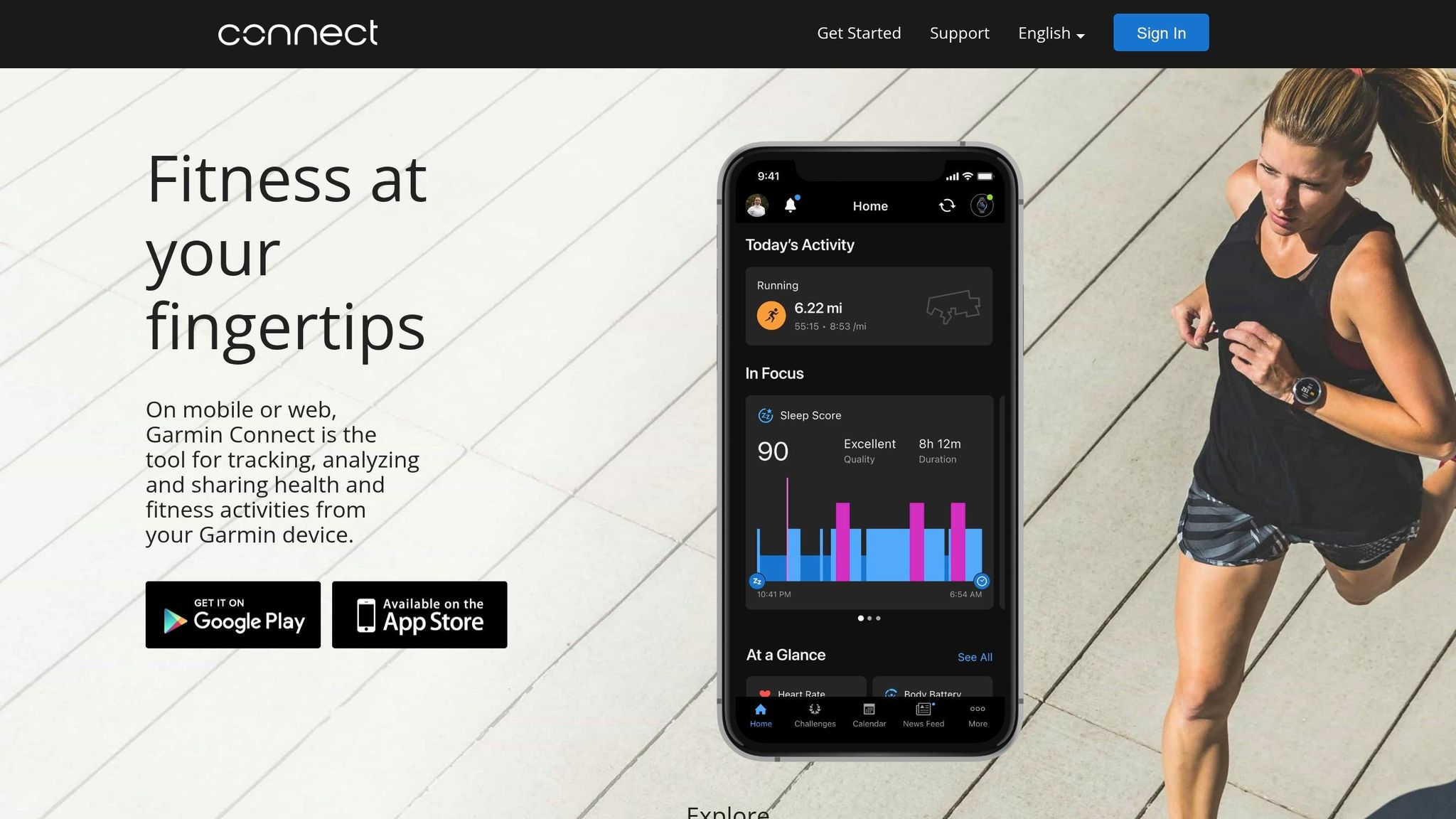
If you want to look at stress after the ride instead of watching live alerts, Garmin Connect gives you a cleaner way to review what happened during your commute.
Stress signal depth
Garmin Connect scores stress on a 0 to 100 scale using heart rate and HRV data from the optical heart rate sensor [24]. Garmin leaves physical activity out of this stress score, which helps you separate commute strain from exercise. That matters when your trip includes stairs, rushing, or a last-second sprint to the platform.
Commute context awareness
The All-Day Stress widget shows hourly spikes after a commute, so you can line them up with delays, transfers, or rough parts of the trip and spot repeat patterns over time [26]. Body Battery adds another layer by showing how much energy a stressful commute used up [23][24].
That history gets more useful when you pair it with clues from your surroundings.
Environmental stress tracking
Garmin devices with Pulse Ox can add context when heat or poor air quality affects breathing and oxygen levels during hot cars, stuffy platforms, or long rides [23][25].
Actionable coaching
Once a pattern starts to show up, Garmin can nudge you to reset. Relax Reminders send an alert when stress spikes and prompt a guided breathing exercise [24]. Garmin Connect+ adds personalized insights based on your activity data [23][27].
6. WHOOP

Unlike watches built around live alerts, WHOOP is better at showing how commute stress spills into the rest of your day. It tracks the buildup across hours, not just what happened on the ride itself.
Stress signal depth
WHOOP measures stress by looking at your heart rate and HRV against your 14-day baseline. From there, it gives you a live stress score from 0 to 3 [28].
"Stress Monitor is able to give you a real-time stress score between 0 and 3 by measuring your heart rate and HRV and comparing that to your baseline." - WHOOP [28]
Commute context awareness
That setup makes WHOOP a good fit if you care more about patterns after the commute than instant warnings in the moment. Motion data helps separate a brisk walk to the station from stress, and the app’s continuous graph lets you see when stress jumped during the trip [28].
Environmental stress tracking
Day Strain shows how much a rough commute adds to your total cardiovascular load, even if you’re not working out [29][30].
Actionable coaching
You can tag the exact commute trigger in the Journal, then use Behavior Insights to connect those trips with your Recovery score [31]. WHOOP also includes guided breathwork after stressful rides. Use "Increase Relaxation" for cyclic sighing when you need to settle down after a bad commute [28].
7. Oura Ring

Oura Ring tracks stress from your finger throughout the day. For riders who don't want wrist buzzes or constant check-ins, that hands-off setup is a big plus.
Stress signal depth
Oura uses PPG sensors at the base of your finger to track heart rate, HRV, skin temperature, and respiratory rate [1][32]. Because the ring sits on the finger, it picks up less motion noise, which helps keep the signal cleaner during packed rides [34][37].
Its Daytime Stress feature sorts your stress state into four zones: Stressed, Engaged, Relaxed, or Restored. It updates every 15 minutes when you're still [34].
Commute context awareness
Raw data is one thing. Knowing when stress shows up is what makes it useful.
Oura can flag both sharp stress spikes and slower, sustained stress during transit [1]. It can also pick up anticipatory stress before departure, with heart rate rising 30–60 minutes before you leave home [1]. And because the accelerometer pauses stress tracking during exercise, it cuts down on false positives [34].
Environmental stress tracking
Commutes can wear on you in ways that don't feel dramatic at first. Noise, humidity, and crowding can all trigger physical stress, causing peripheral blood vessels to constrict. Oura reads that as a drop in skin temperature at the base of the finger [32][33].
As of October 2024, you can also layer Tags and activities like "train delay" or "packed platform" onto your stress graph [33]. That makes it easier to tie spikes to exact moments on your route and spot patterns after the ride.
Actionable coaching
Resilience and Cumulative Stress help show whether repeat commute stress is stacking up over weeks, not just during a single trip [34][35][36]. Full stress history requires Oura Membership ($5.99/month) [38].
8. NoiseCapture
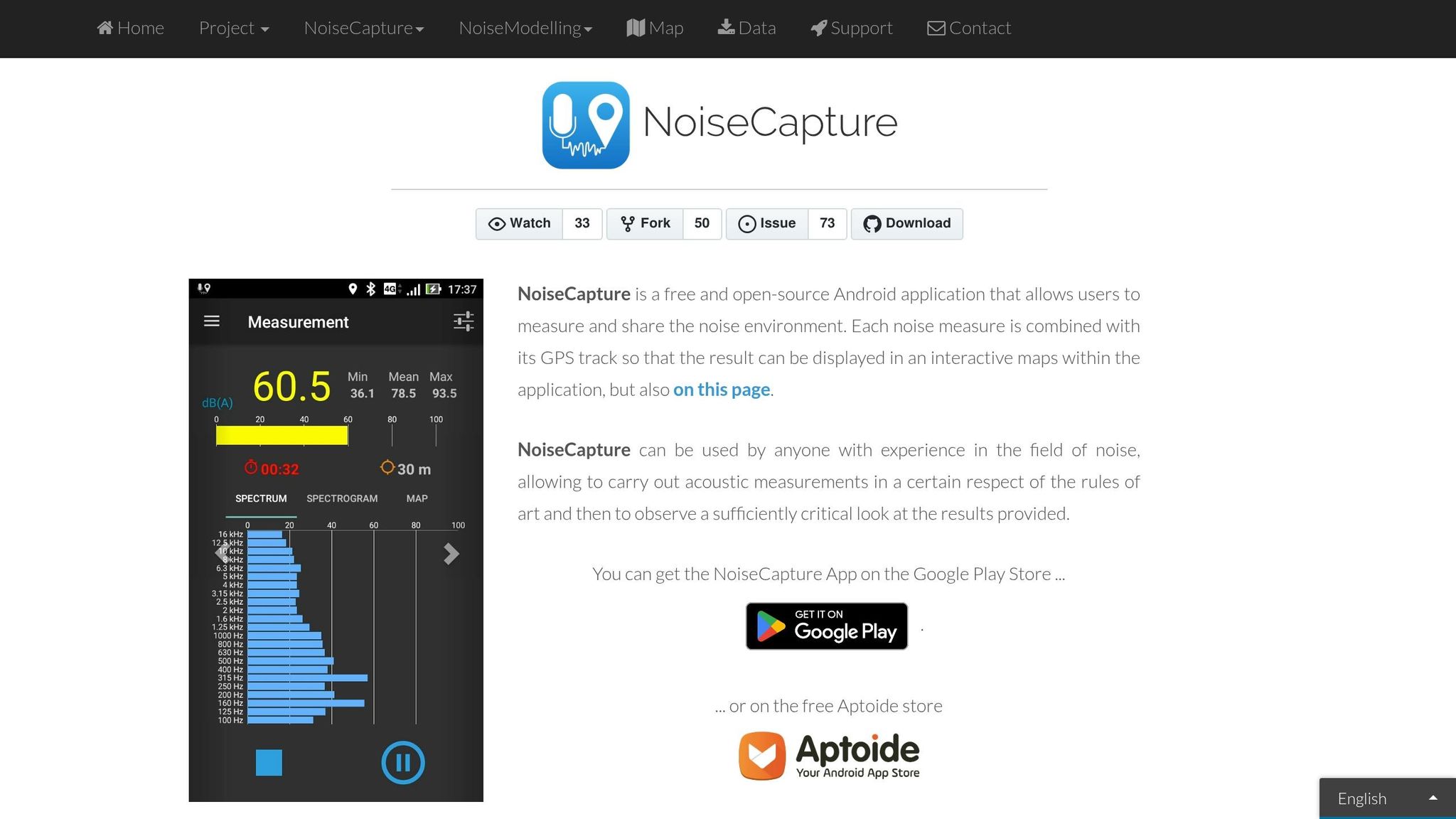
When body data doesn't tell the whole story, NoiseCapture shifts the focus to the commute itself. It maps noise across route segments, stations, and transfer points. So if your stress seems to come more from where you travel than from your body metrics alone, this app helps you spot the problem areas. It uses your phone's microphone to measure average and peak noise, then matches each reading to a GPS track so you can see exactly where noise spiked during the ride [39][40].
Environmental stress tracking
The app's noise map shows which parts of a commute are the loudest. That's useful because subway platforms can average 94 dB and peak above 100 dB, while the World Health Organization recommends keeping average daily noise exposure below 70 dB to avoid health risks [42]. That's a big gap. And when you're trying to figure out which part of your route hits you hardest, that kind of detail matters.
Commute context awareness
You can tag each recording with the mode of transport, such as bus, train, or subway, and add notes, photos, or tags to each recording [39]. That gives the data more context. Pair it with a wearable or a journal entry, and you can line up noise spikes with your stress response [3][41].
Actionable coaching
NoiseCapture's shared noise map can help you find quieter routes or transfer paths before your next ride [39][40]. If one segment keeps showing high peak readings, you can work around it or use hearing protection for that stretch [39][42]. NoiseCapture is a free, open-source Android app [40]. It's best used when noise is the main source of commute stress, especially if you want to plan quieter repeat trips and steer clear of the loudest segments.
Which Tool Fits Your Commute Style
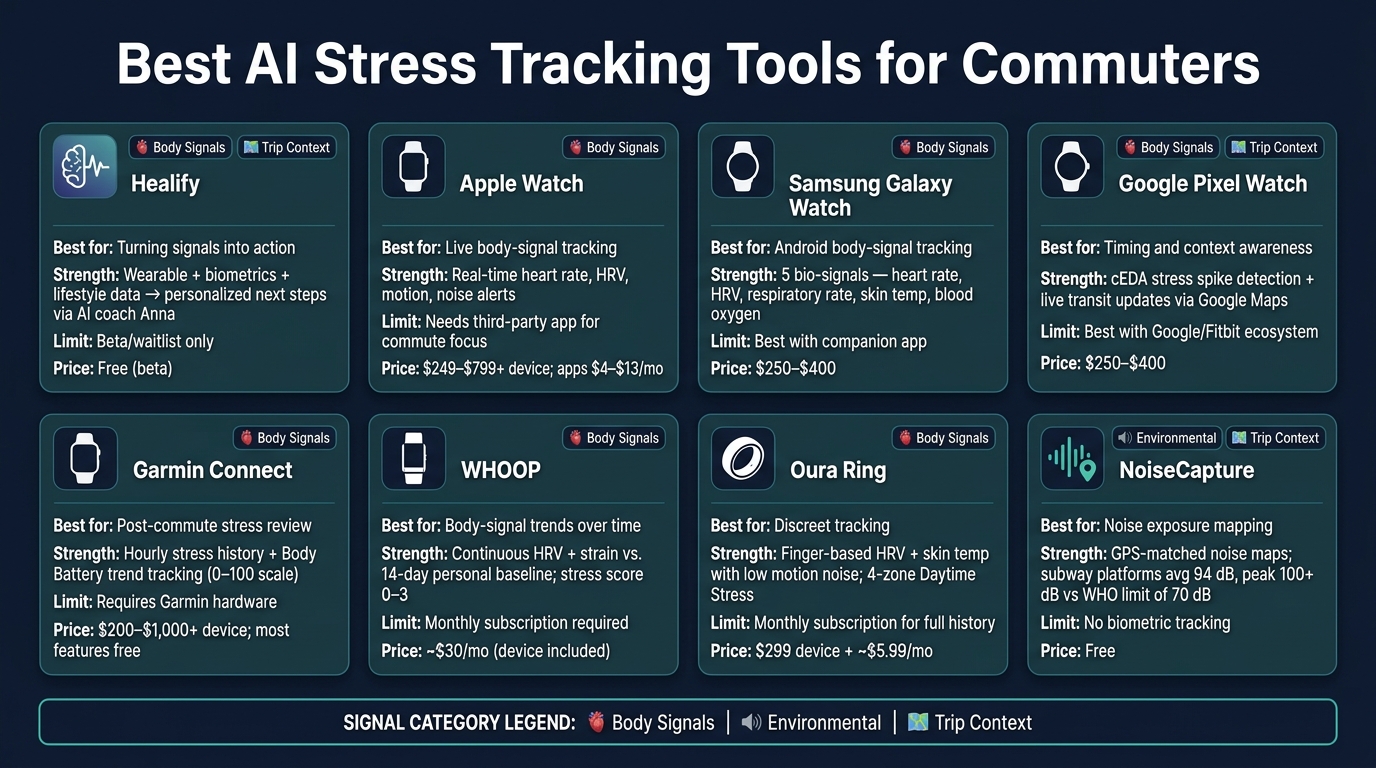
Best AI Stress Tracking Tools for Commuters: Features & Pricing
Match the tool to the stress signal you want to track: body, environment, or trip timing. The best choice comes down to your phone, your wearable, and the signal you care about most. After that, the job is simple: use those readings to adjust your route.
| Tool | Best For | Main Commute Stress Strength | Limits | Price (USD) |
|---|---|---|---|---|
| Healify | Turning signals into action | Turns wearable, biometrics, bloodwork, and lifestyle data into next steps through Anna | Currently in beta/waitlist | Free (beta) |
| Apple Watch | Live body-signal tracking | Live stress alerts | Needs a third-party app for commute-specific insights | $249–$799+ device; apps $4–$13/mo |
| Samsung Galaxy Watch | Body-signal tracking on Android | Multi-signal biometric stress tracking with guided breathing prompts | Best when paired with a companion app | $250–$400 device |
| Google Pixel Watch | Timing and context awareness | cEDA-based stress spike detection with live transit updates | Works best with Google Maps and Fitbit data | $250–$400 device |
| Garmin Connect | Post-commute stress review | Hourly stress history with Body Battery trend tracking | Requires Garmin hardware | $200–$1,000+ device; most features free |
| WHOOP | Body-signal trends over time | Continuous HRV and strain tracking against a 14-day baseline | Monthly subscription required | ~$30/mo (device included) |
| Oura Ring | Discreet body-signal tracking | Clean finger-based HRV and skin temperature readings with low motion noise | Monthly subscription required | $299 device + ~$5.99/mo |
| NoiseCapture | Noise exposure awareness | Noise maps for loud transit zones | No biometric tracking; manual recording required | $0 |
For commuters focused on environmental stress, NoiseCapture fills a gap that body-signal tools can’t. It shows which parts of a route are the loudest, which can help if a certain platform, bus line, or transfer point always leaves you tense.
If cost is the main factor, Garmin Connect and NoiseCapture have the lowest ongoing cost in this group. WHOOP and Oura can add up over time because of the monthly fee.
Once you’ve picked a tool, use the readings to find repeat stress points by route, time, and transfer.
How to Turn Stress Readings Into Better Transit Choices
Spot Repeat Stress Spikes by Time, Route, and Transfer
Once you have a tool, use it to find the pattern behind each spike. A stress reading by itself doesn't tell you much. The useful part comes when you compare trips by time, route segment, and transfer point.
Sort the data by station, line, transfer, and departure time. That's how random-looking numbers start to point to something you can change.
Watch for hot spots that keep showing up across multiple trips. If the same platform or line triggers a spike week after week, start there.
Match the Trigger to a Simple Change
After you find the pattern, test the simplest route change first. Sometimes a small timing shift is enough. Leaving a bit earlier can move you out of the busiest part of the commute. Crowding forecasts can show one route jumping from 22% crowding to 61% in just 15 minutes [5].
If noise is the trigger, try routing around a loud platform or transfer point. Even if that adds a few minutes, it may cut your total stress load for the day.
Use Coaching Features to Build a Routine
Turn repeat spikes into a simple commute routine. If a wearable detects a spike in the middle of your trip, guided breathing prompts can help in the moment. One example is the 4-7-8 pattern: 4 seconds in, 7 seconds hold, 8 seconds out [4].
Over time, you can pair those in-the-moment steps with recovery data to see if the routine is helping.
If you want the readings turned into one next action, a coaching layer can do that for you. Healify turns wearable and lifestyle data into one clear next step through Anna.
Conclusion
Commute stress matters only when it points to a clear cause: body signals, noise, crowding, or timing. So the goal is pretty simple: notice repeat spikes and change the trigger.
What helps most is seeing which route, transfer, or time of day sets that spike off. Once you know what's driving it, you can adjust your route, shift your timing, or change a transfer.
If you want a clear next step, Healify turns wearable data into personalized guidance through Anna, its 24/7 AI coach.
FAQs
How accurate are commute stress readings?
Commute stress readings can be highly accurate when AI looks at several signals at once, such as heart rate, blood pressure, EEG waves, and skin temperature. Advanced machine learning models, especially random forest algorithms, have reached 91% to 92% classification accuracy.
The system also tends to get better with time. As it builds a personal baseline, it can do a better job telling the difference between actual stress and normal physical activity, which helps cut down on false alarms.
How long does it take to spot a stress pattern?
Spotting a stress pattern usually takes steady monitoring over time. Self-reporting helps, but it can be late or off. Tools like Healify can fill that gap by tracking biometrics and lifestyle data in real time, so they can catch stress spikes as they happen.
As these systems gather more data, they can start to map both short-term stress events and longer-term patterns. That includes things like likely triggers and how a person tends to recover after stress hits.
What should I do first after a stress spike?
After a stress spike, act right away so it doesn’t turn into a bigger problem. Follow Healify’s personalized alerts, which may suggest simple steps like deep breathing, drinking water, or taking a short break.
These suggestions are based on your baseline and your current context, so they’re the best place to start. It also helps to log what happened, since that can improve future interventions.